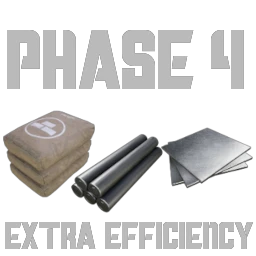
Phase 4 Basic item production
More efficient production of basic Items in Phase 4
Beschreibung
Adds better ways to produce the most Basic of Parts in Phase 4Additions
1 New MAM tree and 1 new Milestone
MAM tree: Using Rubble to make the most basic of Parts more efficiently.
Milestone: Basic Material Reconstruction, unlocks Iron Rubble and accses to the MAM tree.
3 New items / Fluids
1. Rubble: made from iron, copper, caterium or quartz ore
2. Cement: A fluid made from limestone and water used in concrete.
3. Molten Rubble: Rubble, molten down to be used as a heat source for iron recipes
10 new recipes
1. Rubble: Used in Concret or melted down into Molten Rubble, 4 recipes for Iron, Copper, Caterium and Quartz.
2. Wet Cement: Limestone and water mixed to make a liquid used for Concrete.
3. Blended Concrete: using cement, water and rubble it's possible to create large amounts of concrete using less materials, but it takes a lot more time.
4. Extreme Iron Ingots, Plates and Rods: Recipes for the Ingots, Plates and Rods using molten rubble as a heat source.
#In the Future
Phase 4 Recipes for allmost all Basic Materials
Note: Most Icons, Meshes and Textures are Currently Placeholder
You can find me on the Satisfactory Modding Discord under PurpleDragon_99, and contact me via DMs to report any Bugs and Crashes.
Versionen
Phase 4 Basic item production auf dem Server installieren
Satisfactory Server bestellen
Bestelle einen Satisfactory Server mit mindestens 4 GB RAM (6 GB empfohlen). Bei Multiplayer: +1 GB pro 3 Spieler.
Mod installieren
Öffne den Mod-Manager im Dashboard und suche nach "Phase 4 Basic item production". Installations-Dependencies werden automatisch mitinstalliert.
Server neu starten
Starte den Server neu, damit die Mod geladen wird. Spieler müssen die Mod ebenfalls lokal installiert haben.
Häufige Fragen
Phase 4 Basic item production funktioniert nicht nach Update – was tun?
Nach einem Satisfactory-Update müssen Mods aktualisiert werden. Prüfe auf ficsit.app, ob Phase 4 Basic item production bereits für die neue Game-Version aktualisiert wurde. Bei Mado Hosting: Öffne den Mod-Manager und klicke "Alle aktualisieren". Wenn die Mod noch nicht aktualisiert ist, entferne sie temporär, damit der Server startet.
Phase 4 Basic item production verursacht Crashes im Multiplayer – Lösung
Häufigste Ursache: alle Spieler müssen exakt die gleiche Mod-Version installiert haben. Prüfe in den Server-Logs nach "ModMismatch" oder "Version Conflict". Stelle sicher, dass alle Spieler Phase 4 Basic item production v1.1.1 und den gleichen SML verwenden. Bei Mado Hosting laufen Satisfactory Server mit 6 GB RAM für stabile Multiplayer-Performance.
Ist Phase 4 Basic item production mit anderen Satisfactory Mods kompatibel?
Phase 4 Basic item production nutzt den Satisfactory Mod Loader (SML). Generell sind SML-basierte Mods untereinander kompatibel, aber Mods die gleiche Game-Systeme ändern, können Konflikte verursachen. Teste neue Mod-Kombinationen am besten auf einem Backup-Save. Im Mado Dashboard werden bekannte Konflikte automatisch erkannt und du wirst gewarnt.
Phase 4 Basic item production Server mieten
Spiele Phase 4 Basic item production auf deinem eigenen Satisfactory Server mit Mod-Support.
Mod Informationen
- Ersteller
- PurpleDragon_99
- Neueste Version
- v1.1.1
- Erstellt am
- 29. Oktober 2025
- Zuletzt aktualisiert
- 8. Juli 2026