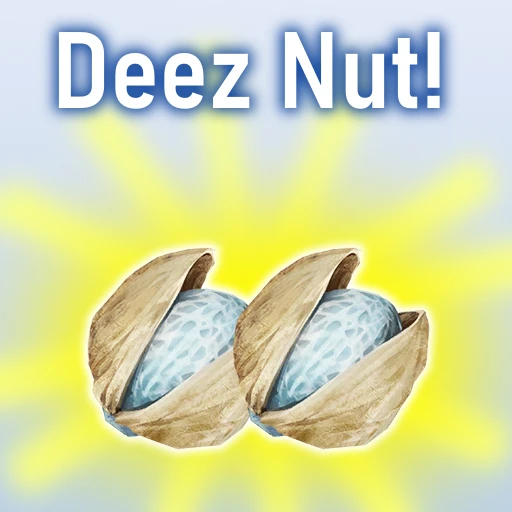
Deez Nut
Have those Beryl Nuts? Ha, gottem!
Beschreibung
#
AniViRus Productions (AniMouse) is now on [Ficsit Labs](https://discord.gg/pz2U6FvMat). Join for news, updates and your feedback and suggestions!
[Donation link](https://boosty.to/anivirus/donate) if you wish to toss a coin to support me. Everything goes into a new PC for modding!
---
What are Deez Nuts? Let ADA explain!
All of your Beryl Nuts (at least when we talk about the vanilla game, without mods that have things related to Beryl Nuts) have been replaced with Deez Nuts. Ha, gottem! This includes:
- Item name changes to Deez Nut including MAM research and inbox
- Object Scanner for Beryl Nut Bushes now searches for Deez Nuts
- When you pick up Nuts from the bush it plays "Deez Nuts" sound effect. You will always know that you got them!
- When you comsume Nuts they play "Ha! Gottem!" sound effect
- ADA's MAM research dialogue will tell you everything you need to know about Deez Nuts to truly enjoy them
Enjoy them!Known Issues
As it has been said earlier this mod doesn't overwrite content of other mods. I will look into possibility of making this mod less hardcoded
---
Conclusion
If you have any suggestions, ideas or issues you are free to contact me via:- GitHub (Source code link).
- Discord (@AniMouse), I am on Satisfactory Modding Server and Ficsit Labs.
- [Any of my other social media](https://linktr.ee/anivirus) [under maintainance].
Thanks for reading through all of this!
Versionen
Deez Nut auf dem Server installieren
Satisfactory Server bestellen
Bestelle einen Satisfactory Server mit mindestens 4 GB RAM (6 GB empfohlen). Bei Multiplayer: +1 GB pro 4 Spieler.
Mod installieren
Öffne den Mod-Manager im Dashboard und suche nach "Deez Nut". Installations-Dependencies werden automatisch mitinstalliert.
Server neu starten
Starte den Server neu, damit die Mod geladen wird. Spieler müssen die Mod ebenfalls lokal installiert haben.
Häufige Fragen
Deez Nut funktioniert nicht nach Update – was tun?
Nach einem Satisfactory-Update müssen Mods aktualisiert werden. Prüfe auf ficsit.app, ob Deez Nut bereits für die neue Game-Version aktualisiert wurde. Bei Mado Hosting: Öffne den Mod-Manager und klicke "Alle aktualisieren". Wenn die Mod noch nicht aktualisiert ist, entferne sie temporär, damit der Server startet.
Deez Nut verursacht Crashes im Multiplayer – Lösung
Häufigste Ursache: alle Spieler müssen exakt die gleiche Mod-Version installiert haben. Prüfe in den Server-Logs nach "ModMismatch" oder "Version Conflict". Stelle sicher, dass alle Spieler Deez Nut v1.1.1 und den gleichen SML verwenden. Bei Mado Hosting laufen Satisfactory Server mit 6 GB RAM für stabile Multiplayer-Performance.
Ist Deez Nut mit anderen Satisfactory Mods kompatibel?
Deez Nut nutzt den Satisfactory Mod Loader (SML). Generell sind SML-basierte Mods untereinander kompatibel, aber Mods die gleiche Game-Systeme ändern, können Konflikte verursachen. Teste neue Mod-Kombinationen am besten auf einem Backup-Save. Im Mado Dashboard werden bekannte Konflikte automatisch erkannt und du wirst gewarnt.
Deez Nut Server mieten
Spiele Deez Nut auf deinem eigenen Satisfactory Server mit Mod-Support.
Mod Informationen
- Ersteller
- AniViRus Productions
- Neueste Version
- v1.1.1
- Erstellt am
- 8. Februar 2025
- Zuletzt aktualisiert
- 8. Juli 2026
- Quellcode
- GitHub →