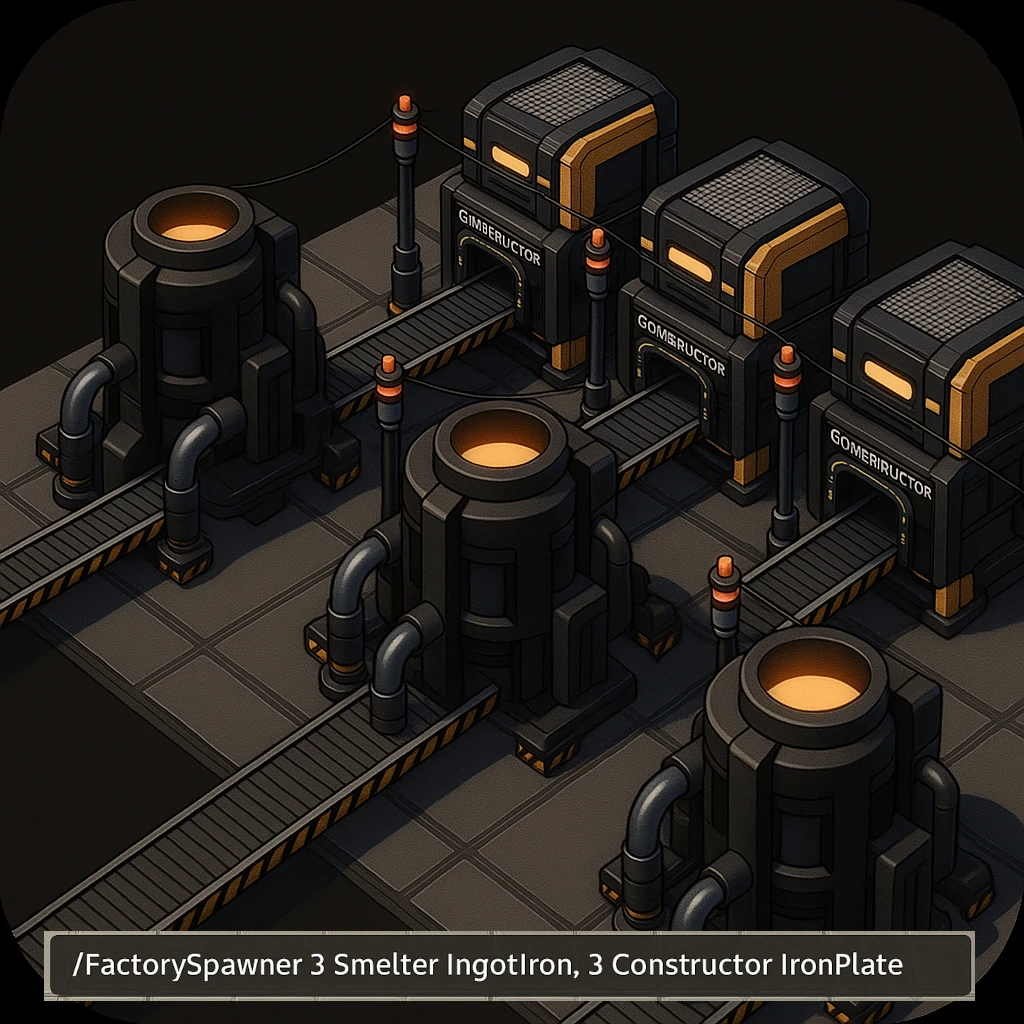
Factory Spawner
Instantly spawn complete factory setups with machines, recipes, belts, and power lines — all connected and ready to run.
Beschreibung
Version 2.3.0 - Satisfactory 1.2 compatibility update (2026-06-15)
- 🔧 Updated for Satisfactory 1.2 / SML 3.12 (Unreal Engine 5.6)
Version 2.2.0 - Release (2025-12-24)
License: [MIT](LICENSE)
🎉 What's New
- ⚡ Power generators added — Coal Generator, Fuel Generator, Nuclear Power Plant.
- 📝 Display name support — Type recipes as shown in-game (e.g., "IronIngot" instead of "IngotIron"). But both work.
From Version 2.1.0
- 🆕 Conveyor lifts added — Adds more compact vertical designs; lift tier matches belt tier.
- 🏭 Added remaining production machines — Packager, Converter, Particle Accelerator, Quantum Encoder.
From Version 2.0.0
- 🔥 Blueprint generation via chat commands - No more schematics or recipes needed!
- 🔄 Automatic belt tier detection - Uses your highest unlocked belt tier (Mk1-Mk6)
- 💧 Automatic pipeline tier - Automatically uses Mk2 pipes when unlocked
- ⚙️ Optional belt tier override - Force a specific belt tier with `beltTier {number}`
---
Factory Spawner takes the hassle out of manually placing and wiring every machine.
Simply tell it what you want to produce and how many machines you need, and it will:
- ✅ Spawn the requested machines and set their recipes
- 🔄 Automatically connect everything with belts
- ⚡ Wire up power poles and connect them to the grid
- 🛠️ Handle splitters, mergers, and constructors for smooth production chains
---
Usage
Quick Start
Open the chat and type your factory command, e. g.
```bash
/FactorySpawner 2 Smelter IngotIron, 3 Constructor IronPlate
```
A blueprint called "FactorySpawner" will be created. Just place it!
Command Syntax
```bash
/FactorySpawner {number} {machine type} {recipe} {underclock}
```
(without curly braces)
- number → Number of machines in a row
- machine type → Smelter, Constructor, Assembler, Foundry, Manufacturer, Refinery, Blender, Packager, Converter, ParticleAccelerator, QuantumEncoder, CoalGenerator, FuelGenerator, NuclearReactor
- recipe (optional) → e.g. IngotIron, IronPlate, Motor, Computer
- underclock (optional) → The clock speed of each machine in the row (Value in %: 0 - 100)
You can chain multiple commands, separated by commas. Each creates a new row of machines:
```bash
/FactorySpawner {number 1} {machine type 1} {recipe 1}, {number 2} {machine type 2} {recipe 2}
```
---
Examples
This spawns 2 Smelters making Iron Ingots and 3 Constructors making Iron Plates, all connected with belts and power:
```bash
/FactorySpawner 2 Smelter IngotIron, 3 Constructor IronPlate
```
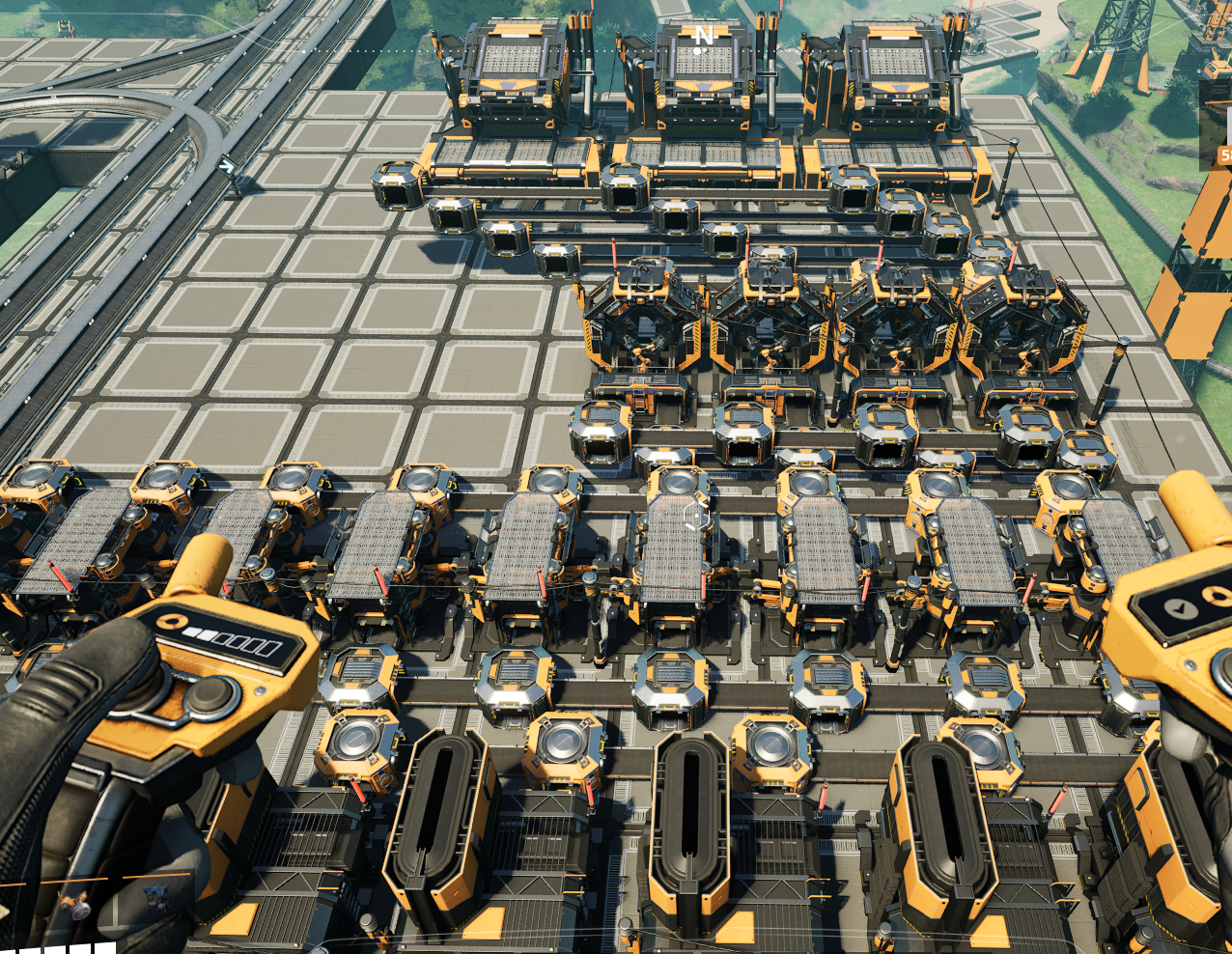
Here is the config from the screenshot (without recipes).
```bash
/FactorySpawner 12 Smelter, 10 Constructor, 5 Foundry, 10 Constructor, 4 Assembler, 3 Manufacturer
```
Automatic Tier Selection
The mod automatically detects and uses your highest unlocked belt and pipeline tiers!
- 🔄 Belts: Uses Mk1-Mk6 based on what you've unlocked
- 💧 Pipelines: Automatically uses Mk2 pipelines if available
You can also override the belt tier:
```bash
/FactorySpawner 2 Smelter IngotIron, 3 Constructor IronPlate, beltTier 3
```
This forces the mod to use Mk3 belts instead of auto-detection.
---
⚡ Automatically Generate Commands
👉 [Open Satisfactory Planner](https://uniquesimon.github.io/satisfactory-planner/)
With this tool you can plan your factories online and instantly generate a config command string.
No manual typing required — just:
1. Design your factory setup in the planner.
2. Copy the generated config string to your clipboard.
3. Paste it directly into the in-game chat (`Ctrl + V`).
Your factory will be ready in seconds! 🚀
Safe to Uninstall
All placed buildables are just vanilla ones, so you can safely uninstall the mod at any time.
Known Issues
- You can spawn machines that have not yet been unlocked.
Feedback on Discord
<https://discord.gg/Yzgw9yQK>
💛 Donation
Your support means a lot and helps me keep creating awesome stuff for Satisfactory!
☕ [Donate via PayPal](https://www.paypal.com/donate/?hosted_button_id=883ATSZP7JLPS)
Totally optional — but very appreciated!
Versionen
Factory Spawner auf dem Server installieren
Satisfactory Server bestellen
Bestelle einen Satisfactory Server mit mindestens 4 GB RAM (6 GB empfohlen). Bei Multiplayer: +1 GB pro 3 Spieler.
Mod installieren
Öffne den Mod-Manager im Dashboard und suche nach "Factory Spawner". Installations-Dependencies werden automatisch mitinstalliert.
Server neu starten
Starte den Server neu, damit die Mod geladen wird. Spieler müssen die Mod ebenfalls lokal installiert haben.
Häufige Fragen
Factory Spawner funktioniert nicht nach Update – was tun?
Nach einem Satisfactory-Update müssen Mods aktualisiert werden. Prüfe auf ficsit.app, ob Factory Spawner bereits für die neue Game-Version aktualisiert wurde. Bei Mado Hosting: Öffne den Mod-Manager und klicke "Alle aktualisieren". Wenn die Mod noch nicht aktualisiert ist, entferne sie temporär, damit der Server startet.
Factory Spawner verursacht Crashes im Multiplayer – Lösung
Häufigste Ursache: alle Spieler müssen exakt die gleiche Mod-Version installiert haben. Prüfe in den Server-Logs nach "ModMismatch" oder "Version Conflict". Stelle sicher, dass alle Spieler Factory Spawner v2.3.0 und den gleichen SML verwenden. Bei Mado Hosting laufen Satisfactory Server mit 6 GB RAM für stabile Multiplayer-Performance.
Ist Factory Spawner mit anderen Satisfactory Mods kompatibel?
Factory Spawner nutzt den Satisfactory Mod Loader (SML). Generell sind SML-basierte Mods untereinander kompatibel, aber Mods die gleiche Game-Systeme ändern, können Konflikte verursachen. Teste neue Mod-Kombinationen am besten auf einem Backup-Save. Im Mado Dashboard werden bekannte Konflikte automatisch erkannt und du wirst gewarnt.
Factory Spawner Server mieten
Spiele Factory Spawner auf deinem eigenen Satisfactory Server mit Mod-Support.
Mod Informationen
- Ersteller
- uniqueSimon
- Neueste Version
- v2.3.0
- Erstellt am
- 27. September 2025
- Zuletzt aktualisiert
- 8. Juli 2026
- Quellcode
- GitHub →