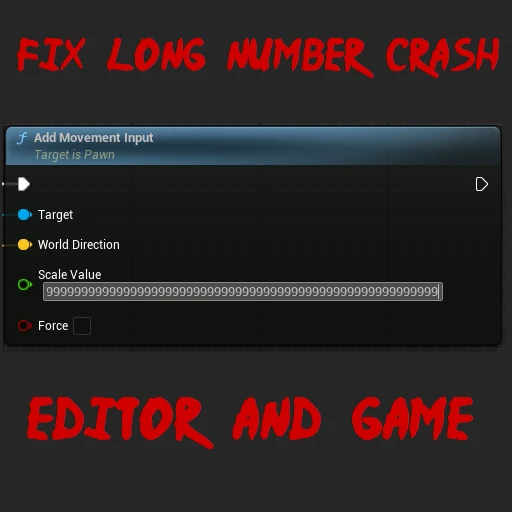
Fix Long Number Crash
Fixes an engine bug that causes a crash when entering very long numbers in a numeric entry box
Beschreibung
When entering very large numbers in a numeric entry box, the game can crash with an integer divide-by-zero exception. This is caused by a bug in Unreal Engine regarding grouping when formatting decimal numbers, and I submitted a PR (https://github.com/EpicGames/UnrealEngine/pull/11663) to fix it. However, Coffee Stain Studios would still need to incorporate this fix into their custom Unreal Engine and ship it in a game update. In the meantime, this mod allows fixing the bug, using a hook to replace the affected code with a fixed copy.
This mod can also be used in the editor. However, building the source code requires manually reconstructing part of it. We have to duplicate about 500 lines of code because we cannot hook the affected function directly (it is static), but the UE license does not allow publishing long fragments of engine code. The comment in `Source/FixLongNumberCrash/Private/FixLongNumberCrash.cpp` contains instructions on how to manually reconstruct the mod's code.
Note: This fix is already included in the editor builds since UE 5.3.2-css-68 (https://github.com/satisfactorymodding/UnrealEngine/commit/17c57b42b34b27e9e05ce93ba7c074b59aa38798), so you do not need to use this mod in the editor anymore.
Versionen
Fix Long Number Crash auf dem Server installieren
Satisfactory Server bestellen
Bestelle einen Satisfactory Server mit mindestens 4 GB RAM (6 GB empfohlen). Bei Multiplayer: +1 GB pro 4 Spieler.
Mod installieren
Öffne den Mod-Manager im Dashboard und suche nach "Fix Long Number Crash". Installations-Dependencies werden automatisch mitinstalliert.
Server neu starten
Starte den Server neu, damit die Mod geladen wird. Spieler müssen die Mod ebenfalls lokal installiert haben.
Häufige Fragen
Fix Long Number Crash funktioniert nicht nach Update – was tun?
Nach einem Satisfactory-Update müssen Mods aktualisiert werden. Prüfe auf ficsit.app, ob Fix Long Number Crash bereits für die neue Game-Version aktualisiert wurde. Bei Mado Hosting: Öffne den Mod-Manager und klicke "Alle aktualisieren". Wenn die Mod noch nicht aktualisiert ist, entferne sie temporär, damit der Server startet.
Fix Long Number Crash verursacht Crashes im Multiplayer – Lösung
Häufigste Ursache: alle Spieler müssen exakt die gleiche Mod-Version installiert haben. Prüfe in den Server-Logs nach "ModMismatch" oder "Version Conflict". Stelle sicher, dass alle Spieler Fix Long Number Crash v1.2.1 und den gleichen SML verwenden. Bei Mado Hosting laufen Satisfactory Server mit 6 GB RAM für stabile Multiplayer-Performance.
Ist Fix Long Number Crash mit anderen Satisfactory Mods kompatibel?
Fix Long Number Crash nutzt den Satisfactory Mod Loader (SML). Generell sind SML-basierte Mods untereinander kompatibel, aber Mods die gleiche Game-Systeme ändern, können Konflikte verursachen. Teste neue Mod-Kombinationen am besten auf einem Backup-Save. Im Mado Dashboard werden bekannte Konflikte automatisch erkannt und du wirst gewarnt.
Fix Long Number Crash Server mieten
Spiele Fix Long Number Crash auf deinem eigenen Satisfactory Server mit Mod-Support.
Mod Informationen
- Ersteller
- Rex (Th3Fanbus)
- Neueste Version
- v1.2.1
- Erstellt am
- 22. März 2024
- Zuletzt aktualisiert
- 8. Juli 2026
- Quellcode
- GitHub →