Locker Presets
Adds full character customization presets to the locker.
Beschreibung
Locker Presets
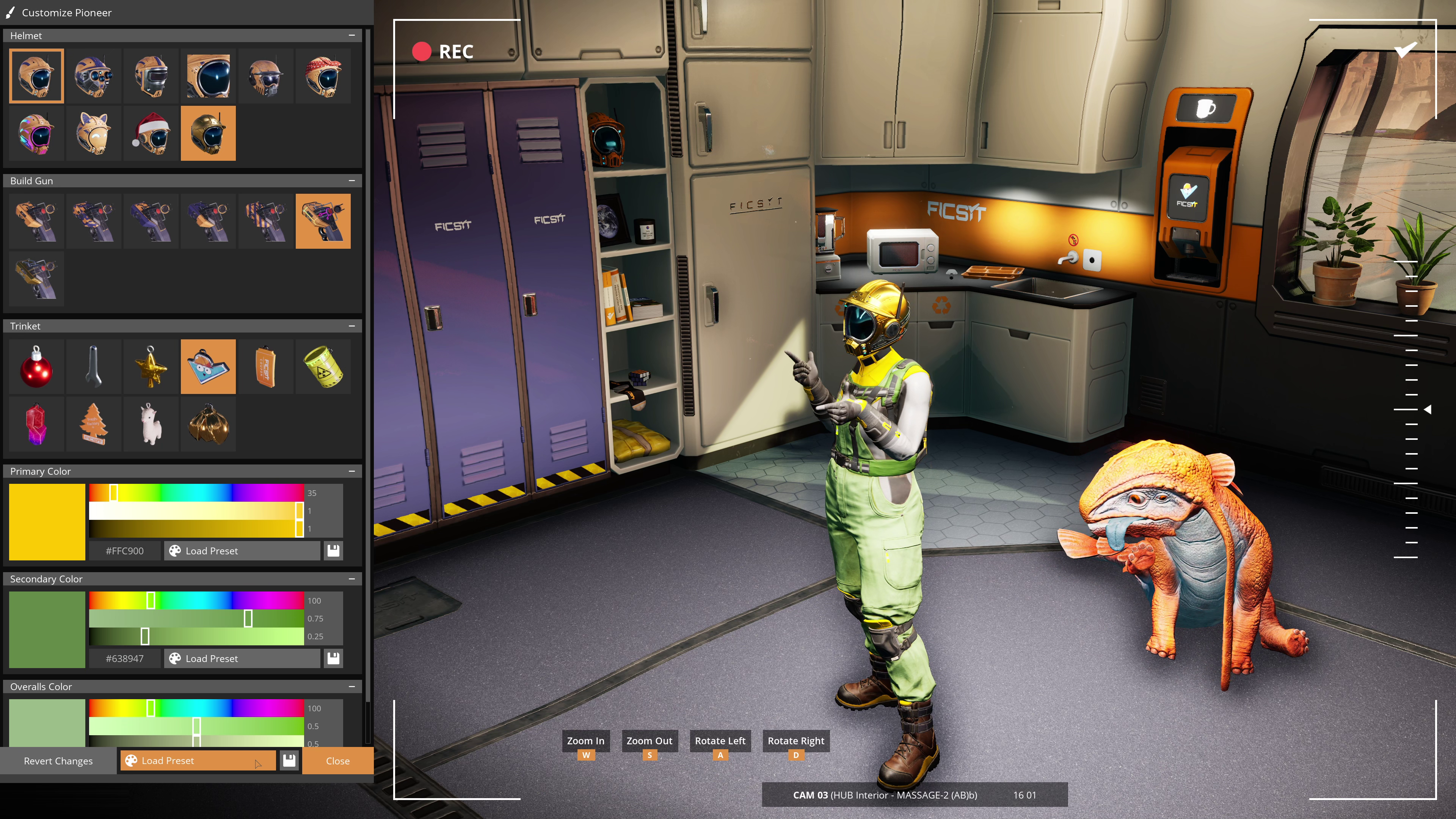
Are you tired of applying the same character customization every time you start a new session or join a friend's? If so, then this mod is for you!
Features
Save and load presets of all character customization options at once in the HUB locker UI
Automatically apply a custom preset when joining a session with the default character customization (this can be disabled in the mod configuration)
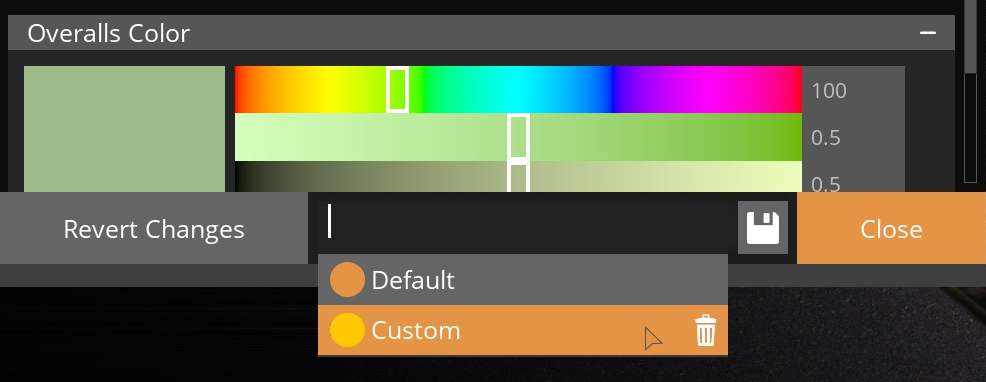
To manually save and load locker presets use the new UI elements added between the "Revert Changes" and "Close" buttons at the very bottom of the screen. Not the vanilla color presets that are within the scroll box.
Multiplayer
This is an entirely client-side mod and should be fully functional on any server (modded or vanilla).
Mod Compatibility
This mod should be inherently compatible with other mods that simply add additional helmet and trinket options. I have tested it with a number of such mods on SMR. However, it is not fully compatible with mods that add entirely new character models such as [Character Replacer](https://ficsit.app/mod/CharacterReplacer).
Additional Notes
Although the in-game UI only supports saving one custom preset, the dropdown can list multiple. It is possible to add more by manually editing the data file (Configs/LockerPresets/Data.cfg). I plan to add UI support for custom preset names in a future update.
Support
If you have any issues with the mod or suggestions for improvement feel free to submit a [GitHub Issue](https://github.com/TrollyLoki/LockerPresets/issues).
You can also reach out to me on the modding Discord as TrollyLoki.
Versionen
Locker Presets auf dem Server installieren
Satisfactory Server bestellen
Bestelle einen Satisfactory Server mit mindestens 4 GB RAM (6 GB empfohlen). Bei Multiplayer: +1 GB pro 4 Spieler.
Mod installieren
Öffne den Mod-Manager im Dashboard und suche nach "Locker Presets". Installations-Dependencies werden automatisch mitinstalliert.
Server neu starten
Starte den Server neu, damit die Mod geladen wird. Spieler müssen die Mod ebenfalls lokal installiert haben.
Häufige Fragen
Locker Presets funktioniert nicht nach Update – was tun?
Nach einem Satisfactory-Update müssen Mods aktualisiert werden. Prüfe auf ficsit.app, ob Locker Presets bereits für die neue Game-Version aktualisiert wurde. Bei Mado Hosting: Öffne den Mod-Manager und klicke "Alle aktualisieren". Wenn die Mod noch nicht aktualisiert ist, entferne sie temporär, damit der Server startet.
Locker Presets verursacht Crashes im Multiplayer – Lösung
Häufigste Ursache: alle Spieler müssen exakt die gleiche Mod-Version installiert haben. Prüfe in den Server-Logs nach "ModMismatch" oder "Version Conflict". Stelle sicher, dass alle Spieler Locker Presets v1.1.0 und den gleichen SML verwenden. Bei Mado Hosting laufen Satisfactory Server mit 6 GB RAM für stabile Multiplayer-Performance.
Ist Locker Presets mit anderen Satisfactory Mods kompatibel?
Locker Presets nutzt den Satisfactory Mod Loader (SML). Generell sind SML-basierte Mods untereinander kompatibel, aber Mods die gleiche Game-Systeme ändern, können Konflikte verursachen. Teste neue Mod-Kombinationen am besten auf einem Backup-Save. Im Mado Dashboard werden bekannte Konflikte automatisch erkannt und du wirst gewarnt.
Locker Presets Server mieten
Spiele Locker Presets auf deinem eigenen Satisfactory Server mit Mod-Support.
Mod Informationen
- Ersteller
- TrollyLoki
- Neueste Version
- v1.1.0
- Erstellt am
- 18. November 2025
- Zuletzt aktualisiert
- 8. Juli 2026
- Quellcode
- GitHub →