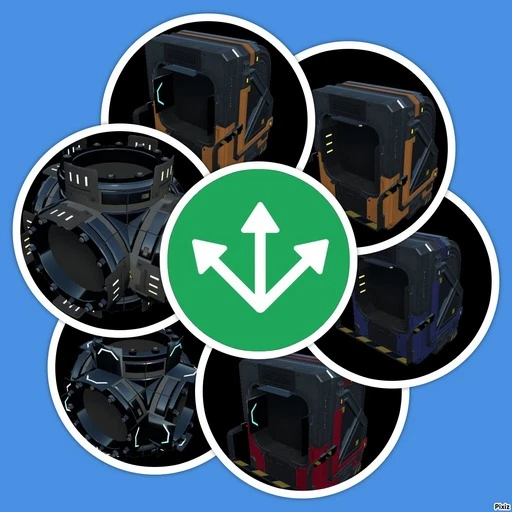
Logistics
Send items/liquids directly to manufacturer inputs or receivers, which will put them on traditional conveyor system.
Beschreibung
When you unlock conveyors, 4 buildables in the "Logistic" category will become available.
<span style="color:#1BA300;">Item Tunnel Input</span>/<span style="color:#F47174;">Item Tunnel Output</span>
Transfers items within a group. A group may contain any number of inputs and outputs and may serve as:
A simple in-out line (one input, one output)
A splitter/merger: one-to-many (one input, many outputs)
Many-to one (many inputs, one output)
Many-to-many (many inputs, many outputs).
<span style="color:#ddee00;">Item Sender</span>
Transfers items to to any machine, requiring inputted item as ingredient in active recipe directly to input inventory of that machine.
Transfers items to <span style="color:#FFA500;">Item Receiver</span>.
Transfer items to HUB and Space Elevator queues.
<span style="color:#FFA500;">Item Receiver </span>
Receives selected items from <span style="color:#ddee00;">Item Sender</span>.
Used to fill containers, resource sink or other buildables, which don't have recipe selection. Or as a storage.
Can be configured to accept several types of items (or All).
Has 3 operational modes:
Normal (accepts configured items)
<span style="color:#FFD700;">Overflow</span> (accepts configured items only if manufacturers or other receivers in normal mode does not have available space for them)
<span style="color:#6A5DFF;">Unclaimed</span> (accept configured items only if there are no other manufacturer or receiver in normal mode is configured to accept them)
<span style="color:#1BA300;">Buffer</span> (send items from inventory to Item Senders - useful if you accumulated many items and wish them to be put back in production)
If <span style="color:#FFA500;">Item Receiver</span> was configured to accept All items, then any normal item added to the receiver's list will be considered as exception.
To create a tunnel group:
Start building either a <span style="color:#1BA300;">Item Tunnel Input</span>, or <span style="color:#F47174;">Item Tunnel Output</span>.
It will stay highlighted after build (inputs as <span style="color:#6A5DFF;">blue</span>/outputs as <span style="color:#FF0000;">red</span>)
After you finished creating group, interact with any of highlighted tunnels and push <span style="color:#009EE3;">DONE</span> button. After that you can create another group. If you need to add more <span style="color:#6A5DFF;">inputs</span>/<span style="color:#FF0000;">outputs</span> to any group - interact with any tunnel from that group and push <span style="color:#009EE3;">EDIT</span> button - all group's tunnels will become highlighted and new inputs/outputs can be added.
Multiplayer note - <span style="color:#FF0000;">Only ONE group can be in edit mode at a time.</span> If somebody starts building a new group or editing an existing one at the same time as someone else, new input/outputs will added it to the first group
All these buildables have an internal inventory of 16 slots. Item Sender/Receiver has variants with 4 inputs/outputs.
<br>
<br>
When you unlock pipeline, two more buildables in "Logistic" category will become available for you.
<span style="color:#ddee00;">Fluid Sender </span>
Transfers incoming fluid to all manufacturers, which require it as ingredient in active recipe. Also transfers fluid to <span style="color:#FFA500;">Fluid Receiver </span>.
<span style="color:#FFA500;">Fluid Receiver</span>
* Receives selected fluid from <span style="color:#ddee00;">Fluid Sender </span>.
Used to fill tanks and other machines, which don't have recipe selection.
These buildables have internal reservoir of 200m<sup>3</sup>.
To make <span style="color:#FFA500;">Fluid Receiver</span> work - you need to set which fluid it should receive - either connect to pipe network with desired fluid, or select wanted fluid by interacting with receiver. If you need to change it to another fluid type, select fluid first from dropdown list, then flush pipe network (there will be a notice).
If you have my other mod [Fluid Splitter](https://ficsit.app/mod/FluidSplitter) installed, you may safely remove it - all built Fluid Splitters/Receivers will remain.
This mod was inspired by [Magic Splitter](https://ficsit.app/mod/MagicSplitter) and [Underground Belts](https://ficsit.app/mod/UndergroundBelts) mods by [Andre Aquila](https://ficsit.app/user/4sNJQuoJukU6EM). Those mods have similar buildables, but they have some limitations: magic splitter and receiver accept only one type of item and become unstable with a time. Underground belts may have only one input or output, group cannot be edited. Fluid splitter doesn't work if far from player, transfers fluid only when almost full, updates slowly , doesn't work after game load, also there is no building like Fluid Receiver.
Multiplayer is fully supported.
You can leave any issue, suggestions on [My github](https://github.com/DeadMor0z/SatisfactoryMods/issues) page.
Or contact me (dead.moroz) or xXdrewbaccaXx on [Discord](https://discord.com/invite/xkVJ73E)
Versionen
Logistics auf dem Server installieren
Satisfactory Server bestellen
Bestelle einen Satisfactory Server mit mindestens 4 GB RAM (6 GB empfohlen). Bei Multiplayer: +1 GB pro 4 Spieler.
Mod installieren
Öffne den Mod-Manager im Dashboard und suche nach "Logistics". Installations-Dependencies werden automatisch mitinstalliert.
Server neu starten
Starte den Server neu, damit die Mod geladen wird. Spieler müssen die Mod ebenfalls lokal installiert haben.
Häufige Fragen
Logistics funktioniert nicht nach Update – was tun?
Nach einem Satisfactory-Update müssen Mods aktualisiert werden. Prüfe auf ficsit.app, ob Logistics bereits für die neue Game-Version aktualisiert wurde. Bei Mado Hosting: Öffne den Mod-Manager und klicke "Alle aktualisieren". Wenn die Mod noch nicht aktualisiert ist, entferne sie temporär, damit der Server startet.
Logistics verursacht Crashes im Multiplayer – Lösung
Häufigste Ursache: alle Spieler müssen exakt die gleiche Mod-Version installiert haben. Prüfe in den Server-Logs nach "ModMismatch" oder "Version Conflict". Stelle sicher, dass alle Spieler Logistics v1.1.8 und den gleichen SML verwenden. Bei Mado Hosting laufen Satisfactory Server mit 6 GB RAM für stabile Multiplayer-Performance.
Ist Logistics mit anderen Satisfactory Mods kompatibel?
Logistics nutzt den Satisfactory Mod Loader (SML). Generell sind SML-basierte Mods untereinander kompatibel, aber Mods die gleiche Game-Systeme ändern, können Konflikte verursachen. Teste neue Mod-Kombinationen am besten auf einem Backup-Save. Im Mado Dashboard werden bekannte Konflikte automatisch erkannt und du wirst gewarnt.
Logistics Server mieten
Spiele Logistics auf deinem eigenen Satisfactory Server mit Mod-Support.
Mod Informationen
- Ersteller
- DeadMoroz, xXdrewbaccaXx
- Neueste Version
- v1.1.8
- Erstellt am
- 25. April 2023
- Zuletzt aktualisiert
- 8. Juli 2026