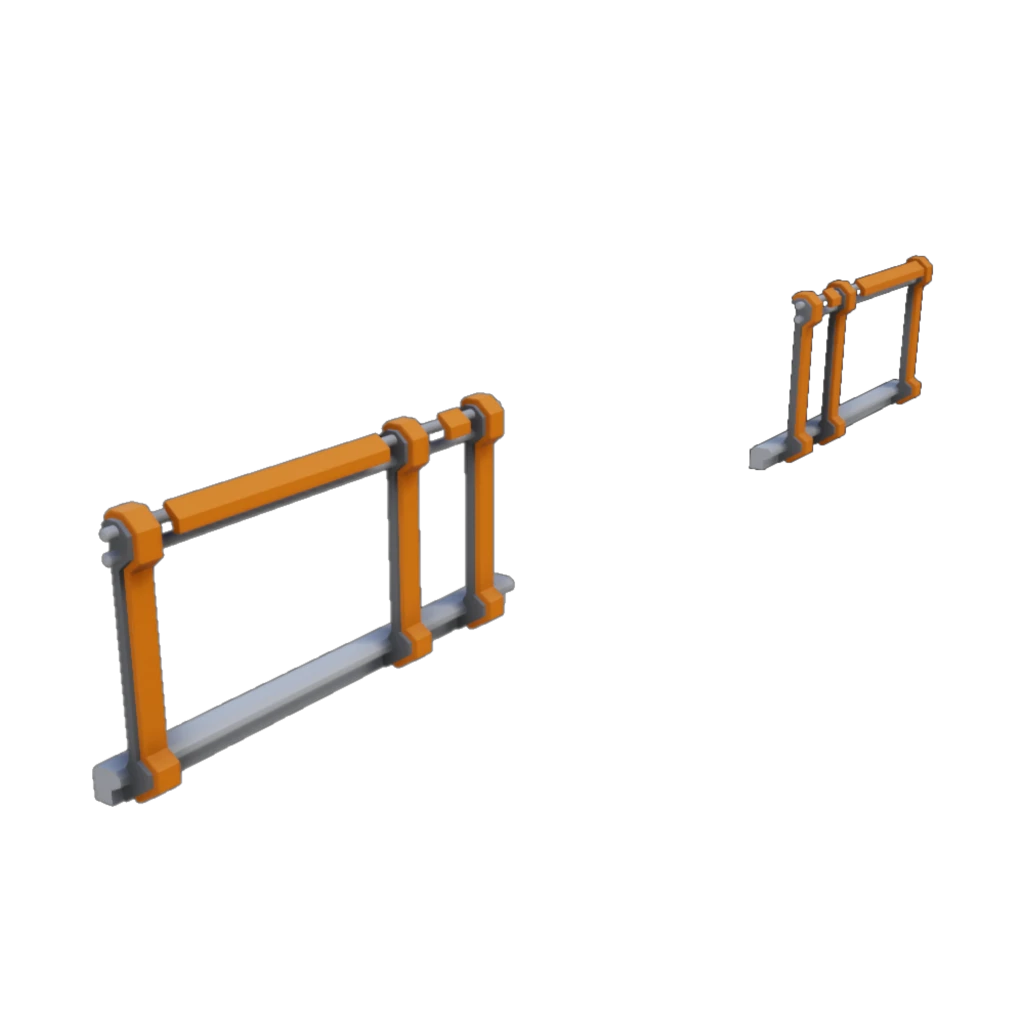
More Fences
Extra fences to literally fill the safety gaps in your factory!
Beschreibung
Tired of falling off the edge and sustaining a serious injury because the only fence available covers the entire edge, leaving no way to block the gap next to walkways?
Well hopefully this mod can save you from all the incident reports and lost time due to injuries!
Only three variants for now.
1. Fence to the left allowing a walkway placed on the right-hand side.
2. Fence to the right allowing a walkway placed on the left-hand side.
3. Fence on outer sides allowing a walkway placed in the center.
Known issues:
On the left and right fences, due to the snapping system, when rotating the hologram it flips to the other side rather than in place. This is just how the placement system works and I haven't found a way to make it flip how I'd like it to.
Possible future additions:
Full sized fence for the side of ramp blocks - once I can find a way to skew the mesh nicely.
<b><u>Mod Highlight Video:</u></b>
'Random Gamer' on YouTube is making Satisfactory mod highlight videos and has kindly made one for this mod.
Check out their video which shows it in action:
https://www.youtube.com/watch?v=5TiPnw6HXe4
They have other mod highlight videos too, so be sure to check those out!
More Fences auf dem Server installieren
Satisfactory Server bestellen
Bestelle einen Satisfactory Server mit mindestens 4 GB RAM (6 GB empfohlen). Bei Multiplayer: +1 GB pro 3 Spieler.
Mod installieren
Öffne den Mod-Manager im Dashboard und suche nach "More Fences". Installations-Dependencies werden automatisch mitinstalliert.
Server neu starten
Starte den Server neu, damit die Mod geladen wird. Spieler müssen die Mod ebenfalls lokal installiert haben.
Häufige Fragen
More Fences funktioniert nicht nach Update – was tun?
Nach einem Satisfactory-Update müssen Mods aktualisiert werden. Prüfe auf ficsit.app, ob More Fences bereits für die neue Game-Version aktualisiert wurde. Bei Mado Hosting: Öffne den Mod-Manager und klicke "Alle aktualisieren". Wenn die Mod noch nicht aktualisiert ist, entferne sie temporär, damit der Server startet.
More Fences verursacht Crashes im Multiplayer – Lösung
Häufigste Ursache: alle Spieler müssen exakt die gleiche Mod-Version installiert haben. Prüfe in den Server-Logs nach "ModMismatch" oder "Version Conflict". Stelle sicher, dass alle Spieler More Fences v1.0.0 und den gleichen SML verwenden. Bei Mado Hosting laufen Satisfactory Server mit 6 GB RAM für stabile Multiplayer-Performance.
Ist More Fences mit anderen Satisfactory Mods kompatibel?
More Fences nutzt den Satisfactory Mod Loader (SML). Generell sind SML-basierte Mods untereinander kompatibel, aber Mods die gleiche Game-Systeme ändern, können Konflikte verursachen. Teste neue Mod-Kombinationen am besten auf einem Backup-Save. Im Mado Dashboard werden bekannte Konflikte automatisch erkannt und du wirst gewarnt.
More Fences Server mieten
Spiele More Fences auf deinem eigenen Satisfactory Server mit Mod-Support.
Mod Informationen
- Ersteller
- andrew-w
- Neueste Version
- v1.0.0
- Erstellt am
- 14. Mai 2020
- Zuletzt aktualisiert
- 8. Oktober 2026