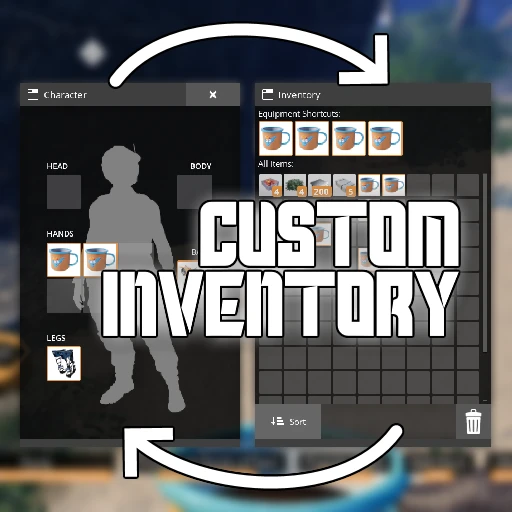
Custom Player Inventory
Customize the appearance of your player's inventory window! Defaults to inventory on the right.
Beschreibung
Custom Player Inventory
Multiplayer Compatible! _Client-side only mod, it will work as long as the server has SML installed._
Customize the appearance of your player inventory interface!
By default, this mod will place your inventory panel on the right side and equipment on the left, consistent with other containers in the game.
Report Bugs and Give Feedback here -> [Nog and Robb's Mods Discord](https://discord.gg/nakafUdRfj)
This mod was inspired by a suggestion from `Ecconia#4929`.
_If you enjoy my work, please consider donating to my [completely optional tip jar](https://ko-fi.com/robb4)._
Features
Pick from a preset, or specify values to your liking.
There aren't many limiters on the values you can set,
so you can make some pretty wacky setups with this mod.
Configure the following properties:
Left/right offset
Up/down offset
Scale
Rotation
Of these portions of the inventory:
Inventory panel
Equipment panel
Keybind hints
Dimensional Depot panel
Screenshots
Here are screenshots of some of the presets on offer,
which are just a small sample of what you could do with this mod.
Inventory on the Right (mod default)

Inventory on the Left (base-game default)

Australia

Pushed to the Sides

Persona

_[🎵](https://youtu.be/yr8rlcXjm3E?t=1)_
Usage Instructions
Once you have installed the mod with Satisfactory Mod Manager,
the next time you open your inventory, a flashing yellow tutorial icon will appear that tells you how to configure the mod.

All of this mod's features can be configured
from the in-game SML Mod Configs screen,
which can be accessed from the main menu or pause menu.
All of these settings can be changed while the game is running.
Once on the config screen,
you can hover over a slider to get a description of what it does.
Select a preset from the "Select from Preset" dropdown,
or use the sliders to arrange your inventory as you see fit.
You can press 'Refresh Preview' on the config screen to get a preview of what your inventory will look like.
Compatibility Notes
This mod modifies the render transforms of the inventory window,
so anything that adds new UI to the inventory could end up completely distorted by this.
Known Bugs
The regions you must drag items to in order to drop them into the world the same as vanilla's - you can't drop items in the "center" of your screen if you move the widgets out of the way. I don't plan to change this.
Opening the configs screen moves your cursor. This is caused by the base game when the inventory widget is spawned.
The Dimensional Depot panel's open/closed state affects the placement of other panels. Some layouts and presents will look weird if it's not expanded.
Versionen
Custom Player Inventory auf dem Server installieren
Satisfactory Server bestellen
Bestelle einen Satisfactory Server mit mindestens 4 GB RAM (6 GB empfohlen). Bei Multiplayer: +1 GB pro 4 Spieler.
Mod installieren
Öffne den Mod-Manager im Dashboard und suche nach "Custom Player Inventory". Installations-Dependencies werden automatisch mitinstalliert.
Server neu starten
Starte den Server neu, damit die Mod geladen wird. Spieler müssen die Mod ebenfalls lokal installiert haben.
Häufige Fragen
Custom Player Inventory funktioniert nicht nach Update – was tun?
Nach einem Satisfactory-Update müssen Mods aktualisiert werden. Prüfe auf ficsit.app, ob Custom Player Inventory bereits für die neue Game-Version aktualisiert wurde. Bei Mado Hosting: Öffne den Mod-Manager und klicke "Alle aktualisieren". Wenn die Mod noch nicht aktualisiert ist, entferne sie temporär, damit der Server startet.
Custom Player Inventory verursacht Crashes im Multiplayer – Lösung
Häufigste Ursache: alle Spieler müssen exakt die gleiche Mod-Version installiert haben. Prüfe in den Server-Logs nach "ModMismatch" oder "Version Conflict". Stelle sicher, dass alle Spieler Custom Player Inventory v1.4.1 und den gleichen SML verwenden. Bei Mado Hosting laufen Satisfactory Server mit 6 GB RAM für stabile Multiplayer-Performance.
Ist Custom Player Inventory mit anderen Satisfactory Mods kompatibel?
Custom Player Inventory nutzt den Satisfactory Mod Loader (SML). Generell sind SML-basierte Mods untereinander kompatibel, aber Mods die gleiche Game-Systeme ändern, können Konflikte verursachen. Teste neue Mod-Kombinationen am besten auf einem Backup-Save. Im Mado Dashboard werden bekannte Konflikte automatisch erkannt und du wirst gewarnt.
Custom Player Inventory Server mieten
Spiele Custom Player Inventory auf deinem eigenen Satisfactory Server mit Mod-Support.
Mod Informationen
- Ersteller
- Robb
- Neueste Version
- v1.4.1
- Erstellt am
- 20. August 2022
- Zuletzt aktualisiert
- 8. Juli 2026
- Quellcode
- GitHub →