
Node Shuffle
Randomizes resource nodes per save — shuffles what each node is and scatters new ones across the map.
Beschreibung
Node Shuffle
---
Warning Broken... Maybe... Hoping not... Let me know
Changelog — NodeShuffle 1.2.0
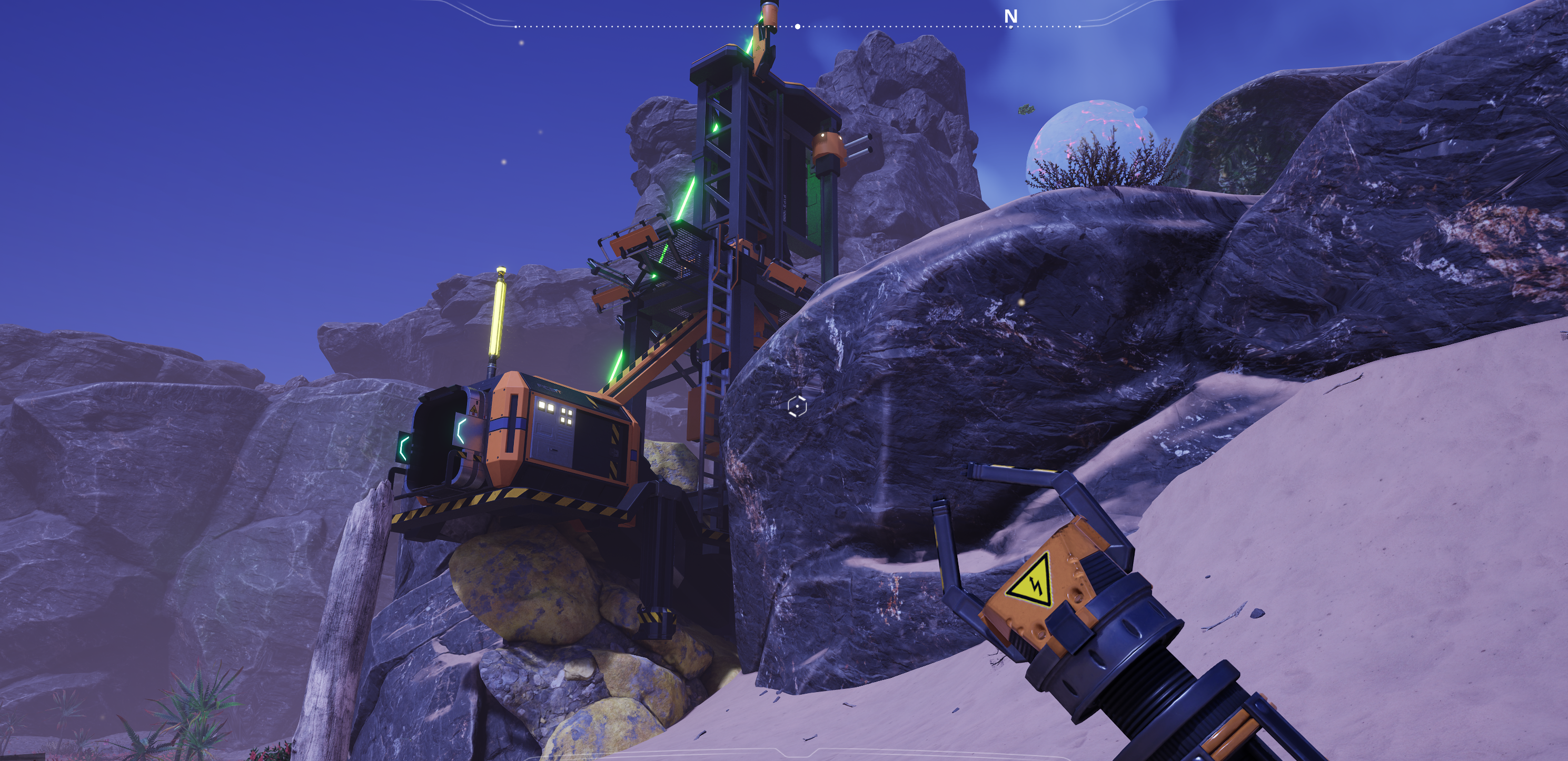
Fixed- Relocated-node rocks are centered, solid to walk into, and properly two-tone colored (no more flat color).
- Miner placement on relocated nodes: Miner Mk.1 sits naturally; portable miners now sit on the rock surface (were buried/unreachable).
- Resource scanner and map no longer ping or mark empty old node locations. If using Resource Manager mod, it still shows old oil locations.
- Radar towers refresh after a re-roll.
New
- Oil, liquid & gas nodes now shuffle and relocate
- Modded nodes now relocate to new locations instead of only changing in place.
- Live re-roll — the Re-roll Layout toggle re-rolls the world while you play, no save reload.
It is reported that this can break saved games from the moving of nodes. If trying the mod out I'd advise backing up your saved game first.
---
The Pitch
Never play the same map twice. Node Shuffle randomizes Satisfactory's resource nodes for each save: it shuffles what resource and purity every node carries, scatters new node locations across the map, and keeps the whole thing balanced so your playthrough is always completable.
Every world becomes a fresh logistics puzzle — that iron node by the HUB might be caterium now, and there could be a bauxite node where there was nothing before.
---
Features
- Shuffled nodes — each node can become a different resource and purity, using the game's own native node-override system. Nodes are never destroyed, so it's save-safe.
- New node locations — adds new, fully mineable nodes across the map. They settle onto the terrain, look like real rocks of their resource, and take miners like any vanilla node.
- Per-save & deterministic — the layout is rolled once per save from a seed and stays put. Reload all you want; it never reshuffles unless you turn on re-roll yourself.
- Always completable — every vanilla resource keeps a configurable minimum number of active nodes, so you can never get soft-locked.
- Respects your factory — any node with a miner or extractor on it is never touched, retyped, or removed.
- Radioactivity follows — a node turned into uranium irradiates; one turned away from it stops.
- Matching rock visuals — retyped nodes look like their new resource, not their old one.
- Mod-friendly — shuffles nodes added by other mods too, and works in multiplayer (server-side).
---
Configuration
Everything is adjustable in-game under Mods → Node Shuffle: seed, percentage of nodes active, number of new nodes, per-resource minimums, purity randomization, whether vanilla nodes can disappear, and more.
---
Notes
- Set up for a new save (or use the re-roll option) to get a fresh layout... maybe.... I'm hoping... :/
- Pairs well with creature/difficulty mods for a true "drop-in-blind" survival run.
Source & issues: https://github.com/mellox/NodeShuffle
Versionen
Node Shuffle auf dem Server installieren
Satisfactory Server bestellen
Bestelle einen Satisfactory Server mit mindestens 4 GB RAM (6 GB empfohlen). Bei Multiplayer: +1 GB pro 4 Spieler.
Mod installieren
Öffne den Mod-Manager im Dashboard und suche nach "Node Shuffle". Installations-Dependencies werden automatisch mitinstalliert.
Server neu starten
Starte den Server neu, damit die Mod geladen wird. Spieler müssen die Mod ebenfalls lokal installiert haben.
Häufige Fragen
Node Shuffle funktioniert nicht nach Update – was tun?
Nach einem Satisfactory-Update müssen Mods aktualisiert werden. Prüfe auf ficsit.app, ob Node Shuffle bereits für die neue Game-Version aktualisiert wurde. Bei Mado Hosting: Öffne den Mod-Manager und klicke "Alle aktualisieren". Wenn die Mod noch nicht aktualisiert ist, entferne sie temporär, damit der Server startet.
Node Shuffle verursacht Crashes im Multiplayer – Lösung
Häufigste Ursache: alle Spieler müssen exakt die gleiche Mod-Version installiert haben. Prüfe in den Server-Logs nach "ModMismatch" oder "Version Conflict". Stelle sicher, dass alle Spieler Node Shuffle v1.2.1 und den gleichen SML verwenden. Bei Mado Hosting laufen Satisfactory Server mit 6 GB RAM für stabile Multiplayer-Performance.
Ist Node Shuffle mit anderen Satisfactory Mods kompatibel?
Node Shuffle nutzt den Satisfactory Mod Loader (SML). Generell sind SML-basierte Mods untereinander kompatibel, aber Mods die gleiche Game-Systeme ändern, können Konflikte verursachen. Teste neue Mod-Kombinationen am besten auf einem Backup-Save. Im Mado Dashboard werden bekannte Konflikte automatisch erkannt und du wirst gewarnt.
Node Shuffle Server mieten
Spiele Node Shuffle auf deinem eigenen Satisfactory Server mit Mod-Support.
Mod Informationen
- Ersteller
- mellox
- Neueste Version
- v1.2.1
- Erstellt am
- 13. Juni 2026
- Zuletzt aktualisiert
- 8. Juli 2026
- Quellcode
- GitHub →