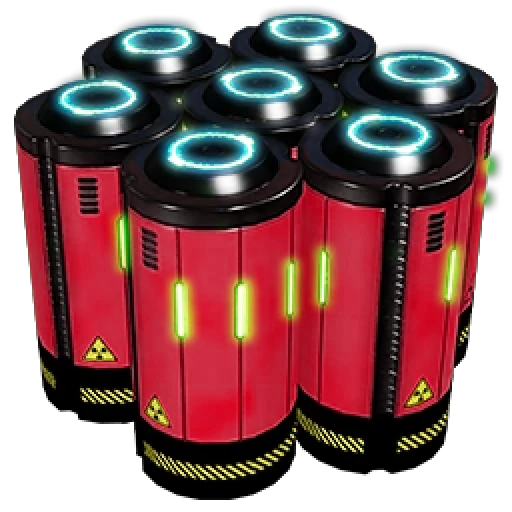
Nuclear Turbofuel
Adds a new alt recipe with a late-game use for turbofuel to greatly enhance nuclear fuel.
Beschreibung
There are two issues with large-scale production of turbofuel and power from it:
1) To actually make use of turbofuel power en masse requires excessive numbers of generators - often numbering in the hundreds - which is extremely costly in both space, time, and resources (and if not on a strong computer, game performance)
2) Having done this, you now have little reason to bother with nuclear, because you are producing tens and tens of gigawatts of power and unless you like overclocking and somerslooping T9 machines you will not realistically exceed your generation capacity (and even if you do, nuclear is unlikely to be able to make a major difference)
This mod adds a single new alt recipe that aims to address both problems:

This allows for surplus turbofuel - after a much more modest few-dozen-generator plant has its needs met - to be used to significantly increase the per-ore efficiency of uranium cells (though not net throughput), allowing for the production of more nuclear power from the same amount of uranium.
This recipe is unlocked by a new T8 milestone, costing a hard drive to make it in effect a purchasable alternate recipe, akin to turbofuel itself:

I do plan to move this unlock to the MAM proper (with the same requirements) if I can figure out how to do so.
A sample factory plan using this new alt recipe to run more nuclear plants than would otherwise be possible, made with [my Satisfactory Planner tool](https://github.com/ReikaKalseki/Satisfactory-Planner):

Nuclear Turbofuel auf dem Server installieren
Satisfactory Server bestellen
Bestelle einen Satisfactory Server mit mindestens 4 GB RAM (6 GB empfohlen). Bei Multiplayer: +1 GB pro 4 Spieler.
Mod installieren
Öffne den Mod-Manager im Dashboard und suche nach "Nuclear Turbofuel". Installations-Dependencies werden automatisch mitinstalliert.
Server neu starten
Starte den Server neu, damit die Mod geladen wird. Spieler müssen die Mod ebenfalls lokal installiert haben.
Häufige Fragen
Nuclear Turbofuel funktioniert nicht nach Update – was tun?
Nach einem Satisfactory-Update müssen Mods aktualisiert werden. Prüfe auf ficsit.app, ob Nuclear Turbofuel bereits für die neue Game-Version aktualisiert wurde. Bei Mado Hosting: Öffne den Mod-Manager und klicke "Alle aktualisieren". Wenn die Mod noch nicht aktualisiert ist, entferne sie temporär, damit der Server startet.
Nuclear Turbofuel verursacht Crashes im Multiplayer – Lösung
Häufigste Ursache: alle Spieler müssen exakt die gleiche Mod-Version installiert haben. Prüfe in den Server-Logs nach "ModMismatch" oder "Version Conflict". Stelle sicher, dass alle Spieler Nuclear Turbofuel v1.0.0 und den gleichen SML verwenden. Bei Mado Hosting laufen Satisfactory Server mit 6 GB RAM für stabile Multiplayer-Performance.
Ist Nuclear Turbofuel mit anderen Satisfactory Mods kompatibel?
Nuclear Turbofuel nutzt den Satisfactory Mod Loader (SML). Generell sind SML-basierte Mods untereinander kompatibel, aber Mods die gleiche Game-Systeme ändern, können Konflikte verursachen. Teste neue Mod-Kombinationen am besten auf einem Backup-Save. Im Mado Dashboard werden bekannte Konflikte automatisch erkannt und du wirst gewarnt.
Nuclear Turbofuel Server mieten
Spiele Nuclear Turbofuel auf deinem eigenen Satisfactory Server mit Mod-Support.
Mod Informationen
- Ersteller
- Reika
- Neueste Version
- v1.0.0
- Erstellt am
- 30. Oktober 2024
- Zuletzt aktualisiert
- 8. Juli 2026
- Quellcode
- GitHub →