
Somersloop Restrictions
Allow mods to specify if Overslooping is supported on a per-recipe basis.
Beschreibung
This library allows mod developers to specify recipes that Somersloops can't be used on,
even if the machine itself supports Somersloops.
This expands the kinds of recipes that can be created, especially recipes with catalysts,
without worrying about Somersloops production bonus breaking their balance by giving you way too much catalyst back.
Multiplayer compatible!
_If you enjoy my work, please consider donating to my [completely optional tip jar](https://ko-fi.com/robb4)._
Without any other mods implementing somersloop-blocked recipes,
the only change this mod makes is
adding an icon to the machine recipe selection UI indicating when the machine does not support Somersloops -
so just the Packager in the base game.
Example Screenshots
<!-- TODO point these to github raw URLs -->
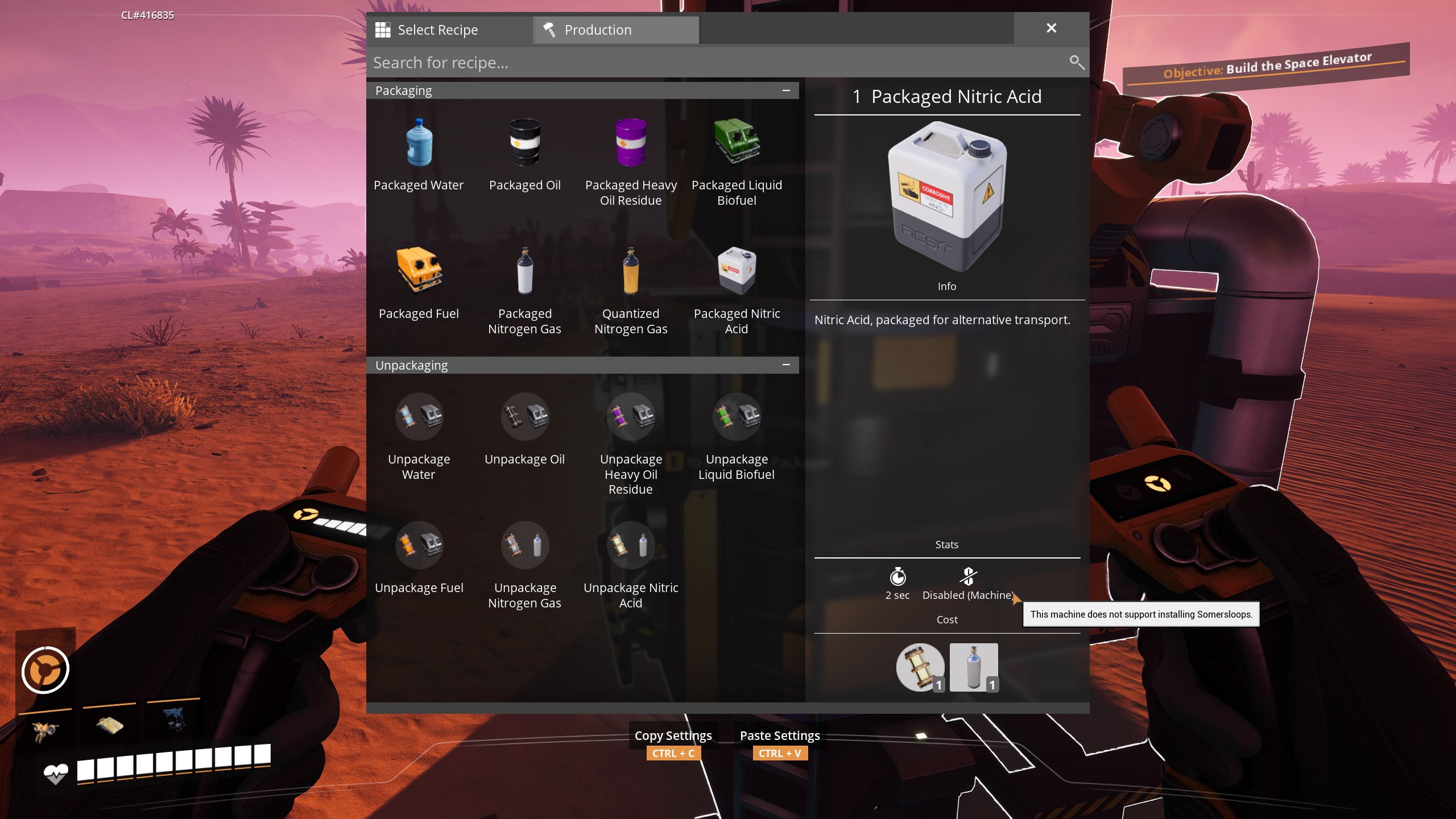
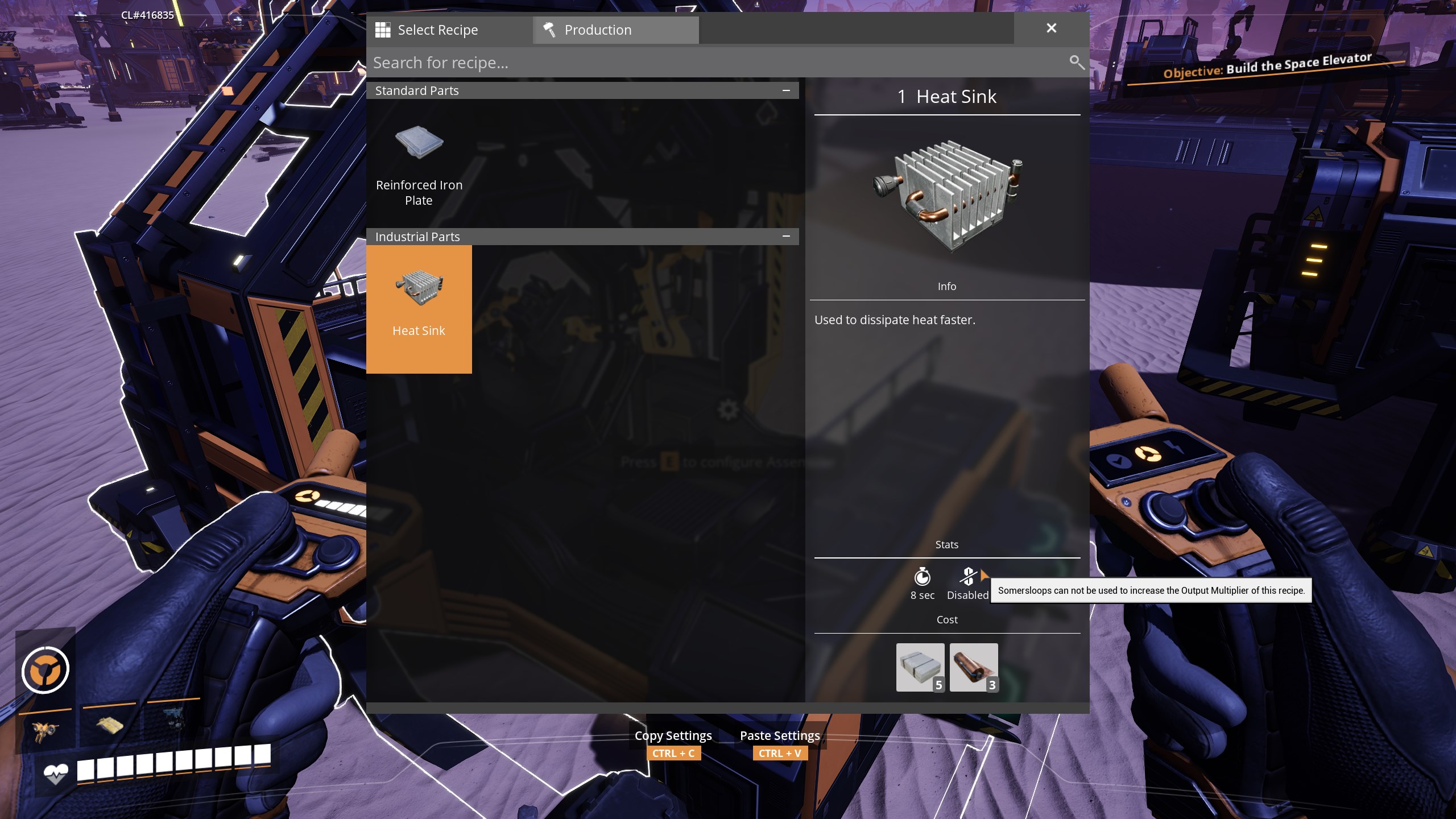
When selecting a recipe in a machine that doesn't support Somersloops,
all recipes in the picker have a Stat to indicate this.
The Packager is the only base game production building that does not support Somersloops.
---
> In the below screenshots, "Heat Sink" is used as an _example only_ - this mod does not do anything to the heat sink recipe if you install it!
---
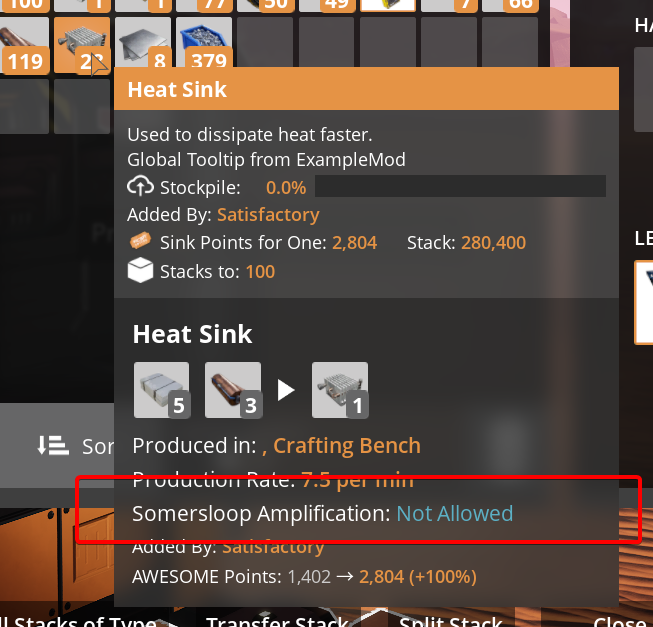
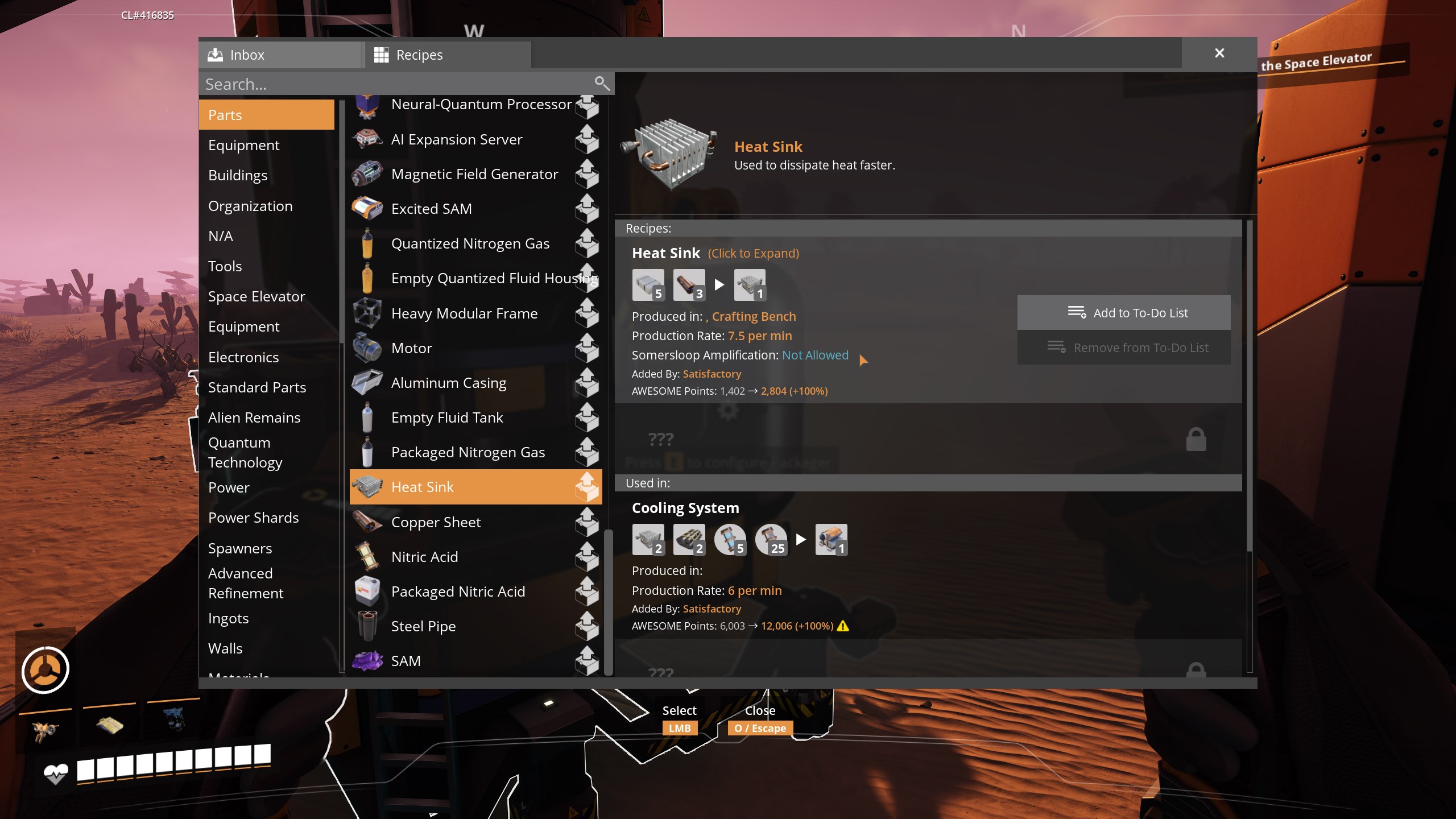
Recipes that don't support somersloops have a line added to their summary both in tooltips and the Codex:
_(Note: [TFIT](https://ficsit.app/mod/TFIT) mod is contributing additional tooltip elements in this screenshot.)_
_(Note: [TFIT](https://ficsit.app/mod/TFIT) and [Nog's Cheats](https://ficsit.app/mod/NogsCheats) mods are contributing additional visual elements in this screenshot.)_
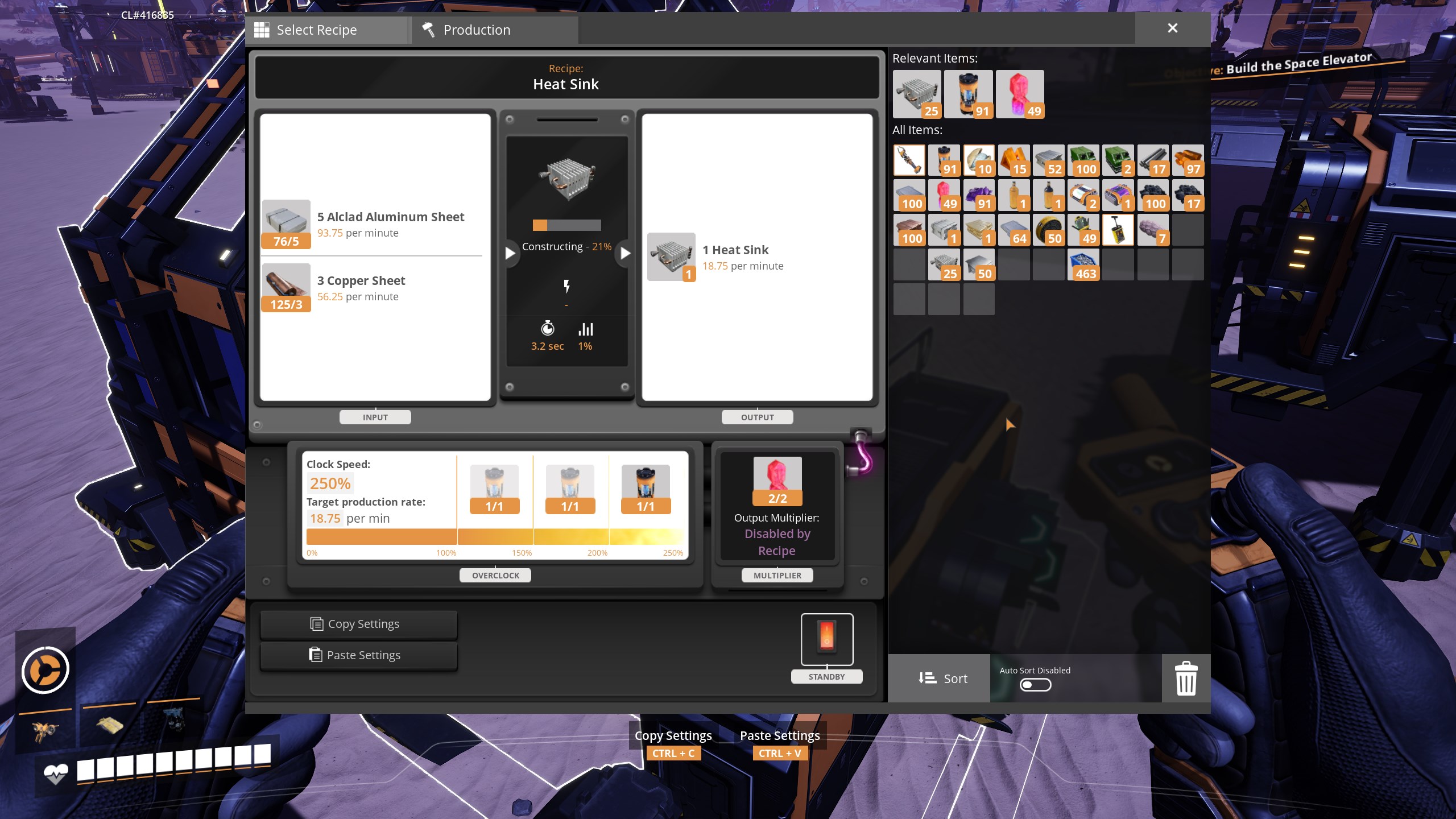
If a Somersloop-restricted recipe is selected in a machine, Somersloops can still be added or removed,
but no Output Multiplier will be applied (1x) and visuals will be altered to indicate this:
The recipe picker also indicates which recipes are somersloop-disabled:
For Mod Developers
To make a recipe somersloop-incompatible:
1. Either create a blank mod in your editor with the same mod reference (`ProductionBoostPerRecipe`) as the real one,
or [bring this mod into your project](https://docs.ficsit.app/satisfactory-modding/latest/Development/BeginnersGuide/ImportingAnotherMod.html). (required for your mod to depend on this one)
1. Add the `ProductionBoostPerRecipe.DisableBoost`
[Content Tag](https://docs.ficsit.app/satisfactory-modding/latest/Development/ModLoader/ContentTagRegistry.html) to the recipe you want to block somersloops on.
1. Add a [dependency on this mod in your `.uplugin`](https://docs.ficsit.app/satisfactory-modding/latest/Development/BeginnersGuide/ReleaseMod.html#_special_fields).
1. That's it, this mod takes care of the rest!
If you change your mind you can safely remove this mod without affecting your own, outside of the tag vanishing.
This should be compatible with any modded machine using the normal recipe production interface (`Widget_Manufacturing`)
as long as the machine doesn't override
`AFGBuildableFactory::SetPendingProductionBoost` or
`AFGBuildableManufacturer::SetRecipe`
without calling super (they are virtual functions).
Side Notes
"Somerslooping" a recipe has multiple names in the code and community:
- [Production Amplification](https://satisfactory.wiki.gg/wiki/Production_amplifier) (in the MAM unlock)
- Output Multiplier (in machine UIs)
- Production Boost (in the code)
- Overslooping
- Slooping
Somersloop Restrictions auf dem Server installieren
Satisfactory Server bestellen
Bestelle einen Satisfactory Server mit mindestens 4 GB RAM (6 GB empfohlen). Bei Multiplayer: +1 GB pro 4 Spieler.
Mod installieren
Öffne den Mod-Manager im Dashboard und suche nach "Somersloop Restrictions". Installations-Dependencies werden automatisch mitinstalliert.
Server neu starten
Starte den Server neu, damit die Mod geladen wird. Spieler müssen die Mod ebenfalls lokal installiert haben.
Häufige Fragen
Somersloop Restrictions funktioniert nicht nach Update – was tun?
Nach einem Satisfactory-Update müssen Mods aktualisiert werden. Prüfe auf ficsit.app, ob Somersloop Restrictions bereits für die neue Game-Version aktualisiert wurde. Bei Mado Hosting: Öffne den Mod-Manager und klicke "Alle aktualisieren". Wenn die Mod noch nicht aktualisiert ist, entferne sie temporär, damit der Server startet.
Somersloop Restrictions verursacht Crashes im Multiplayer – Lösung
Häufigste Ursache: alle Spieler müssen exakt die gleiche Mod-Version installiert haben. Prüfe in den Server-Logs nach "ModMismatch" oder "Version Conflict". Stelle sicher, dass alle Spieler Somersloop Restrictions v1.0.0 und den gleichen SML verwenden. Bei Mado Hosting laufen Satisfactory Server mit 6 GB RAM für stabile Multiplayer-Performance.
Ist Somersloop Restrictions mit anderen Satisfactory Mods kompatibel?
Somersloop Restrictions nutzt den Satisfactory Mod Loader (SML). Generell sind SML-basierte Mods untereinander kompatibel, aber Mods die gleiche Game-Systeme ändern, können Konflikte verursachen. Teste neue Mod-Kombinationen am besten auf einem Backup-Save. Im Mado Dashboard werden bekannte Konflikte automatisch erkannt und du wirst gewarnt.
Somersloop Restrictions Server mieten
Spiele Somersloop Restrictions auf deinem eigenen Satisfactory Server mit Mod-Support.
Mod Informationen
- Ersteller
- Robb
- Neueste Version
- v1.0.0
- Erstellt am
- 27. September 2025
- Zuletzt aktualisiert
- 8. Juli 2026
- Quellcode
- GitHub →