Respawn Points
The HUB is no longer your only option.
Beschreibung
Overview
Normally, you can only respawn at the one-and-only HUB on the map.That can lead to long travel times when you die.
This mod adds buildings that let you respawn at the closest one.
Mutiplayer support
✅ Full multiplayer support, including dedicated servers.
How it works
After installing the mod, you will see a new research tree in the MAM called Respawn Points.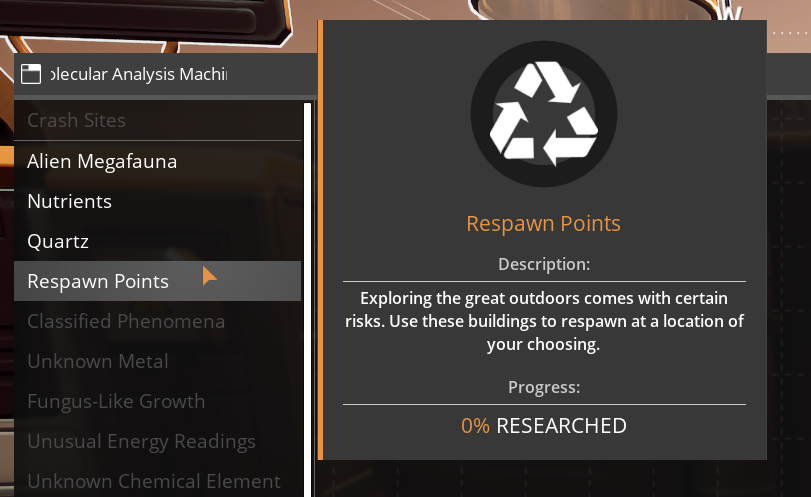
The buildings you unlock there will show up in the Builder under the category Respawn.
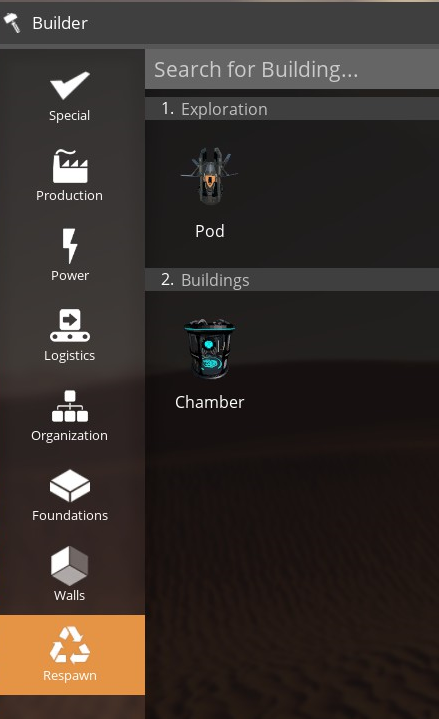
Buildings available
There are currently two buildings available:The Pod (meant for the outside)
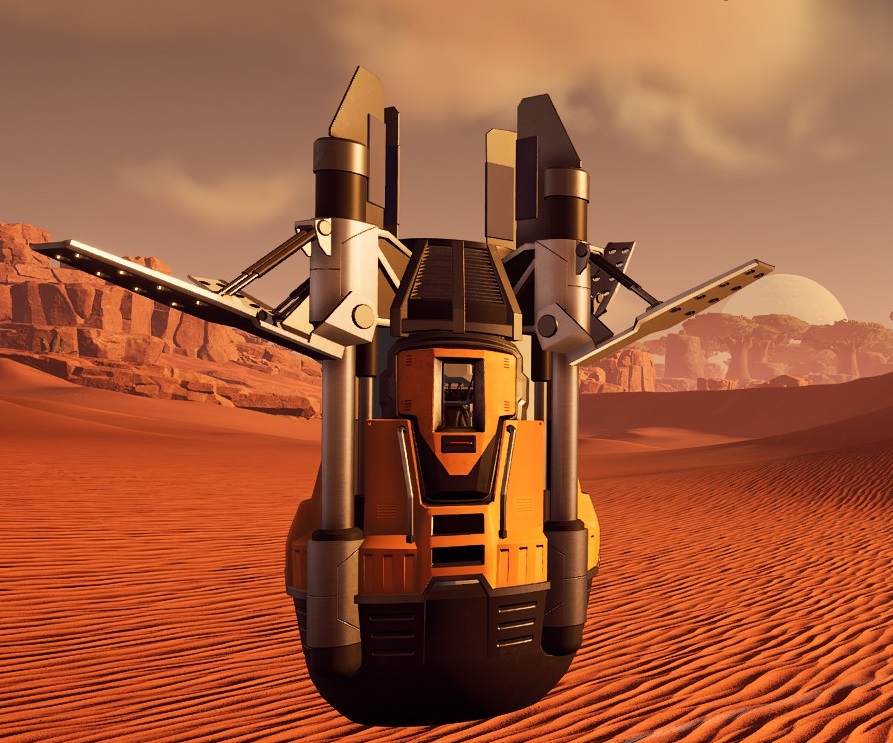
...and the Chamber (for inside factories)
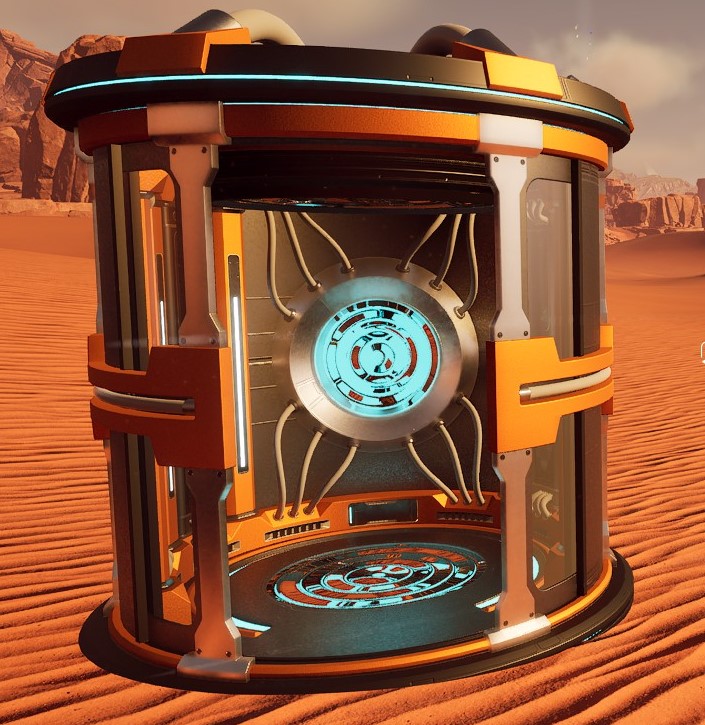
More buildings are planned for future updates.
Map markers
Each building you place will put a marker on your map, which you can then customize to your liking.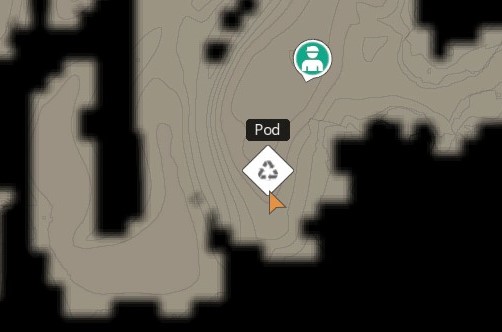
What happens when you die?
When you die, you will respawn at the closest Respawn Point.If the HUB happens to be closer, you will respawn at the HUB instead.
What happens when you uninstall the mod?
If you uninstall the mod, all Respawn Points you have placed in the world will be deleted the next time you load the save and the standard game logic will apply on death.Feedback welcome
If you run into any issues (or want to suggest new features or improvements), please create a new issue on [the GitHub page for the mod](https://github.com/pkjaer/RespawnPoints/issues).Credits
I would like to thank the following people for their help in the development of this mod: - The [Satisfactory Modding organization](https://github.com/satisfactorymodding) (without their hard work, this mod would never have happened)
- Sarah (for your encouragement and for brainstorming with me)
- [FishFace](https://ficsit.app/user/5f8AhKYjcVdg4j) (for your incredible Chamber model)
- Robb (for your feedback and the idea for the future Porta Potty)
Versionen
Respawn Points auf dem Server installieren
Satisfactory Server bestellen
Bestelle einen Satisfactory Server mit mindestens 4 GB RAM (6 GB empfohlen). Bei Multiplayer: +1 GB pro 4 Spieler.
Mod installieren
Öffne den Mod-Manager im Dashboard und suche nach "Respawn Points". Installations-Dependencies werden automatisch mitinstalliert.
Server neu starten
Starte den Server neu, damit die Mod geladen wird. Spieler müssen die Mod ebenfalls lokal installiert haben.
Häufige Fragen
Respawn Points funktioniert nicht nach Update – was tun?
Nach einem Satisfactory-Update müssen Mods aktualisiert werden. Prüfe auf ficsit.app, ob Respawn Points bereits für die neue Game-Version aktualisiert wurde. Bei Mado Hosting: Öffne den Mod-Manager und klicke "Alle aktualisieren". Wenn die Mod noch nicht aktualisiert ist, entferne sie temporär, damit der Server startet.
Respawn Points verursacht Crashes im Multiplayer – Lösung
Häufigste Ursache: alle Spieler müssen exakt die gleiche Mod-Version installiert haben. Prüfe in den Server-Logs nach "ModMismatch" oder "Version Conflict". Stelle sicher, dass alle Spieler Respawn Points v1.1.0 und den gleichen SML verwenden. Bei Mado Hosting laufen Satisfactory Server mit 6 GB RAM für stabile Multiplayer-Performance.
Ist Respawn Points mit anderen Satisfactory Mods kompatibel?
Respawn Points nutzt den Satisfactory Mod Loader (SML). Generell sind SML-basierte Mods untereinander kompatibel, aber Mods die gleiche Game-Systeme ändern, können Konflikte verursachen. Teste neue Mod-Kombinationen am besten auf einem Backup-Save. Im Mado Dashboard werden bekannte Konflikte automatisch erkannt und du wirst gewarnt.
Respawn Points Server mieten
Spiele Respawn Points auf deinem eigenen Satisfactory Server mit Mod-Support.
Mod Informationen
- Ersteller
- pkjaer
- Neueste Version
- v1.1.0
- Erstellt am
- 19. Oktober 2025
- Zuletzt aktualisiert
- 8. Juli 2026
- Quellcode
- GitHub →