Scan Overflow
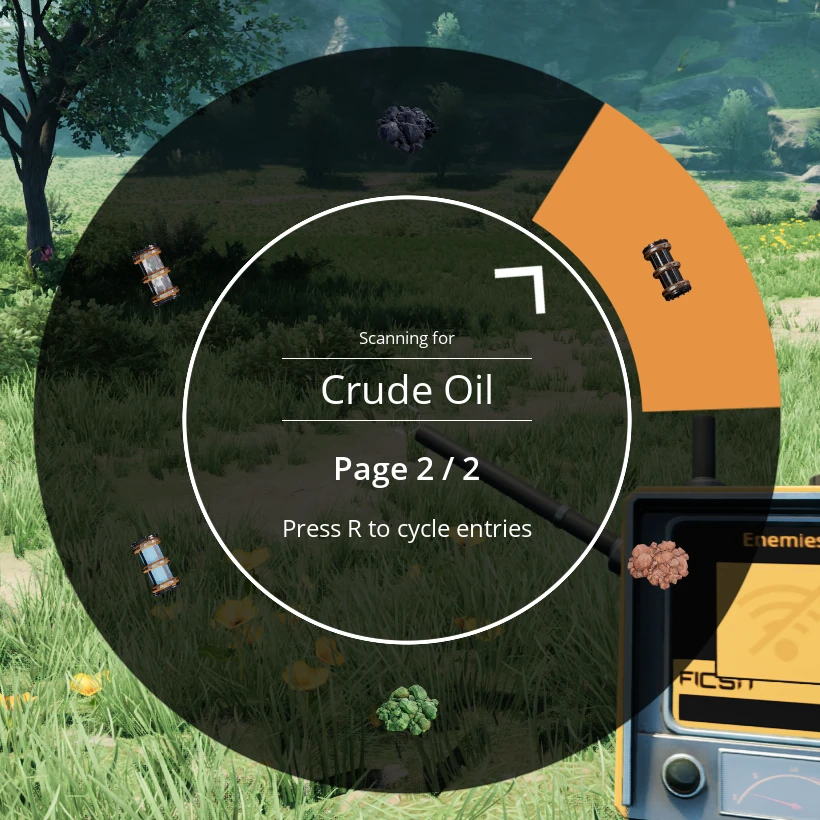
A mod which add a page system to the Satisfactory's scan wheels.
Beschreibung
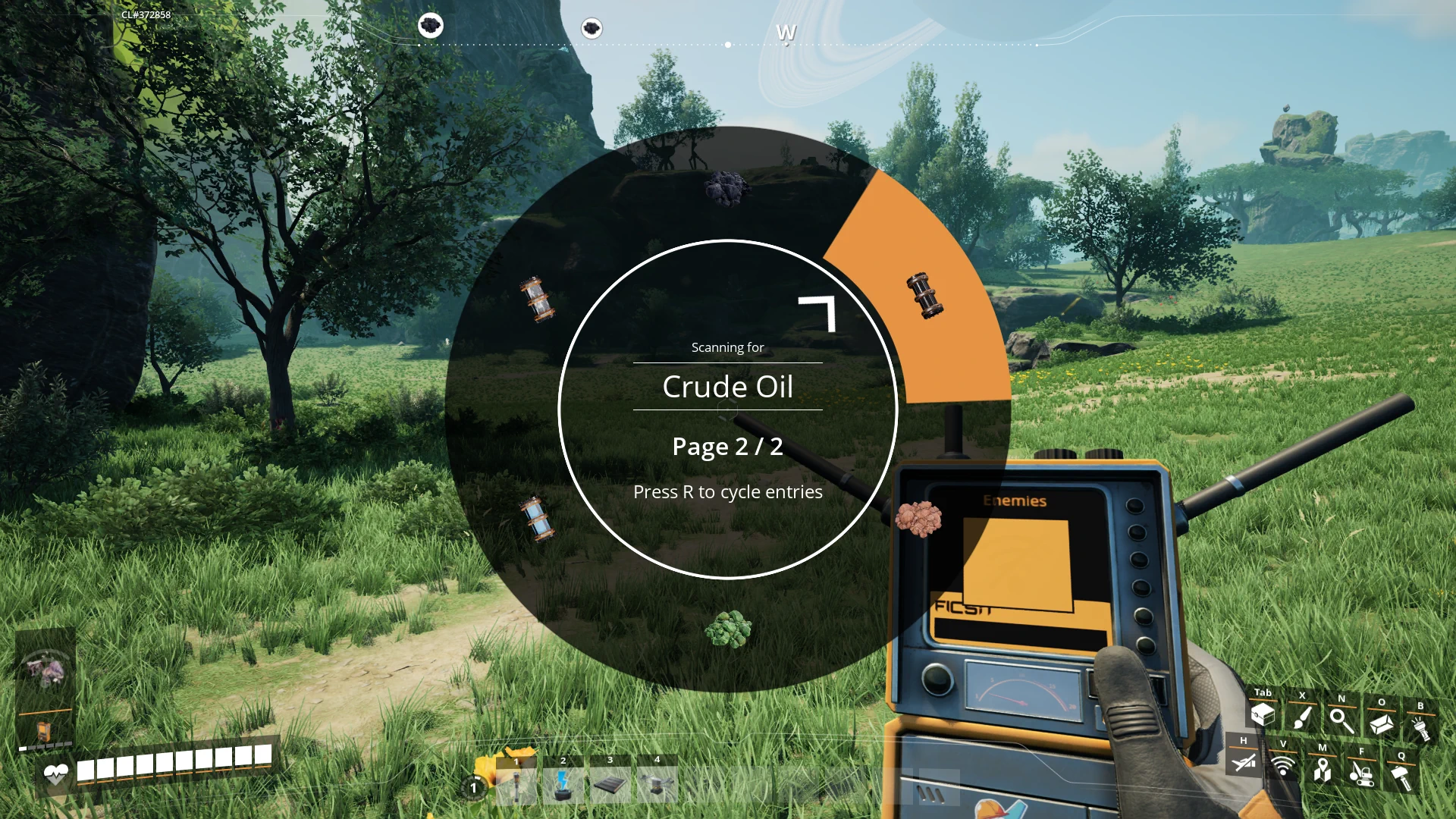
Scan Overflow is a Satisfactory mod designed to improve the scanning system by adding a cyclable paging system for both the resource scanner and object scanner. This mod aims to alleviate the overcrowding of the scanning wheel, particularly when multiple mods are installed that add new resources. The paging system is fully client side, allowing for a smooth and customizable experience.

Features
- Cyclable Paging System: Adds a paging mechanism for the resource and object scanner wheels, allowing you to switch between multiple pages of resources or objects to scan.
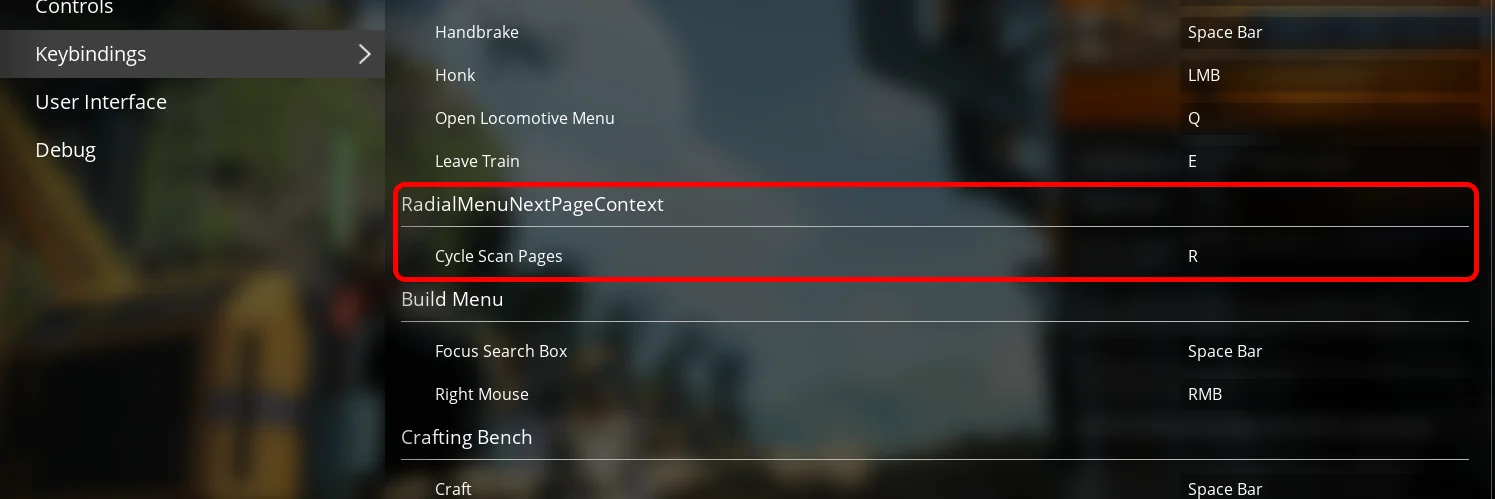
- Customizable Input Key: Configure the key used to cycle through pages via the game options.
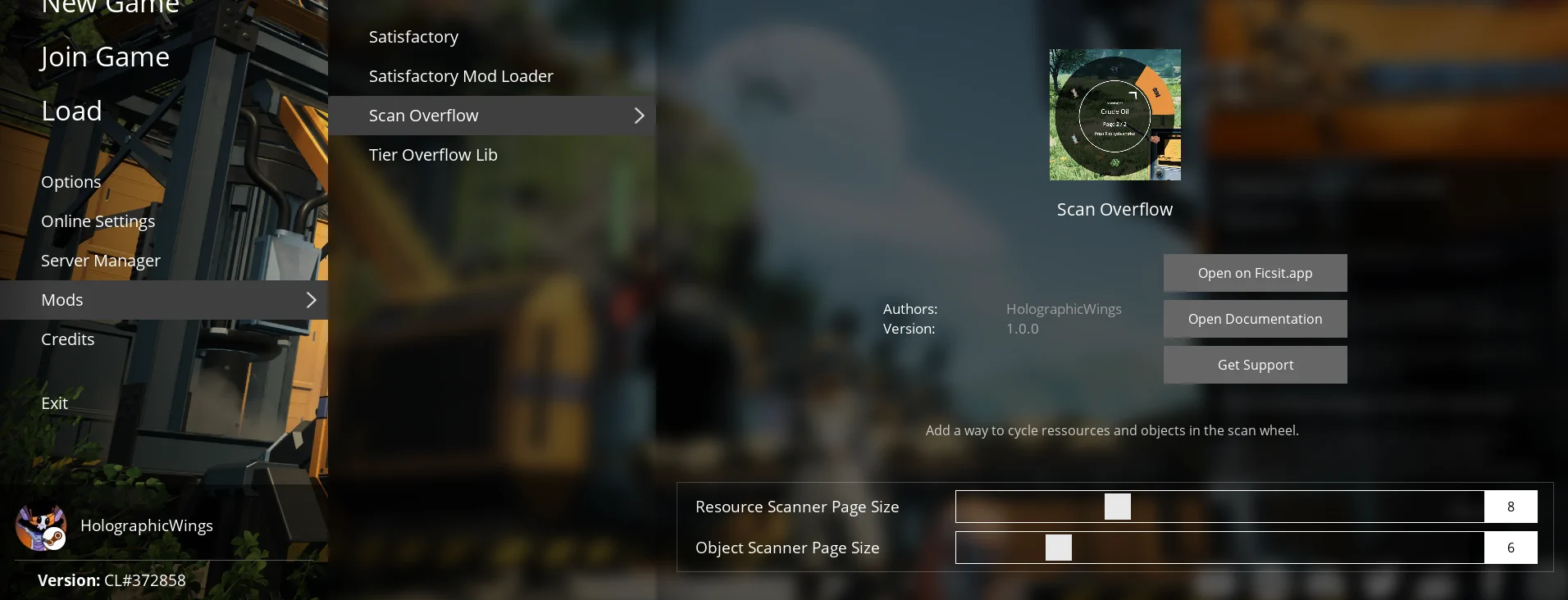
- Modifiable Wheel Sizes: Two mod settings allow you to customize the number of items displayed per page for both the resource and object scanning wheels.
- Clientside: The mod is entirely clientside, ensuring compatibility without affecting multiplayer servers.
Changelogs
- v1.0.1:
- 1.1 support
- v1.0.0:
- Initial release with full paging support for the resource and object scanner wheels.
- Added customizable input key for paging through resources.
- Two mod settings to control the size of the scan wheels (resource wheel and object wheel).
---
Usage
Configuring the Input Key
To configure the key used to cycle through pages:
1. Go to the game Options menu.
2. Navigate to the "Keybindings" section.
3. Find the "Cycle Scan Pages" setting and assign your preferred key.
This key will allow you to switch between pages when using either the resource or object scanner.
Setting Scan Wheel Sizes
To modify the number of items displayed per page:
1. Open the "Mods" menu.
2. Navigate to the "Scan Overflow" tab.
3. Adjust the following parameters:
- Resource Scanner Page Size: Controls the number of resources displayed per page. (Default: 8)
- Object Scanner Page Size: Controls the number of objects displayed per page. (Default: 5)
These settings can help you optimize your scanning experience based on the number of resources and objects available in your game.
---
Planned Features
- Mouse wheel: Usage of mouse wheel to navigate in the pages faster.
- Cancel Resource Scan: Add the same "Cancel" entry of the Object Scanner to the Resource Scanner. (With a setting to enable or disable it)
---
Feedback
For bug reports and requests/suggestions you can find me (acxd25) on the [Ficsit Labs Discord](https://discord.gg/pz2U6FvMat).
Note: HolographicWings no longer maintains the mod, please do not ping him.
Sponsorship
<img style="float: right;" src="https://i.imgur.com/gc9Thxj.png" />
Are you looking to host your own Satisfactory dedicated server, fully SMM-compatible? I highly recommend <b>Indifferent Broccoli</b>. They offer top-notch servers at affordable prices and an intuitive control panel. [Try their 2-day free trial](https://indifferentbroccoli.com/satisfactory-server-hosting?fpr=acxd), no strings attached.
<br />
---
Thanks
Coffee Stain Studios
[Mircea](https://ficsit.app/user/5NC9GpMKcYZbon), [Robb](https://ficsit.app/user/6axpMZJjUTUBWU) and co., which made this mod possible
* [HolographicWings](https://ficsit.app/user/5q7ihJ2KnwNdiL) for his original idea and initial code development
Versionen
Scan Overflow auf dem Server installieren
Satisfactory Server bestellen
Bestelle einen Satisfactory Server mit mindestens 4 GB RAM (6 GB empfohlen). Bei Multiplayer: +1 GB pro 3 Spieler.
Mod installieren
Öffne den Mod-Manager im Dashboard und suche nach "Scan Overflow". Installations-Dependencies werden automatisch mitinstalliert.
Server neu starten
Starte den Server neu, damit die Mod geladen wird. Spieler müssen die Mod ebenfalls lokal installiert haben.
Häufige Fragen
Scan Overflow funktioniert nicht nach Update – was tun?
Nach einem Satisfactory-Update müssen Mods aktualisiert werden. Prüfe auf ficsit.app, ob Scan Overflow bereits für die neue Game-Version aktualisiert wurde. Bei Mado Hosting: Öffne den Mod-Manager und klicke "Alle aktualisieren". Wenn die Mod noch nicht aktualisiert ist, entferne sie temporär, damit der Server startet.
Scan Overflow verursacht Crashes im Multiplayer – Lösung
Häufigste Ursache: alle Spieler müssen exakt die gleiche Mod-Version installiert haben. Prüfe in den Server-Logs nach "ModMismatch" oder "Version Conflict". Stelle sicher, dass alle Spieler Scan Overflow v1.0.1 und den gleichen SML verwenden. Bei Mado Hosting laufen Satisfactory Server mit 6 GB RAM für stabile Multiplayer-Performance.
Ist Scan Overflow mit anderen Satisfactory Mods kompatibel?
Scan Overflow nutzt den Satisfactory Mod Loader (SML). Generell sind SML-basierte Mods untereinander kompatibel, aber Mods die gleiche Game-Systeme ändern, können Konflikte verursachen. Teste neue Mod-Kombinationen am besten auf einem Backup-Save. Im Mado Dashboard werden bekannte Konflikte automatisch erkannt und du wirst gewarnt.
Scan Overflow Server mieten
Spiele Scan Overflow auf deinem eigenen Satisfactory Server mit Mod-Support.
Mod Informationen
- Ersteller
- HolographicWings, Acxd
- Neueste Version
- v1.0.1
- Erstellt am
- 24. Oktober 2024
- Zuletzt aktualisiert
- 8. Juli 2026
- Quellcode
- GitHub →