Structural Power
Structural Power adds a hidden power network through structural pieces
Beschreibung
StructuralPower
Version 2.1.0 · Satisfactory 1.2 (≥491125) · SML ^3.12.0
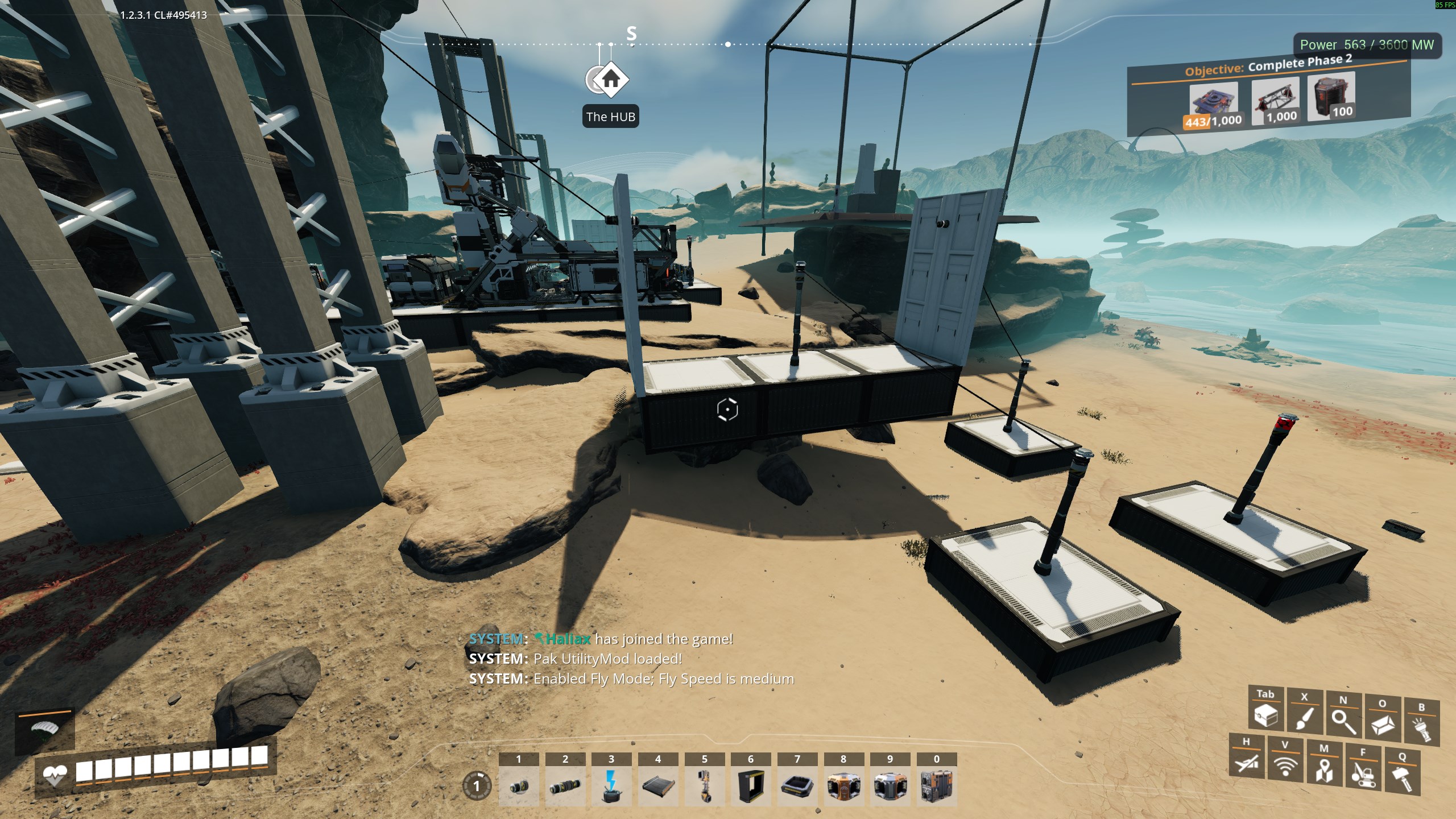
Structural Power adds a hidden power network through structural pieces — foundations, walls, ramps, and bridge poles — so you can power outlets and poles without running visible wires along every segment. v2.1 adds structural power-switch gating and a hoverpack structural tether so you can fly from powered geometry without peppering poles.
How it works
- Retroactive — existing structures are wired on load; no rebuild required after installing or updating
- Wire one structural outlet to your grid; connected structure shares the bus
- Ground poles, wall outlets, and towers bridge to the nearest powered structure
- Connectivity is rebuilt from world geometry on load — nothing structural is persisted, so saves can't carry stale links
- Power switches (v2.1) gate keyed subnets on structures — optional pole bridge; Mode B keyed subnets by default
- Hoverpack (v2.1) tethers from nearby powered structure geometry — adjustable horizontal/vertical reach on the server
Chat commands
Type in the in-game chat on the server or listen host (dedicated-server operators with authority). Commands start with `!` and do not appear in public chat. Responses show as Hal: system messages.
Available commands (`[]` — required argument):
- `!HoverH [1-10]` — set hoverpack horizontal reach multiplier (saved to mod config)
- `!HoverV [1-10]` — set hoverpack vertical reach multiplier (saved to mod config)
- `!tracetoggle` — debug: toggle verbose `[PWR]` logging in `FactoryGame.log`
- `!pwrhelp` — list Structural Power chat commands
Settings also live in Pause → Mods → Structural Power (hover multipliers on the main panel; propagation, switches, hoverpack tether, and trace under the collapsible Debug section). Host-only changes persist to `Configs/StructuralPower.cfg`.
Roadmap
Feature releases after the base bus. Later categories are opt-in on servers (off until you enable them).
v2.0.0 — Structural bus (prior release)
- Hidden power through foundations, walls, ramps, and connected geometry
- Bridge poles, wall outlets, and towers join the bus without wiring every piece
- Retroactive on load — no rebuild after install or update
- One wire to a structural outlet can power the whole connected build
v2.1.0 — Switches & hoverpack (current)
- Power switches on structures gate keyed subnets by default — wire optional pole-like bridge; assign building tag + matching device Ids for isolated subnets. Set `PowerSwitchManualGroups: false` in cfg for whole-component Mode A.
- Hoverpack tethers from powered structure nearby — fly above, below, or beside your base without peppering poles; horizontal/vertical reach adjustable via pause menu or `!HoverH` / `!HoverV` (default 1.5× base radius each axis)
- Server config via pause menu, `Configs/StructuralPower.cfg`, console `StructuralPower.Set`, and `!` chat commands
- Debug section in mod config for propagation, switch gating, hoverpack tether toggle, and trace logging
v2.2 — Lighting (in development)
- Lights draw from the structural bus — no daisy-chain wiring on every foundation
- Light control panels with named groups — multiple independent light zones on one structure
v2.3 — Generators & storage
- Generators (coal, fuel, nuclear, geothermal, wind, etc.) feed the bus directly
- Power storage charges and discharges on the structure grid
- HUB biomass generators included when they unlock in progression
v2.4 — Machines & utilities
- Extractors — miners, water pumps, resource-well equipment
- Manufacturers — constructors through packagers and variable-power machines
- Transport — train/truck/drone stations, jump pads, portals, elevators
- Misc — radar tower, AWESOME Sink
v2.5 — Pipes
- Pipe runs extend the structural bus along fluid networks
- Pipeline pumps on those runs draw without a separate wire to each pump
v2.6 — Belts, rails & hypertubes
- Conveyor runs carry the bus to remote miners and mid-line buildings
- Railways on powered foundations extend reach (train power stays vanilla — separate from third rail)
- Hypertube lines power launchers along the tube run for long-distance QoL
Requirements
- Satisfactory 1.2 (≥491125)
- [SML](https://ficsit.app/mod/SML) ^3.12.0
Multiplayer
Works on client and all dedicated servers (Windows and Linux). Required on remote — all players need the same mod version (`^2.1.0`).
Server operators: use the pause-menu mod config or `Configs/StructuralPower.cfg` on the dedicated host. See [Documentation/multiplayer.md](Documentation/multiplayer.md) and [Documentation/chat-commands.md](Documentation/chat-commands.md).
Source
GPL-3.0 — [github.com/TheHaliax/SatisfactoryMods](https://github.com/TheHaliax/SatisfactoryMods)
Versionen
Structural Power auf dem Server installieren
Satisfactory Server bestellen
Bestelle einen Satisfactory Server mit mindestens 4 GB RAM (6 GB empfohlen). Bei Multiplayer: +1 GB pro 4 Spieler.
Mod installieren
Öffne den Mod-Manager im Dashboard und suche nach "Structural Power". Installations-Dependencies werden automatisch mitinstalliert.
Server neu starten
Starte den Server neu, damit die Mod geladen wird. Spieler müssen die Mod ebenfalls lokal installiert haben.
Häufige Fragen
Structural Power funktioniert nicht nach Update – was tun?
Nach einem Satisfactory-Update müssen Mods aktualisiert werden. Prüfe auf ficsit.app, ob Structural Power bereits für die neue Game-Version aktualisiert wurde. Bei Mado Hosting: Öffne den Mod-Manager und klicke "Alle aktualisieren". Wenn die Mod noch nicht aktualisiert ist, entferne sie temporär, damit der Server startet.
Structural Power verursacht Crashes im Multiplayer – Lösung
Häufigste Ursache: alle Spieler müssen exakt die gleiche Mod-Version installiert haben. Prüfe in den Server-Logs nach "ModMismatch" oder "Version Conflict". Stelle sicher, dass alle Spieler Structural Power v2.1.0 und den gleichen SML verwenden. Bei Mado Hosting laufen Satisfactory Server mit 6 GB RAM für stabile Multiplayer-Performance.
Ist Structural Power mit anderen Satisfactory Mods kompatibel?
Structural Power nutzt den Satisfactory Mod Loader (SML). Generell sind SML-basierte Mods untereinander kompatibel, aber Mods die gleiche Game-Systeme ändern, können Konflikte verursachen. Teste neue Mod-Kombinationen am besten auf einem Backup-Save. Im Mado Dashboard werden bekannte Konflikte automatisch erkannt und du wirst gewarnt.
Structural Power Server mieten
Spiele Structural Power auf deinem eigenen Satisfactory Server mit Mod-Support.
Mod Informationen
- Ersteller
- TheHaliax
- Neueste Version
- v2.1.0
- Erstellt am
- 2. Juli 2026
- Zuletzt aktualisiert
- 8. Juli 2026
- Quellcode
- GitHub →