
Synthetic Overclocking
Adds synthetic versions of Power Shards and Somersloops
Beschreibung
#
AniViRus Productions (AniMouse) is now on [Ficsit Labs](https://discord.gg/pz2U6FvMat). Join for news, updates and your feedback and suggestions!
[Donation link](https://boosty.to/anivirus/donate) if you wish to toss a coin to support me. Everything goes into a new PC for modding!
---
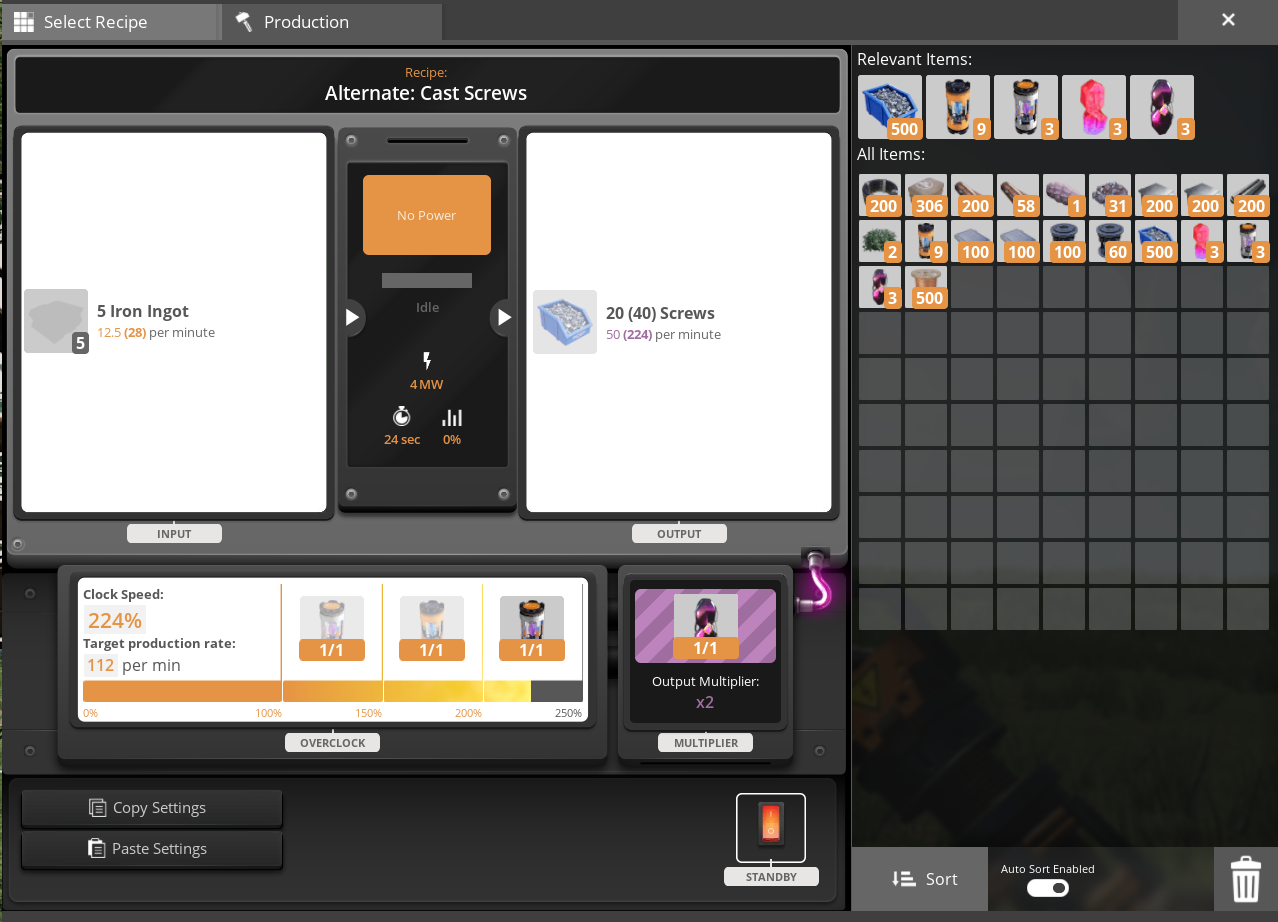
What is this mod?
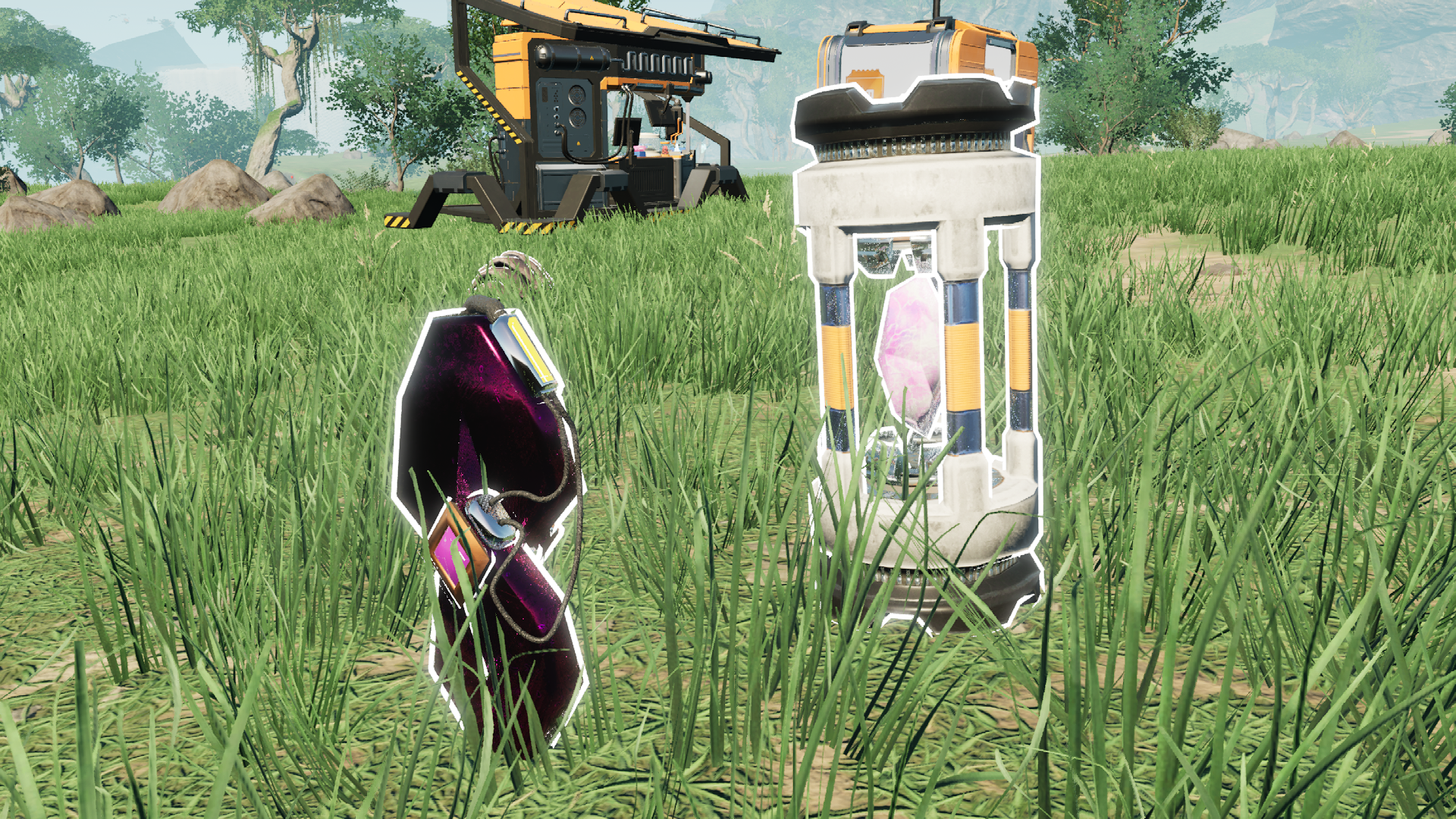
Tier 9 - Peak Efficiency milestone now includes Synthetic Somersloop as a separate item, which performs exactly like regular Somersloop. However by wary! It is made in Quantum Encoder (0MW - 50000MW) for an extremely challenging amout of resources from all possible production branches. Automating Somersloops means accomplishing your greatest achievement as a pioneer!
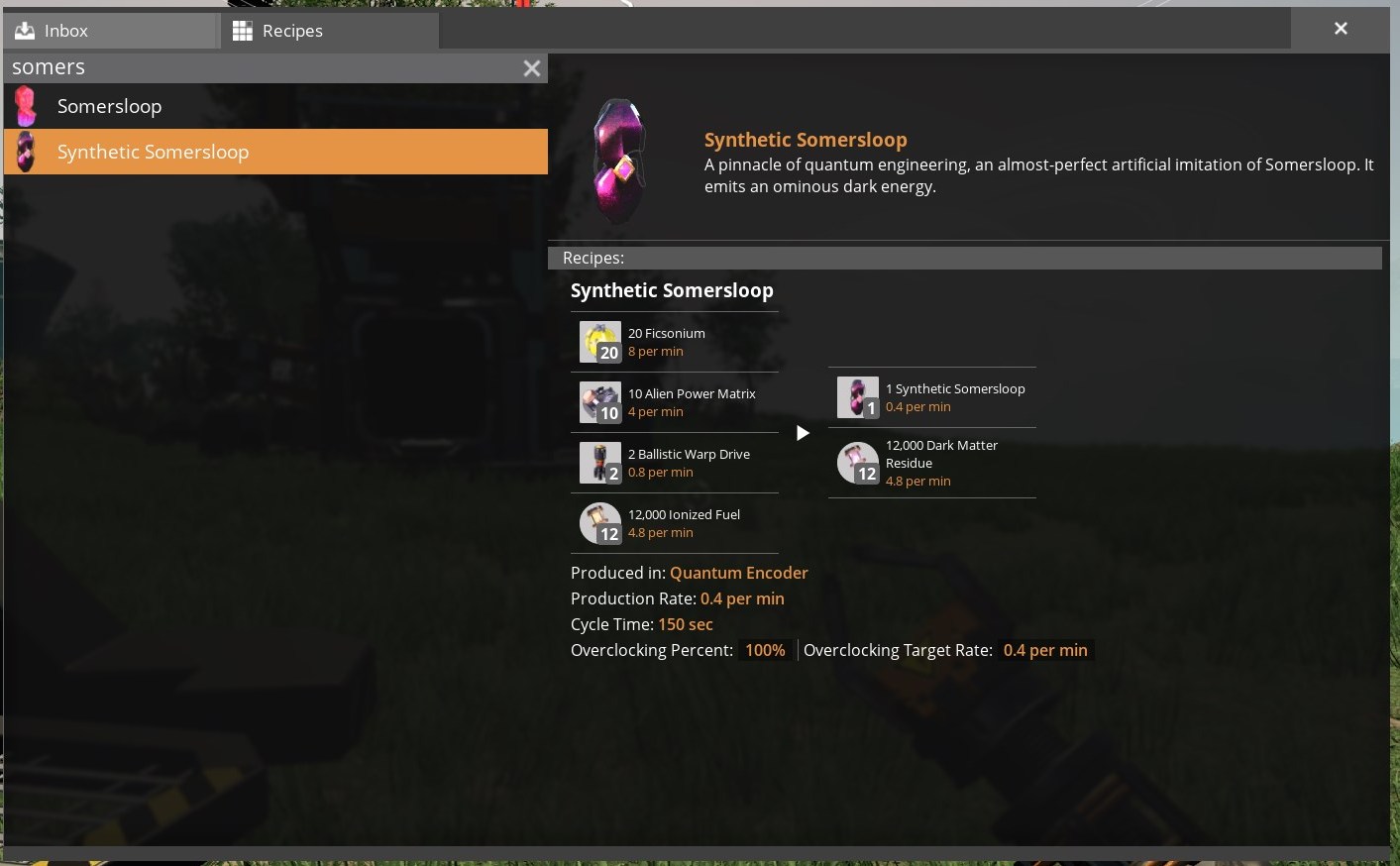
In addition Synthetic Somersloops are sinkable for 19m points!
Same goes for Synthetic Power Shards, but they replace regular power shards in all recipes and researches except for ones related to Power Slugs. And for clarity, you can mix up both versions of Power Shards for overclocking purposes.
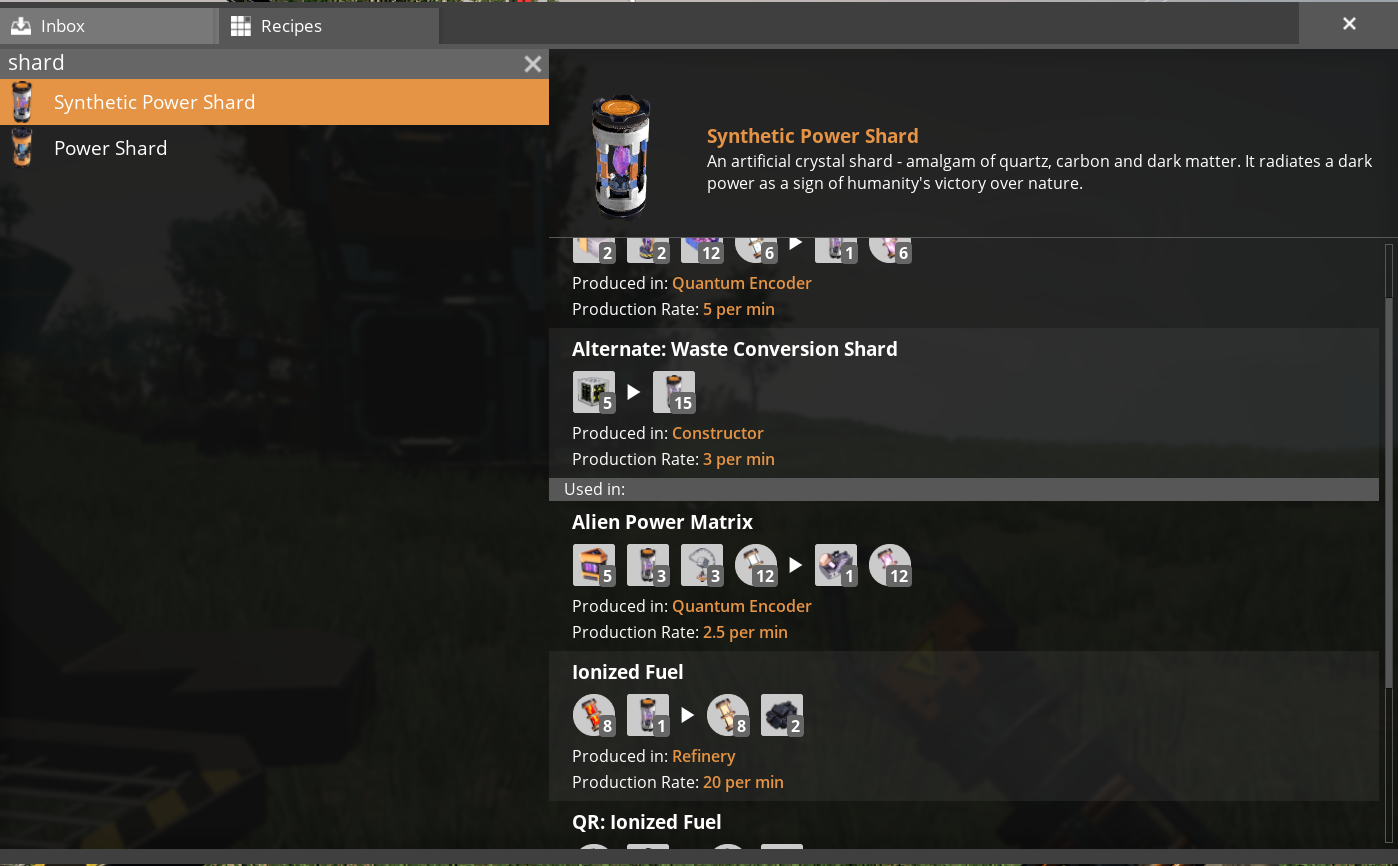
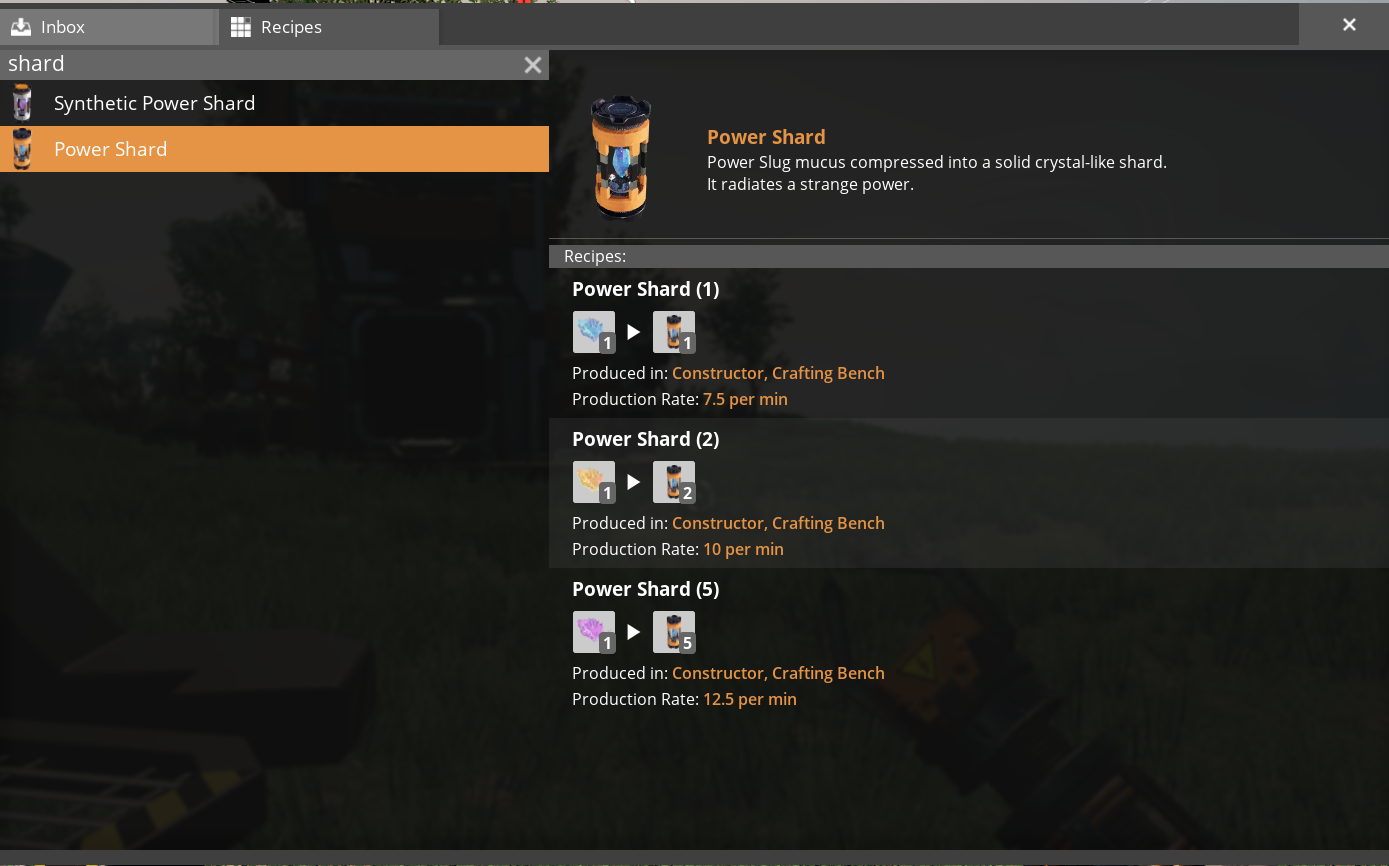
They are sinkable for about 14k points.
There are no synthetic Mercer Spheres in this mod for two reasons:
1. [Waste Shielding](https://ficsit.app/mod/WasteShielding) already does that.
2. Unlike Somersloops, Spheres only have one application, not two (You won't be able to use Synthetic Somersloops for Alien Power Amplifiers).
---
Compatibility with other mods
This mods alters all of the mods' Power Shards in recipes and schematics too. If you wish to make your mod an exception to Synthetic Overclocking:
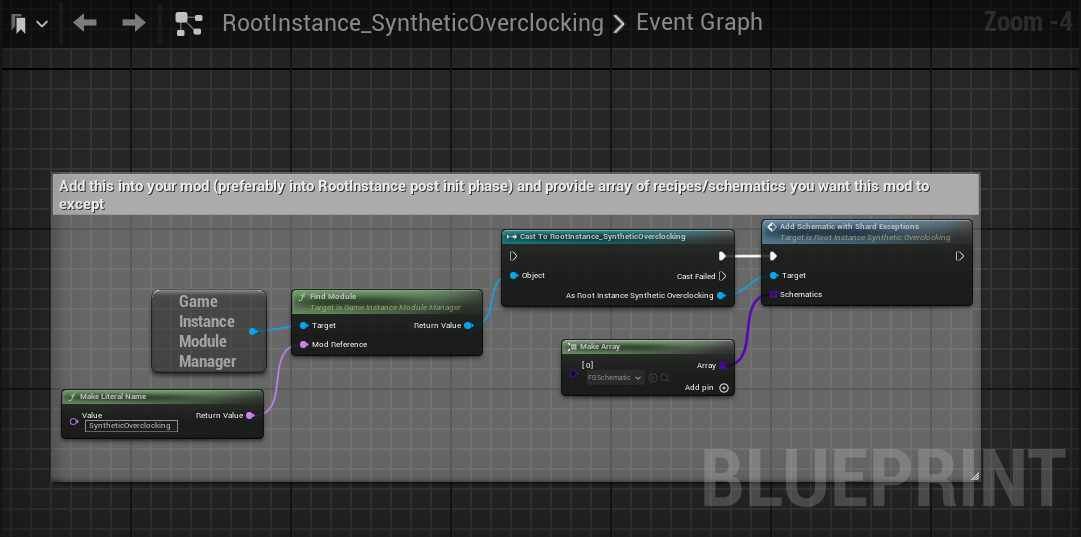
Any future compatibility features like this are going to be displayed in RootInstance_SyntheticOverclocking asset.
---
Conclusion
If you have any suggestions, ideas or issues you are free to contact me via:- GitHub (Source code link).
- Discord (@AniMouse), I am on Satisfactory Modding Server and Ficsit Labs.
- [Any of my other social media](https://linktr.ee/anivirus) [under maintainance].
Thanks for reading through all of this!
Versionen
Synthetic Overclocking auf dem Server installieren
Satisfactory Server bestellen
Bestelle einen Satisfactory Server mit mindestens 4 GB RAM (6 GB empfohlen). Bei Multiplayer: +1 GB pro 4 Spieler.
Mod installieren
Öffne den Mod-Manager im Dashboard und suche nach "Synthetic Overclocking". Installations-Dependencies werden automatisch mitinstalliert.
Server neu starten
Starte den Server neu, damit die Mod geladen wird. Spieler müssen die Mod ebenfalls lokal installiert haben.
Häufige Fragen
Synthetic Overclocking funktioniert nicht nach Update – was tun?
Nach einem Satisfactory-Update müssen Mods aktualisiert werden. Prüfe auf ficsit.app, ob Synthetic Overclocking bereits für die neue Game-Version aktualisiert wurde. Bei Mado Hosting: Öffne den Mod-Manager und klicke "Alle aktualisieren". Wenn die Mod noch nicht aktualisiert ist, entferne sie temporär, damit der Server startet.
Synthetic Overclocking verursacht Crashes im Multiplayer – Lösung
Häufigste Ursache: alle Spieler müssen exakt die gleiche Mod-Version installiert haben. Prüfe in den Server-Logs nach "ModMismatch" oder "Version Conflict". Stelle sicher, dass alle Spieler Synthetic Overclocking v3.1.4 und den gleichen SML verwenden. Bei Mado Hosting laufen Satisfactory Server mit 6 GB RAM für stabile Multiplayer-Performance.
Ist Synthetic Overclocking mit anderen Satisfactory Mods kompatibel?
Synthetic Overclocking nutzt den Satisfactory Mod Loader (SML). Generell sind SML-basierte Mods untereinander kompatibel, aber Mods die gleiche Game-Systeme ändern, können Konflikte verursachen. Teste neue Mod-Kombinationen am besten auf einem Backup-Save. Im Mado Dashboard werden bekannte Konflikte automatisch erkannt und du wirst gewarnt.
Synthetic Overclocking Server mieten
Spiele Synthetic Overclocking auf deinem eigenen Satisfactory Server mit Mod-Support.
Mod Informationen
- Ersteller
- AniViRus Productions
- Neueste Version
- v3.1.4
- Erstellt am
- 25. Juni 2025
- Zuletzt aktualisiert
- 8. Juli 2026
- Quellcode
- GitHub →