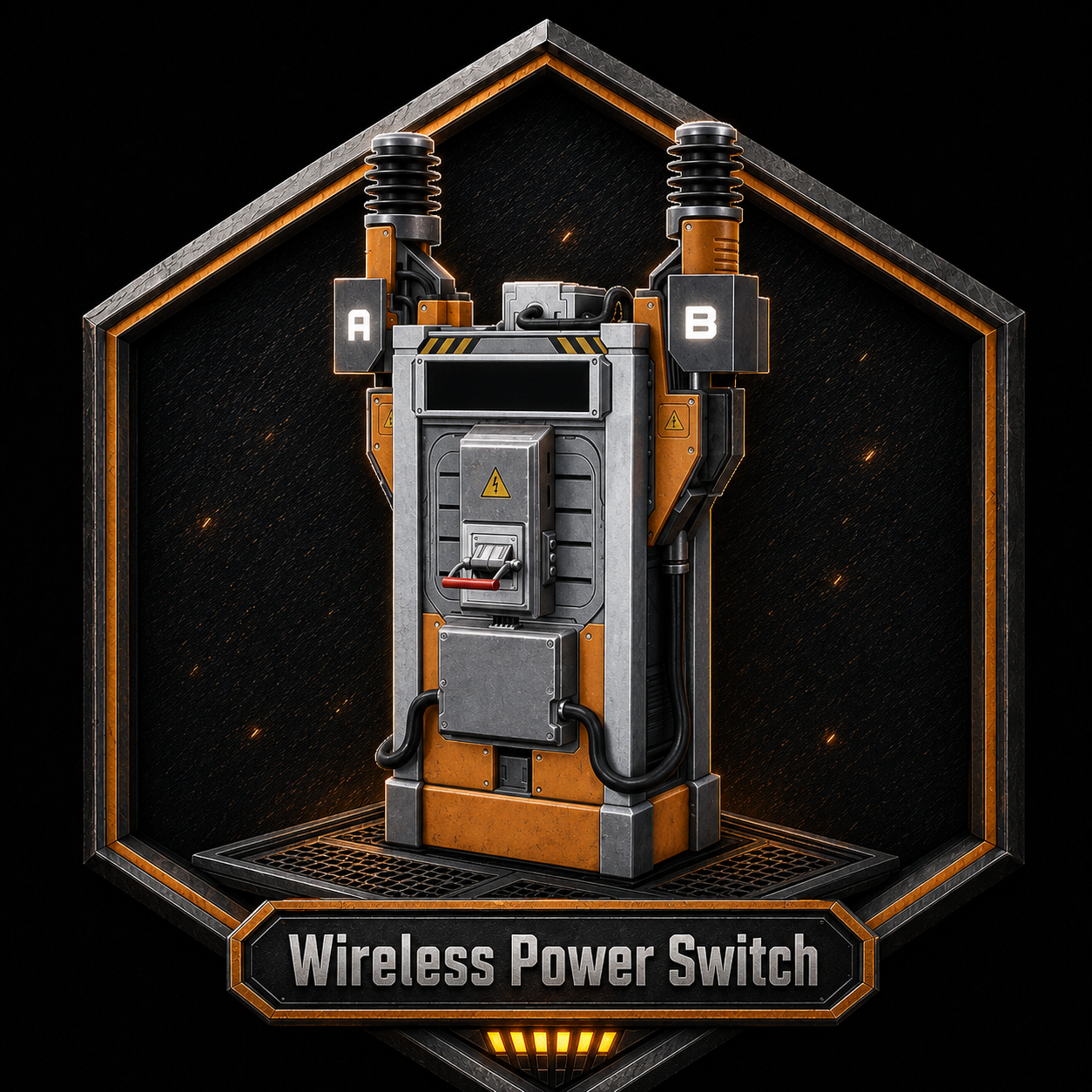
Wireless Power Switch
Wireless power for your wireless neeeds!
Beschreibung
<div style="font-family: Arial, sans-serif; color: #e6e6e6; background: #151515; border: 2px solid #ff6a2a; padding: 18px; border-radius: 6px;">
<h1 style="color: #ff6a2a; margin-top: 0; font-size: 34px;">
Wireless Power Switch
</h1>
<p style="font-size: 16px; line-height: 1.5;">
Wireless Power Switch adds a clean way to power nearby factory machines without running wires to every single building. Teir 1 Unlocked in the hub.
</p>
<hr style="border: none; border-top: 2px solid #ff6a2a; margin: 18px 0;">
<h2 style="color: #ff6a2a;">What It Does</h2>
<ul style="font-size: 15px; line-height: 1.7;">
<li>Scans nearby powered buildings in a <strong>250 meter range</strong>.</li>
<li>Lets you assign or unassign machines from a simple menu.</li>
<li>Assigned buildings show green in the list.</li>
<li>The switch can be enabled or disabled at any time.</li>
<li>Re-opening the menu scans the area again.</li>
<li>Generators and other Wireless Power Switches are ignored.</li>
</ul>
<h2 style="color: #ff6a2a;">How To Use</h2>
<ol style="font-size: 15px; line-height: 1.7;">
<li>Build a Wireless Power Switch.</li>
<li>Connect power to the switch.</li>
<li>Open the switch menu.</li>
<li>Click buildings in the list to assign them.</li>
<li>Use the Enabled / Disabled button to control the wireless power link.</li>
</ol>
<div style="background: #222; border-left: 5px solid #65c957; padding: 12px 14px; margin: 18px 0;">
<strong style="color: #65c957;">Assigned buildings stay saved.</strong><br>
Your selected machines remain assigned after closing the menu and loading your save.
</div>
<h2 style="color: #ff6a2a;">Good For</h2>
<ul style="font-size: 15px; line-height: 1.7;">
<li>Cleaner factories with fewer visible wires.</li>
<li>Compact machine rooms.</li>
<li>Hidden power setups.</li>
<li>Factory sections you want to turn on and off from one switch.</li>
</ul>
<div style="background: #1f1f1f; border: 1px solid #555; padding: 12px 14px; margin-top: 18px;">
<strong style="color: #ff6a2a;">Important:</strong><br>
This does not generate power. The Wireless Power Switch still needs to be connected to a real powered circuit.
</div>
<p style="font-size: 13px; color: #999; margin-top: 20px; text-align: center;">
Built for players who would rather not have visual spagetti wires.
</p>
</div>
Wireless Power Switch auf dem Server installieren
Satisfactory Server bestellen
Bestelle einen Satisfactory Server mit mindestens 4 GB RAM (6 GB empfohlen). Bei Multiplayer: +1 GB pro 4 Spieler.
Mod installieren
Öffne den Mod-Manager im Dashboard und suche nach "Wireless Power Switch". Installations-Dependencies werden automatisch mitinstalliert.
Server neu starten
Starte den Server neu, damit die Mod geladen wird. Spieler müssen die Mod ebenfalls lokal installiert haben.
Häufige Fragen
Wireless Power Switch funktioniert nicht nach Update – was tun?
Nach einem Satisfactory-Update müssen Mods aktualisiert werden. Prüfe auf ficsit.app, ob Wireless Power Switch bereits für die neue Game-Version aktualisiert wurde. Bei Mado Hosting: Öffne den Mod-Manager und klicke "Alle aktualisieren". Wenn die Mod noch nicht aktualisiert ist, entferne sie temporär, damit der Server startet.
Wireless Power Switch verursacht Crashes im Multiplayer – Lösung
Häufigste Ursache: alle Spieler müssen exakt die gleiche Mod-Version installiert haben. Prüfe in den Server-Logs nach "ModMismatch" oder "Version Conflict". Stelle sicher, dass alle Spieler Wireless Power Switch v1.0.0 und den gleichen SML verwenden. Bei Mado Hosting laufen Satisfactory Server mit 6 GB RAM für stabile Multiplayer-Performance.
Ist Wireless Power Switch mit anderen Satisfactory Mods kompatibel?
Wireless Power Switch nutzt den Satisfactory Mod Loader (SML). Generell sind SML-basierte Mods untereinander kompatibel, aber Mods die gleiche Game-Systeme ändern, können Konflikte verursachen. Teste neue Mod-Kombinationen am besten auf einem Backup-Save. Im Mado Dashboard werden bekannte Konflikte automatisch erkannt und du wirst gewarnt.
Wireless Power Switch Server mieten
Spiele Wireless Power Switch auf deinem eigenen Satisfactory Server mit Mod-Support.
Mod Informationen
- Ersteller
- StabbyMcGhost
- Neueste Version
- v1.0.0
- Erstellt am
- 7. Juli 2026
- Zuletzt aktualisiert
- 8. Juli 2026