
Official Yakuza modpack
This Modpack is made for the official Yakuza discord server
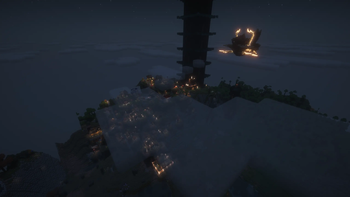
Screenshots
About this Modpack
A minecraft 1.21.1 modpack curated by the people of the Yakuza Discord server.
Serverlink: https://discord.gg/Yakuza
Explore the world of minecraft with expanded world generation, optimization, huge dungeon structures while the world is also inhabited by cobblemon!
Features
Cobblemon as the main mod. in which the following are added to expand it:
Berry pouch
potany pots
badges
economy
structures and legendary spawn structures
EMI with cobblemon information integration
Raids
Ultra beasts
Safari
Mega evolution, dynamaxing, z-moves and terrastilizing
and gyms + progression with radical trainer mod
Legends arceus style quick battle/ aggression
As an addition the following is added:
Origins race selection
Overhauled sounds
Added mobs
Overhauled biome generation with help of tectonic and terralith
Futher improved generation with YUNG, When dungeons arise
Serene seasons
Iris, Sodium, etc for optimization
Reactive music
Waystones for easy navigation through the world
Refined storaged powered with Powah for infinite storage options
Xaeros mini and worldmap
The modpack includes the server which is made for the Discord group. One must be added/ whitelisted to the server to be able to join!
FAQ
Q: Does the modpack support multiplayer.
A: Yes, we have build a server based on these mods. there are some mods that are client only so this could be removed if preffered
Q: How do I open the cobblemon summary/ select starter?
A: A mod has been added to support multi keybind settings. To open this you need to use shift + M
Q: Can I improve my fps?
A: Yes, first disable the complementary shaders and distant horizon. these two are the main things that impact fps
Known bugs:
Rendering error when hovering over the to craft item in EMI. The reason and fix is to be found
Available Versions
How to Set Up a Official Yakuza modpack Server
Order Server
Choose at least 6 GB RAM (8 GB recommended for Official Yakuza modpack). Based on player count: per 5 players.
Install Modpack in Dashboard
Open the modpack browser in the dashboard, search for "Official Yakuza modpack" and click "Install". The fabric loader and Minecraft 1.21.1 are configured automatically.
Start Server & Play
Start the server – all mods are loaded automatically. Share the server IP with friends and play together!
Frequently Asked Questions
Official Yakuza modpack server crashes or won't start – what to do?
Most common causes: insufficient RAM or wrong fabric loader. Check latest.log for "OutOfMemoryError" → increase RAM to at least 8 GB. For "Mixin" or "ClassNotFoundException" errors: modpack version and loader don't match. With Mado Hosting, loader and Minecraft version are auto-configured on modpack install – preventing most startup issues.
How much RAM does a Official Yakuza modpack server really need?
Minimum 6 GB, recommended 8 GB for stable performance. per 5 players. Important: Minecraft modpacks need more RAM than vanilla – plan extra per additional player. With Mado Hosting, you can scale RAM up live at any time without data loss (from €12/month).
Can I add custom mods to Official Yakuza modpack without conflicts?
Yes, but check compatibility: only use mods for the same loader (fabric) and same Minecraft version (1.21.1). Common issues: ID conflicts with recipe mods and incompatible coremod versions. The Mado dashboard mod browser only shows compatible mods and warns about known conflicts.
Official Yakuza modpack server lagging – performance tips
1) Increase RAM to 8 GB+. 2) Reduce server view-distance to 8 (server.properties). 3) Pre-generate chunks with the "Chunky" plugin. 4) Use /spark profiler to check which mods consume the most tick time. With Mado Hosting, all servers run on NVMe SSDs with dedicated CPU cores – eliminating hardware as a bottleneck.
Similar Modpacks
![Cobblemon Official Modpack [Fabric]](https://cdn.modrinth.com/data/5FFgwNNP/e7f9ee2e9d361623847853fe2ddce42f519ee64f.png)
![COBBLEVERSE - Pokemon Adventure [Cobblemon]](https://cdn.modrinth.com/data/Jkb29YJU/581ecf54530972afb18a04660afd820f2f24f6c7.png)
![Better MC [FABRIC] - BMC2](https://cdn.modrinth.com/data/shFhR8Vx/a19c2bcb51d38f32f138d3607e91cb2b7b8e387f_96.webp)


![Better MC [FORGE] - BMC4](https://cdn.modrinth.com/data/4BV47HRn/7f5ef7cc61b2593609aabef3ed07a866a4f11b73_96.webp)
Rent Official Yakuza modpack Server
Start your own server with automatic modpack installation.
Supported Versions
Start your Official Yakuza modpack Server now
From €12.00/month with 8 GB RAM for the best performance.
Configure Server →