
Zero Signal
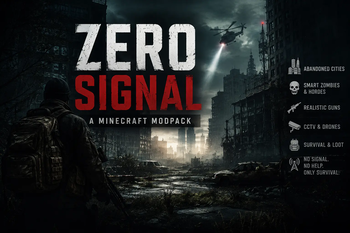
Zero Signal is a lightweight military-apocalypse survival modpack set in a world where global communication has collapsed. Scavenge, survive, and adapt using tactical gear and modern tech in a tense, immersive environment.
Screenshots
About this Modpack
Zero Signal
Zero Signal is a curated Minecraft experience centered around military survival, atmosphere, and immersion. Set in a world where global communications have collapsed, the pack focuses on tactical gameplay, exploration, and adapting to an environment left behind by modern civilization.
Designed with performance and accessibility in mind, Zero Signal delivers a focused experience without unnecessary bloat. Every included mod and configuration has been carefully selected to support the military-apocalypse theme while maintaining smooth gameplay and preserving Minecraft's core survival mechanics.
Whether you're exploring abandoned infrastructure, securing valuable resources, or surviving in isolated regions where communication has gone silent, Zero Signal is designed to provide an immersive and atmospheric experience that rewards preparation, awareness, and adaptability.
Resources
Interested in following the development of Zero Signal or supporting future projects? The resources below provide additional information about the modpack and its creator.
- Official YouTube Channel: https://www.youtube.com/@ZeroDevelpment
Follow for future updates, project showcases, announcements, and other Minecraft-related creations.
Additional information, updates, and future projects may also be shared through the contact information listed below.
Credits
Original Project
- Zero Signal is an original modpack concept, theme, and project created and developed by the author. The setting, design direction, and overall experience are the result of independent work and creative development.
Modpack Author
- Mr. ZeroDev – Project creation, modpack assembly, configuration, balancing, testing, optimization, maintenance, and ongoing development.
__
Included Mods
- All included mods, libraries, and third-party content remain the property of their respective creators and are distributed in accordance with their individual licenses and permissions.
Modpack Usage & Redistribution
You are welcome to create personal modifications, private configurations, or custom versions of this modpack for your own use.
However, if you intend to publicly distribute a modified version, re-upload files, use original configurations, reuse branding, or create a derivative project based on this modpack, proper credit to Mr. ZeroDev is required.
Please do not:
- Re-upload this modpack and present it as your own work.
- Reuse the name, branding, or original assets without permission.
- Redistribute modified versions without providing appropriate credit.
- Remove credits from original work and redistribute the project publicly.
If you wish to create a personal version and do not want to provide public credit, please keep the project private.
Unauthorized redistribution of this modpack's original configurations, branding, or assets may result in a request for removal or other appropriate actions where applicable.
Contact
For questions, bug reports, suggestions, feedback, or project-related inquiries, feel free to get in touch.
Discord: syclib.
Thank you for playing and supporting Zero Signal.
Available Versions
How to Set Up a Zero Signal Server
Order Server
Choose at least 4 GB RAM (6 GB recommended for Zero Signal). Based on player count: per 5 players.
Install Modpack in Dashboard
Open the modpack browser in the dashboard, search for "Zero Signal" and click "Install". The forge loader and Minecraft 1.20.1 are configured automatically.
Start Server & Play
Start the server – all mods are loaded automatically. Share the server IP with friends and play together!
Frequently Asked Questions
Zero Signal server crashes or won't start – what to do?
Most common causes: insufficient RAM or wrong forge loader. Check latest.log for "OutOfMemoryError" → increase RAM to at least 6 GB. For "Mixin" or "ClassNotFoundException" errors: modpack version and loader don't match. With Mado Hosting, loader and Minecraft version are auto-configured on modpack install – preventing most startup issues.
How much RAM does a Zero Signal server really need?
Minimum 4 GB, recommended 6 GB for stable performance. per 5 players. Important: Minecraft modpacks need more RAM than vanilla – plan extra per additional player. With Mado Hosting, you can scale RAM up live at any time without data loss (from €8/month).
Can I add custom mods to Zero Signal without conflicts?
Yes, but check compatibility: only use mods for the same loader (forge) and same Minecraft version (1.20.1). Common issues: ID conflicts with recipe mods and incompatible coremod versions. The Mado dashboard mod browser only shows compatible mods and warns about known conflicts.
Zero Signal server lagging – performance tips
1) Increase RAM to 6 GB+. 2) Reduce server view-distance to 8 (server.properties). 3) Pre-generate chunks with the "Chunky" plugin. 4) Use /spark profiler to check which mods consume the most tick time. With Mado Hosting, all servers run on NVMe SSDs with dedicated CPU cores – eliminating hardware as a bottleneck.
Rent Zero Signal Server
Start your own server with automatic modpack installation.
Supported Versions
Start your Zero Signal Server now
From €8.00/month with 6 GB RAM for the best performance.
Configure Server →