
Create Package
Create sequenced-assembly packaging support for AE2 autocrafting.
About this Mod
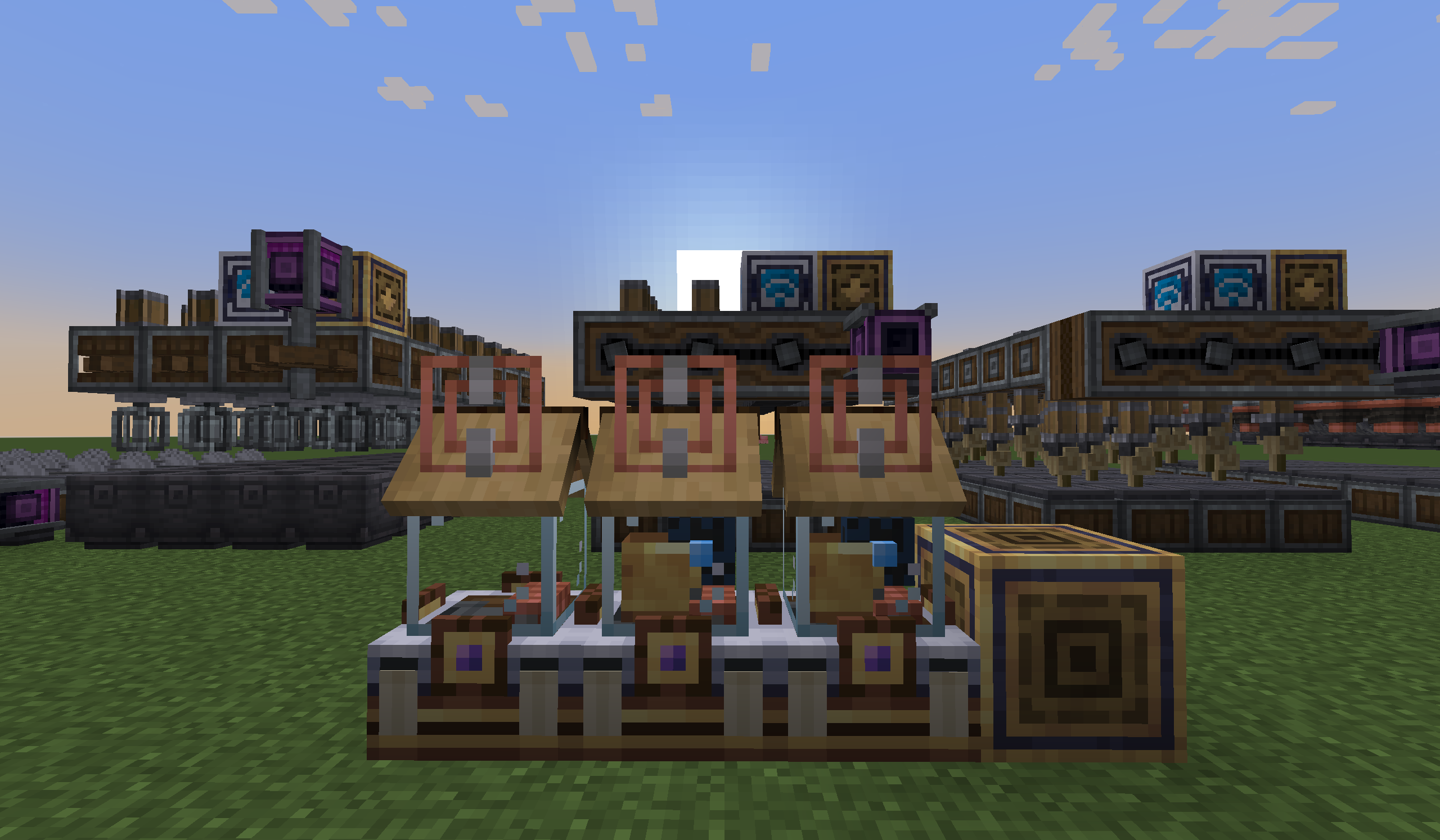
Create Package
Create Package connects Applied Energistics 2 autocrafting to real Create machines. It is designed for players who want AE2 to request a craft while Create still performs the physical processing with belts, depots, deployers, spouts, presses, saws, basins, power, and item movement.
Instead of replacing Create contraptions with an abstract crafting block, this mod adds routing devices that receive AE2 processing-pattern jobs, supply the selected Create machine positions, watch the configured output positions, and return recovered products to the ME network.
Create Package has two main crafting paths:
- Sequenced assembly routing for multi-step Create lines. Use Package Distributors, route tools, and Mechanical Package Patterns.
- Single-machine processing for one Create machine or several identical machines. Use the Kinetic Pattern Provider.
The mod uses AE2 processing patterns as the crafting contract. It validates and simulates target insertions before spending inputs whenever possible. It does not scan the world for dropped item entities; outputs must be recoverable through configured depots, belts, basins, inventories, or machine handlers.
机械动力封包
机械动力封包把 Applied Energistics 2 自动合成连接到真实的 Create 机器。它适合希望“由 AE2 下单、由 Create 实体流水线加工”的玩法:传送带、料盘、机械手、注液器、冲压机、动力锯、工作盆、动力系统和物品流仍然由玩家搭建。
这个模组不会用一个抽象机器替代 Create 生产线,而是提供一组路由方块:接收 AE2 处理样板作业,把材料送到指定的 Create 位置,监听配置好的产物位置,并把回收到的产物送回 ME 网络。
核心思路
机械动力封包主要有两条自动合成路径:
- 序列组装路线:用于多步骤 Create 流水线,使用封包分发器、路线工具和机械封包样板。
- 单机器处理:用于单台 Create 机器或多台同类型机器,使用动力样板供应器。
模组使用 AE2 处理样板作为合成契约。设备会尽量在消耗输入前校验并模拟目标插入。模组不会扫描世界里的掉落物实体;产物必须进入可回收的料盘、传送带、工作盆、库存或机器处理器。
Available Versions
How to Install Create Package on Your Server
Order Server
Order a Minecraft Java server with at least 4 GB RAM (6 GB recommended).
Set neoforge Loader
In the panel under "Egg", select the neoforge loader and matching Minecraft version (1.21.1).
Install Mod
Open the mod browser in the dashboard and search for "Create Package". Click "Install" – done! Alternatively, upload the .jar via SFTP to the /mods folder.
Compatibility
Mod Loaders
Minecraft Versions
1.21.1
Server-side
✓ RequiredRecommended RAM
6 GB(min. 4 GB)Frequently Asked Questions
Create Package server crashes on startup – what to do?
Most common cause: wrong neoforge version or insufficient RAM. Check the server log (latest.log) for "OutOfMemoryError" or "Mixin" errors. With Mado Hosting: ensure at least 4 GB RAM is allocated and the loader matches the mod version (1.21.1). You can switch loaders with one click in the panel.
Is Create Package compatible with neoforge?
Create Package officially supports neoforge for Minecraft 1.21.1. The Mado dashboard automatically detects incompatible loader combinations.
Server lagging with Create Package – how to optimize performance?
Recommended RAM: 6 GB (per 5 players). Use /spark profiler to check if Create Package consumes the most tick time. Common fixes: reduce server view-distance to 8-10, install "performant" or "starlight" as supplementary mods on Forge. With Mado Hosting, your server runs on NVMe SSDs with dedicated CPU cores for minimal latency.
Rent Modded Server
Install Create Package with just one click on your server.