
DisasterSurvival
Survive over 20 unique natural disasters in singleplayer or multiplayer. Random disasters, generated maps, loot, and intense survival gameplay.
Screenshots
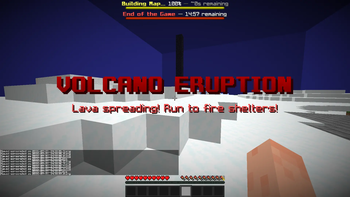
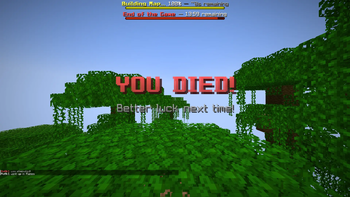
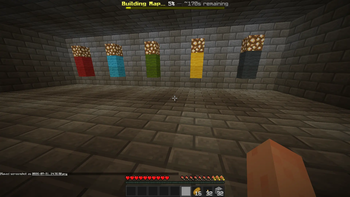
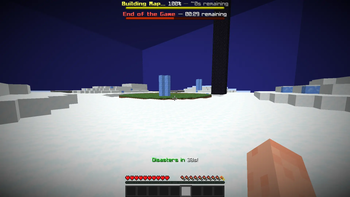
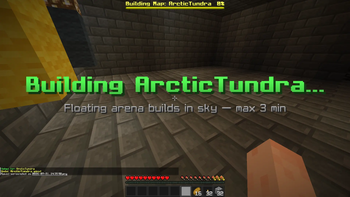
About this Mod
Disaster Survival
Survive devastating natural disasters in Minecraft! Fight against earthquakes, tornadoes, floods, volcanoes, meteors, and many more while trying to stay alive until the disaster ends.
Designed for both singleplayer and multiplayer, Disaster Survival turns every round into a unique survival challenge.
Features
🌪️ 20+ unique disasters
Tornado
Earthquake
Flood
Tsunami
Hurricane
Storm
Blizzard
Hailstorm
Sandstorm
Wildfire
Volcano
Meteor
Avalanche
Landslide
Ice Storm
Heatwave
Extreme Cold
Drought
Monsoon
El Niño
Every disaster has its own behavior and survival challenge.
🏝️ Random maps
Each game takes place on a generated survival map with structures and loot to help players survive.
🎮 Multiple game modes
Singleplayer
Multiplayer
Lobby system
Game states
Round management
Voting system
📦 Loot & exploration
Search structures and chests for useful resources before disaster strikes.
⚡ Optimized gameplay
Automatic disaster management
Built-in lobby system
Configurable game lengths
Smooth multiplayer support
Gameplay
Join a game.
Gather supplies.
A random disaster begins.
Adapt to the environment.
Survive until the timer ends.
Every round is different thanks to the variety of disasters and randomized gameplay.
Requirements
Fabric Loader
Fabric API
Minecraft 1.21.1
Java 21
Multiplayer and Singleplayer
Disaster Survival fully supports multiplayer, allowing friends to compete or cooperate while surviving increasingly dangerous disasters.
Included Disasters
🌪 Tornado
🌊 Tsunami
🌊 Flood
🌋 Volcano
☄ Meteor Strike
🌎 Earthquake
🔥 Wildfire
❄ Blizzard
🧊 Ice Storm
🌨 Hailstorm
🌬 Sandstorm
🌧 Monsoon
🌩 Storm
🌀 Hurricane
🏔 Avalanche
🪨 Landslide
☀ Heatwave
🥶 Extreme Cold
🌾 Drought
🌊 El Niño
Report every bug in the discord!
Type /disasters help in game!
Available Versions
How to Install DisasterSurvival on Your Server
Order Server
Order a Minecraft Java server with at least 3 GB RAM (4 GB recommended).
Set fabric Loader
In the panel under "Egg", select the fabric loader and matching Minecraft version (1.21.1).
Install Mod
Open the mod browser in the dashboard and search for "DisasterSurvival". Click "Install" – done! Alternatively, upload the .jar via SFTP to the /mods folder.
Compatibility
Mod Loaders
Minecraft Versions
1.21.1
Server-side
✓ RequiredRecommended RAM
4 GB(min. 3 GB)Frequently Asked Questions
DisasterSurvival server crashes on startup – what to do?
Most common cause: wrong fabric version or insufficient RAM. Check the server log (latest.log) for "OutOfMemoryError" or "Mixin" errors. With Mado Hosting: ensure at least 3 GB RAM is allocated and the loader matches the mod version (1.21.1). You can switch loaders with one click in the panel.
Is DisasterSurvival compatible with fabric?
DisasterSurvival officially supports fabric for Minecraft 1.21.1. The Mado dashboard automatically detects incompatible loader combinations.
Server lagging with DisasterSurvival – how to optimize performance?
Recommended RAM: 4 GB (per 8 players). Use /spark profiler to check if DisasterSurvival consumes the most tick time. Common fixes: reduce server view-distance to 8-10, install "performant" or "starlight" as supplementary mods on Forge. With Mado Hosting, your server runs on NVMe SSDs with dedicated CPU cores for minimal latency.
Similar Mods



Rent Modded Server
Install DisasterSurvival with just one click on your server.