
Experiment: Determination
Brings Undertale's iconic save points, time rollbacks, and action consequences directly into Minecraft.
Screenshots
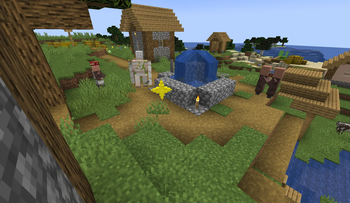
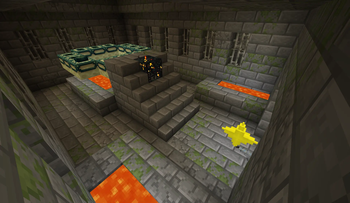
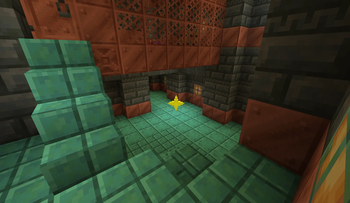
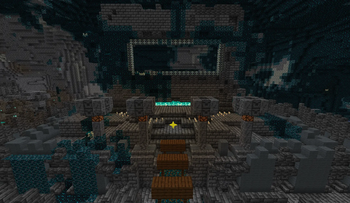
About this Mod
🌟 Key Features
💾 True Saves
As you travel the world, you will find Save Points across various structures (Villages, Pillager Outposts, Ancient Cities, Woodland Mansions, Strongholds, and many more). Interacting with them fully restores your health and opens the classic save interface. But be careful: saving acts as a full time backup. If you die, the world will roll back to that exact moment! Your resources, destroyed blocks, killed mobs, and even raid progress - everything will revert to the state it was in at the time
💬 Unique Texts and Atmosphere
A unique save text is written for every biome and structure, conveying the atmosphere of the surroundings and filling you with Determination. Experience the familiar design, sounds, and fonts that will make you feel like you are in a completely different game.
🔪 Genocide System
Your actions have consequences. The mod tracks how you interact with the world. If you ruthlessly and purposefully exterminate a specific type of creature, their population will run dry. Available progression paths: Neutral and Genocide.
⚠️ Important Note
Since the mod physically "rolls back" the world and time when a save is loaded, it is intended strictly for Singleplayer, and it is highly not recommended for use in modpacks.
Available Versions
How to Install Experiment: Determination on Your Server
Order Server
Order a Minecraft Java server with at least 4 GB RAM (6 GB recommended).
Set fabric Loader
In the panel under "Egg", select the fabric loader and matching Minecraft version (1.21.1).
Install Mod
Open the mod browser in the dashboard and search for "Experiment: Determination". Click "Install" – done! Alternatively, upload the .jar via SFTP to the /mods folder.
Compatibility
Mod Loaders
Minecraft Versions
1.21.1
Server-side
✓ RequiredRecommended RAM
6 GB(min. 4 GB)Frequently Asked Questions
Experiment: Determination server crashes on startup – what to do?
Most common cause: wrong fabric version or insufficient RAM. Check the server log (latest.log) for "OutOfMemoryError" or "Mixin" errors. With Mado Hosting: ensure at least 4 GB RAM is allocated and the loader matches the mod version (1.21.1). You can switch loaders with one click in the panel.
Is Experiment: Determination compatible with fabric?
Experiment: Determination officially supports fabric for Minecraft 1.21.1. The Mado dashboard automatically detects incompatible loader combinations.
Server lagging with Experiment: Determination – how to optimize performance?
Recommended RAM: 6 GB (per 5 players). Use /spark profiler to check if Experiment: Determination consumes the most tick time. Common fixes: reduce server view-distance to 8-10, install "performant" or "starlight" as supplementary mods on Forge. With Mado Hosting, your server runs on NVMe SSDs with dedicated CPU cores for minimal latency.
Similar Mods




Rent Modded Server
Install Experiment: Determination with just one click on your server.