
Ji Zoom Cinematic
Zoom Cinematic in 4K with smooth camera transitions
Screenshots

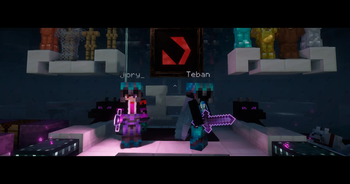


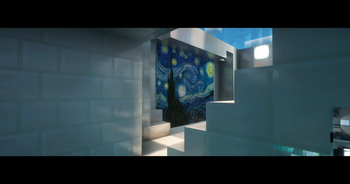
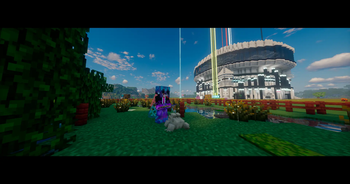
About this Mod


Unparalleled visual precision with buttery-smooth camera zooming
Upgrade your standard field of view into a professional camera tool. Ji Zoom Cinematic provides dynamic, easing-based zoom mechanics designed for precise terrain scouting, capturing detailed screenshots, and recording flawless video footage without rigid transitions.
Whether you are focusing on a distant structure or tracking a moving target, your view adjustments are now fluid, responsive, and completely customizable.

✨ Core Features
- Dynamic Easing — Fluid FOV transitions when zooming in and out, eliminating sudden graphical snaps.
- Scroll to Adjust — Dynamically control your magnification level on the fly using the mouse scroll wheel.
- Cinematic Integration — Automatically synchronizes with Minecraft's cinematic camera for ultra-smooth panning while zoomed.
- Uncapped Magnification — Push beyond standard optical limits with configurable maximum zoom depths.
- Zero Latency — Highly optimized to ensure stable framerates even during rapid zoom adjustments.

Flawless zoom mechanics for content creation and exploration

⚙️ Advanced Configuration
Fully customizable in-game menu (Mod Menu support):
• Zoom keybind mode (Hold vs. Toggle)
• Transition speed and easing type
• Minimum and maximum scroll zoom limits
• Cinematic camera auto-toggle
Languages: English + Español (LatAm & Spain)

Requirements & Supported Versions
Supported Minecraft Versions:1.21.2 - 1.21.8
| Loader / Dependency | Version required | Status |
|---|---|---|
| Fabric Loader | Matches your MC | 🔴 Required |
| Fabric API | Latest available | 🔴 Required |
| Mod Menu | Latest available | 🟢 Recommended (For in-game settings) |
🎮 100% Client-Side — Functions on any server architecture (Vanilla, Paper, Realms, etc.). No server-side installation required.
Available Versions
How to Install Ji Zoom Cinematic on Your Server
Order Server
Order a Minecraft Java server with at least 3 GB RAM (4 GB recommended).
Set fabric Loader
In the panel under "Egg", select the fabric loader and matching Minecraft version (1.21.8).
Install Mod
Open the mod browser in the dashboard and search for "Ji Zoom Cinematic". Click "Install" – done! Alternatively, upload the .jar via SFTP to the /mods folder.
Compatibility
Mod Loaders
Minecraft Versions
1.21.8, 1.21.7, 1.21.6 (+4 more)
Server-side
✗ UnsupportedRecommended RAM
4 GB(min. 3 GB)Frequently Asked Questions
Ji Zoom Cinematic server crashes on startup – what to do?
Most common cause: wrong fabric version or insufficient RAM. Check the server log (latest.log) for "OutOfMemoryError" or "Mixin" errors. With Mado Hosting: ensure at least 3 GB RAM is allocated and the loader matches the mod version (1.21.8). You can switch loaders with one click in the panel.
Is Ji Zoom Cinematic compatible with fabric?
Ji Zoom Cinematic officially supports fabric for Minecraft 1.21.8, 1.21.7, 1.21.6. The Mado dashboard automatically detects incompatible loader combinations.
Server lagging with Ji Zoom Cinematic – how to optimize performance?
Recommended RAM: 4 GB (per 8 players). Use /spark profiler to check if Ji Zoom Cinematic consumes the most tick time. Common fixes: reduce server view-distance to 8-10, install "performant" or "starlight" as supplementary mods on Forge. With Mado Hosting, your server runs on NVMe SSDs with dedicated CPU cores for minimal latency.
Rent Modded Server
Install Ji Zoom Cinematic with just one click on your server.