
mutationcraft-plus
Adds 24 random world mutations that completely change Minecraft every 5 minutes, making every survival adventure unique.
Screenshots
About this Mod
MutationCraft
Every 5 minutes, the world mutates. Can you survive the chaos?
MutationCraft transforms your Minecraft world by introducing random gameplay mutations every five minutes. Each mutation changes the way you play, creating unique challenges and making every survival world unpredictable.
Whether you're exploring caves, building a base, or fighting mobs, you never know what will happen next.
Features
- 🌍 Automatic world mutation every 5 minutes
- 🎲 Randomly selected mutations
- ⚡ Easy-to-use
/mutationcommands - 🎮 Designed for Survival gameplay
- 👥 Singleplayer and multiplayer support
- ⚙️ Lightweight and performance-friendly
Included Mutations
- 🌕 Blood Moon
- 👹 Boss Event
- ❤️ Double Health
- 🧟 Double Zombies
- 🐔 Explosive Chickens
- 🌾 Fast Crops
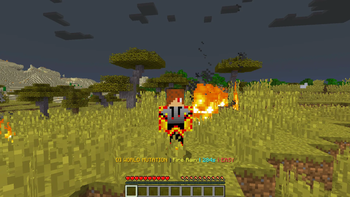
- 🔥 Fire Rain
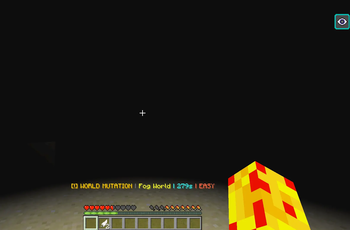
- 🌫️ Fog World
- ❄️ Frozen World
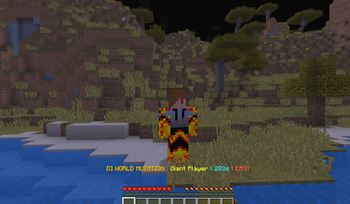
- 🧍 Giant Player
- 🌳 Giant Trees
- 👻 Invisible Creepers
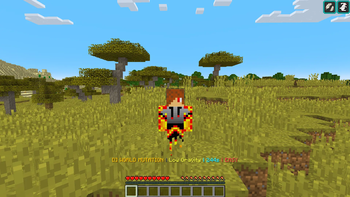
- 🌙 Low Gravity
- 💎 Lucky Ore
- ☄️ Meteor Shower
- 📦 No Gravity Items
- ⚔️ One Hit Mode
- ⚡ Random Lightning
- 🧪 Random Potion Effects
- 🌀 Random Teleport
- 🔄 Reverse Controls
- 💨 Super Speed
- 🤏 Tiny Player
- 💣 TNT Rain
Commands
/mutation start– Start the mutation cycle./mutation stop– Stop all mutations./mutation skip– Skip to the next mutation./mutation random– Trigger a random mutation instantly./mutation difficulty– Change mutation difficulty./mutation reload– Reload the configuration./mutation info– View the current mutation and timer.
Requirements
- Minecraft 1.21.1
- Fabric Loader
- Fabric API
Future Updates
Planned features include:
- More mutations
- Improved visual effects
- Custom sounds
- Configurable mutation interval
- New weather events
- More boss encounters
- Additional gameplay balancing
If you encounter any bugs or have ideas for new mutations, feel free to leave feedback. Every suggestion helps improve MutationCraft!
Available Versions
How to Install mutationcraft-plus on Your Server
Order Server
Order a Minecraft Java server with at least 3 GB RAM (4 GB recommended).
Set fabric Loader
In the panel under "Egg", select the fabric loader and matching Minecraft version (1.21.11).
Install Mod
Open the mod browser in the dashboard and search for "mutationcraft-plus". Click "Install" – done! Alternatively, upload the .jar via SFTP to the /mods folder.
Compatibility
Mod Loaders
Minecraft Versions
1.21.11, 1.21.10, 1.21.9 (+8 more)
Server-side
✓ RequiredRecommended RAM
4 GB(min. 3 GB)Frequently Asked Questions
mutationcraft-plus server crashes on startup – what to do?
Most common cause: wrong fabric version or insufficient RAM. Check the server log (latest.log) for "OutOfMemoryError" or "Mixin" errors. With Mado Hosting: ensure at least 3 GB RAM is allocated and the loader matches the mod version (1.21.11). You can switch loaders with one click in the panel.
Is mutationcraft-plus compatible with fabric?
mutationcraft-plus officially supports fabric for Minecraft 1.21.11, 1.21.10, 1.21.9. The Mado dashboard automatically detects incompatible loader combinations.
Server lagging with mutationcraft-plus – how to optimize performance?
Recommended RAM: 4 GB (per 8 players). Use /spark profiler to check if mutationcraft-plus consumes the most tick time. Common fixes: reduce server view-distance to 8-10, install "performant" or "starlight" as supplementary mods on Forge. With Mado Hosting, your server runs on NVMe SSDs with dedicated CPU cores for minimal latency.
Similar Mods




Rent Modded Server
Install mutationcraft-plus with just one click on your server.