
QuickCmds
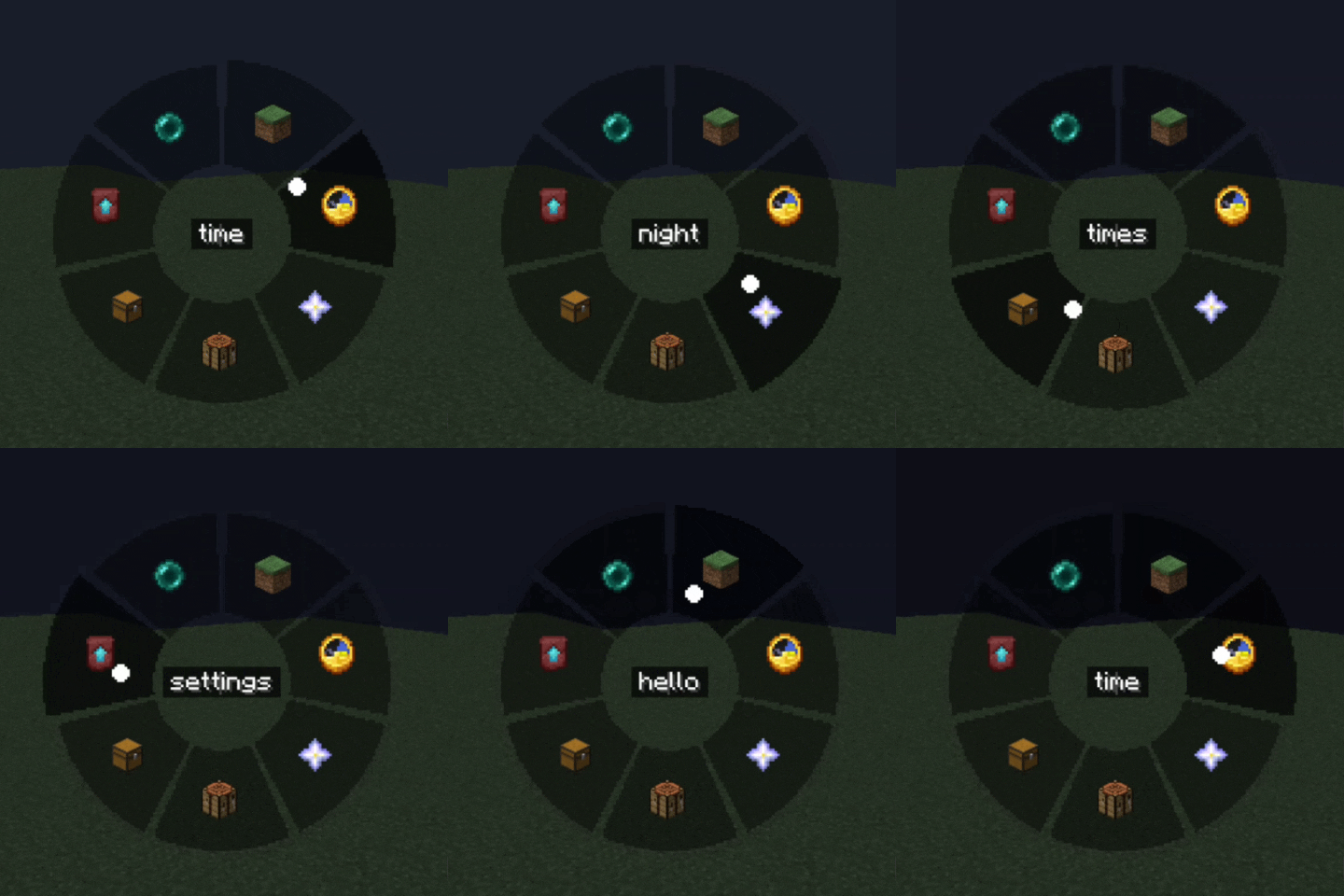
A radial command wheel — bind commands, chat messages and hotkeys to a quick-access ring and fire them with a single click.
Screenshots
About this Mod
QuickCmds


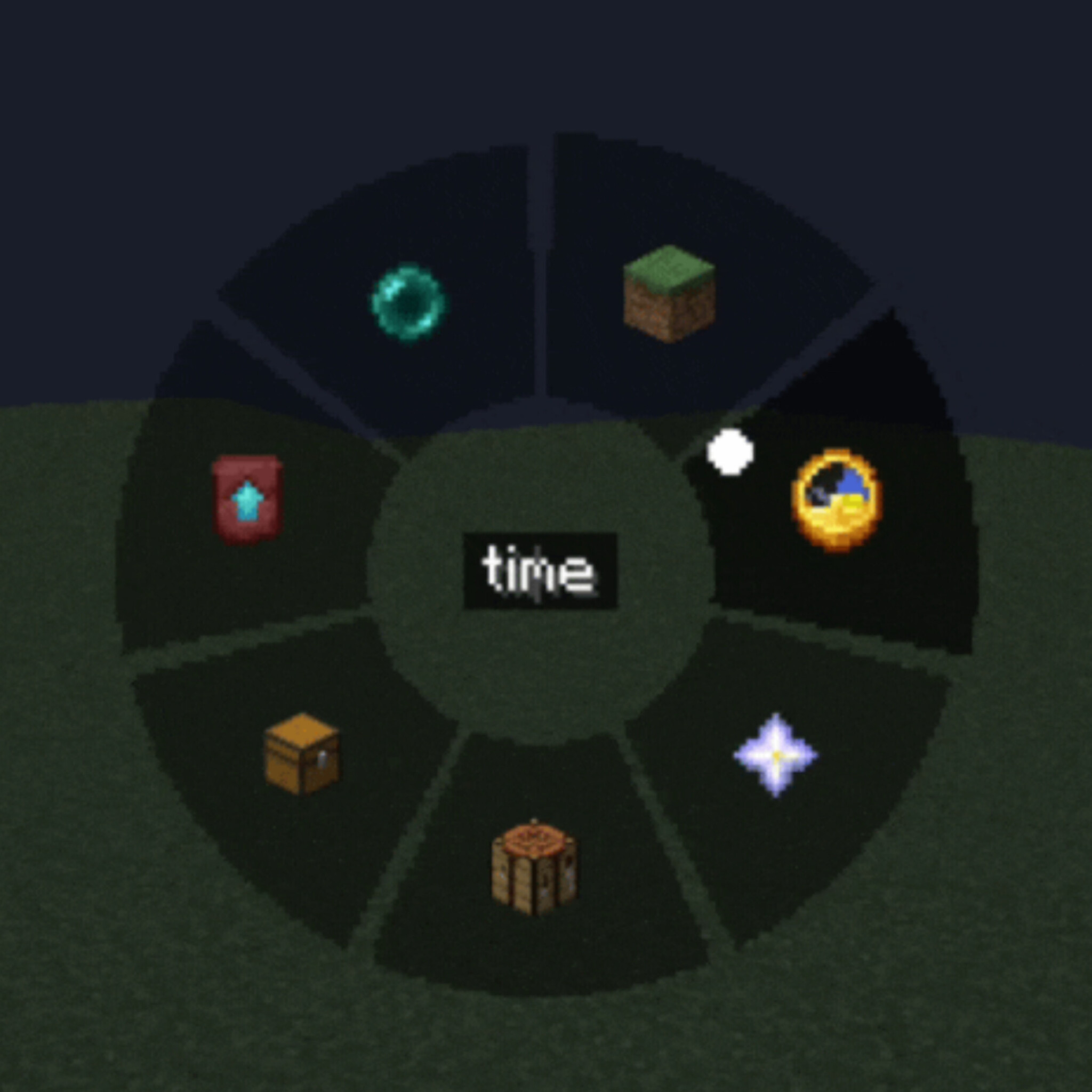
A lightweight client-side mod that adds a customizable radial command wheel to Minecraft — press a key to bring up a ring of up to 12 slots and trigger commands, chat messages, or hotkeys with a single click.
Features
Radial Quick Panel — hold or press a key to open a circular menu, hover a segment and click to execute
Three slot types
- Command — run one or several /commands (one per line, with configurable delay between them)
- Chat message — send preset text/messages instantly
- Hotkey — trigger a custom key combination
Fully customizable appearance
- Adjustable wheel size, outer/inner radius and dead zone
- Custom segment color, text color and transparency (normal and hover states)
- Icon picker — choose from built-in icons or any Minecraft item texture
Two independent keybinds — one to open the command wheel, one for a separate quick settings panel
In-game settings GUI — no config file editing needed, everything is configurable through tabs (Commands / Settings / Appearance)
Client-side only — works on any server, no server-side installation required
Localized in 13 languages: English, Russian, Ukrainian, German, French, Spanish, Polish, Turkish, Japanese, Korean, Chinese, Portuguese (BR), Kazakh
How it works
- Press the Quick Panel key to open the radial wheel
- Hover over a slot to see its tooltip
- Left-click to run it, right-click to delete/edit
- Use the Settings key to configure slots, appearance, and keybinds without leaving the game
Perfect for survival multiplayer, creative building, server administration, or just speeding up repetitive command/chat workflows.
Compatibility
Client-side mod — safe to use on vanilla servers, no server installation needed.
Available Versions
How to Install QuickCmds on Your Server
Order Server
Order a Minecraft Java server with at least 3 GB RAM (4 GB recommended).
Set fabric Loader
In the panel under "Egg", select the fabric loader and matching Minecraft version (1.21.8).
Install Mod
Open the mod browser in the dashboard and search for "QuickCmds". Click "Install" – done! Alternatively, upload the .jar via SFTP to the /mods folder.
Compatibility
Mod Loaders
Minecraft Versions
1.21.8, 1.21.7, 1.21.6
Server-side
✗ UnsupportedRecommended RAM
4 GB(min. 3 GB)Frequently Asked Questions
QuickCmds server crashes on startup – what to do?
Most common cause: wrong fabric version or insufficient RAM. Check the server log (latest.log) for "OutOfMemoryError" or "Mixin" errors. With Mado Hosting: ensure at least 3 GB RAM is allocated and the loader matches the mod version (1.21.8). You can switch loaders with one click in the panel.
Is QuickCmds compatible with fabric?
QuickCmds officially supports fabric for Minecraft 1.21.8, 1.21.7, 1.21.6. The Mado dashboard automatically detects incompatible loader combinations.
Server lagging with QuickCmds – how to optimize performance?
Recommended RAM: 4 GB (per 8 players). Use /spark profiler to check if QuickCmds consumes the most tick time. Common fixes: reduce server view-distance to 8-10, install "performant" or "starlight" as supplementary mods on Forge. With Mado Hosting, your server runs on NVMe SSDs with dedicated CPU cores for minimal latency.
Similar Mods






Rent Modded Server
Install QuickCmds with just one click on your server.