
TotemSwapper
Automatically moves a Totem of Undying to your offhand with a configurable keybind. Lightweight, client-side, and easy to use.
Screenshots
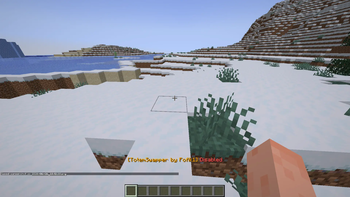
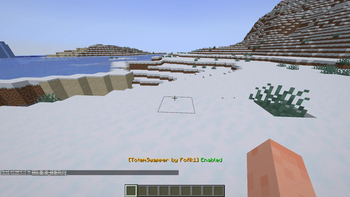
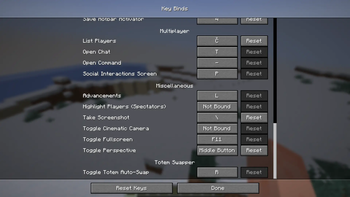
About this Mod
Totem Swapper
Instantly equips a Totem of Undying into your offhand with a single key press.
Features
⚡ One-key totem swapping
🎮 Client-side Fabric mod
🔍 Automatically finds the first Totem of Undying in your inventory
🖐 Swaps the totem directly into your offhand
💬 Toggle the mod on or off at any time
🪶 Lightweight with no unnecessary features
How it works
Press the assigned key (default: R) to enable or disable Totem Swapper.
When enabled, the mod automatically looks for a Totem of Undying in your inventory.
If your offhand doesn't already contain a totem, it opens your inventory for a split second, moves the first available totem into your offhand, and closes the inventory automatically.
The mod searches both your hotbar and main inventory for the first available totem.
Default Keybind
R — Toggle Totem Swapper on/off
The keybind can be changed in Minecraft's Controls menu.
Requirements
Fabric Loader
Fabric API
Minecraft (compatible version matching the release)
Notes
This is a client-side mod.
No server installation is required.
Works on servers as long as they allow normal inventory interactions.
The mod only swaps a totem if your offhand does not already contain one.
If you have any issues, report them on the discord!
Available Versions
How to Install TotemSwapper on Your Server
Order Server
Order a Minecraft Java server with at least 3 GB RAM (4 GB recommended).
Set fabric Loader
In the panel under "Egg", select the fabric loader and matching Minecraft version (1.21.1).
Install Mod
Open the mod browser in the dashboard and search for "TotemSwapper". Click "Install" – done! Alternatively, upload the .jar via SFTP to the /mods folder.
Compatibility
Mod Loaders
Minecraft Versions
1.21.1
Server-side
✗ UnsupportedRecommended RAM
4 GB(min. 3 GB)Frequently Asked Questions
TotemSwapper server crashes on startup – what to do?
Most common cause: wrong fabric version or insufficient RAM. Check the server log (latest.log) for "OutOfMemoryError" or "Mixin" errors. With Mado Hosting: ensure at least 3 GB RAM is allocated and the loader matches the mod version (1.21.1). You can switch loaders with one click in the panel.
Is TotemSwapper compatible with fabric?
TotemSwapper officially supports fabric for Minecraft 1.21.1. The Mado dashboard automatically detects incompatible loader combinations.
Server lagging with TotemSwapper – how to optimize performance?
Recommended RAM: 4 GB (per 8 players). Use /spark profiler to check if TotemSwapper consumes the most tick time. Common fixes: reduce server view-distance to 8-10, install "performant" or "starlight" as supplementary mods on Forge. With Mado Hosting, your server runs on NVMe SSDs with dedicated CPU cores for minimal latency.
Similar Mods



![[TaCZ] Timeless and Classics Zero](https://cdn.modrinth.com/data/SzzJttH8/fd27766d2bb8390d284696b1dbd358f87e081439_96.webp)


Rent Modded Server
Install TotemSwapper with just one click on your server.