AlkaLib
A library for alkali resource nodes and Reactive Ore Extractors
Description
#
AniViRus Productions (AniMouse) is now on [Ficsit Labs](https://discord.gg/pz2U6FvMat). Join for news, updates and your feedback and suggestions!
[Donation link](https://boosty.to/anivirus/donate) if you wish to toss a coin to support me. Everything goes into a new PC for modding!
---
NOTE: This is NOT a mod. It doesn't add anything on its own. It is used to develop other mods for anyone who wishes to.
---What is this mod?
This mod is a library adding a new substype of base resource nodes - Reactive Resource Nodes. They work exactly like regular ones except they allow to place a new resource extractor on them - Reactive Ore Extractor. It has 1 solid input and 1 solid output, extraction requires a catalyst item input in exchange for an output item which differs from resource you scan for.
For better understanding, this mod is a derivative of [Lithium](https://ficsit.app/mod/Lithium) which has originally introduced the concept of Reactive Ore Extractor, and now it has it's own separate library for development of mods by others.
todo. In short, it adds a new type of resource nodes and Reactive Ore Extractors from Lithium mod to make use of them. There are still features to resolve.
That being said, let's look at Reactive Resource Nodes on Lithium's example.
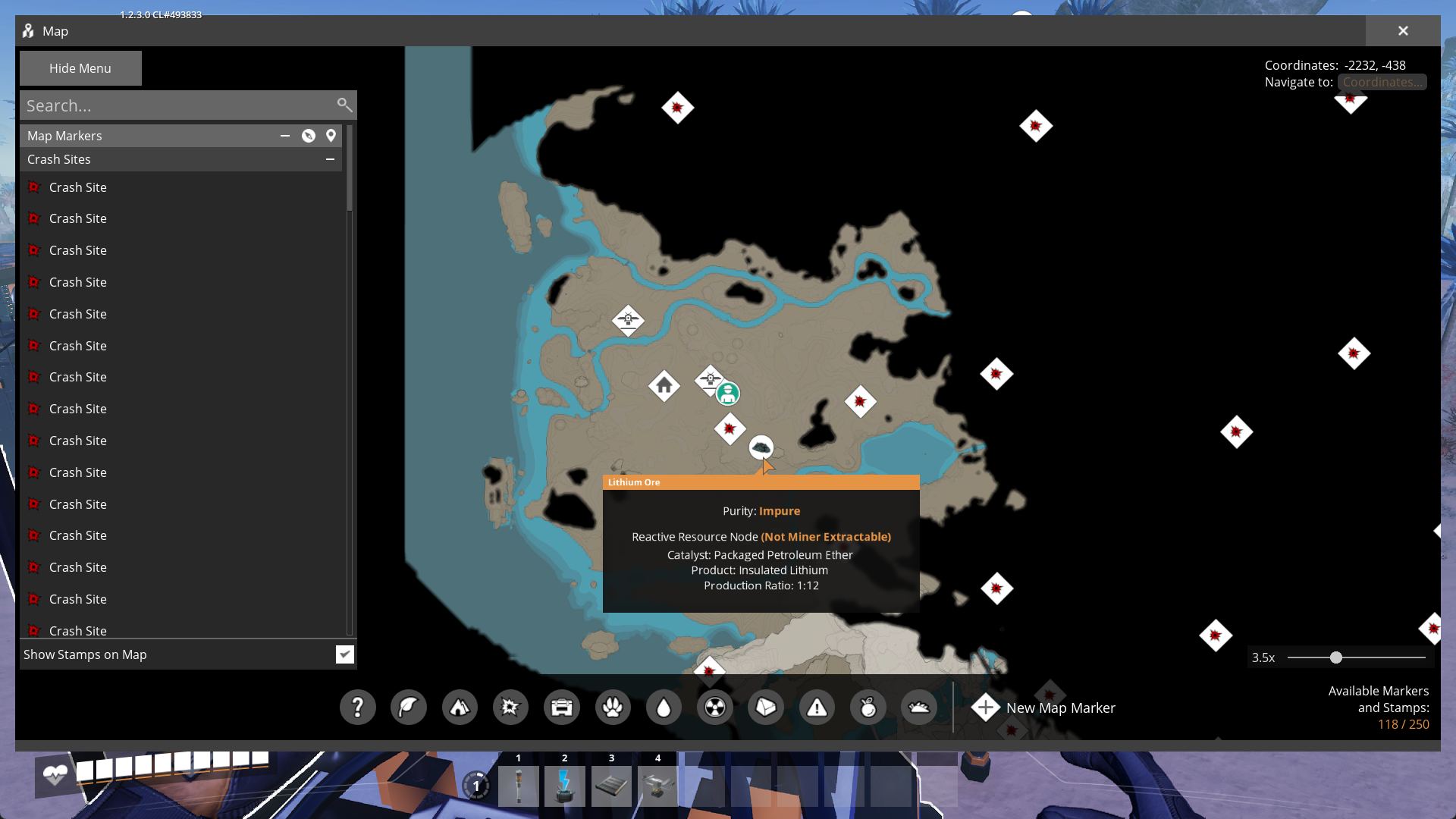
It adds a new raw resource to scan for - Lithium Ore which can be found at alkali resource nodes. They are considered reactive and not miner-extractable. so Lithium Ore itself can't be mined by any means (in other mods resource might be miner-extractable. In this case you need to decide what to put on the node: Miner or Reactive Ore Extractor - outputs will vary based on extractor used). Listed catalyst item is Petroleum Ether, output item is Insulated Lithium, ratio is 1:12. So the extractor's cycle can be summarized into 1 Petroleum Ether -> 12 Insulated Lithium.
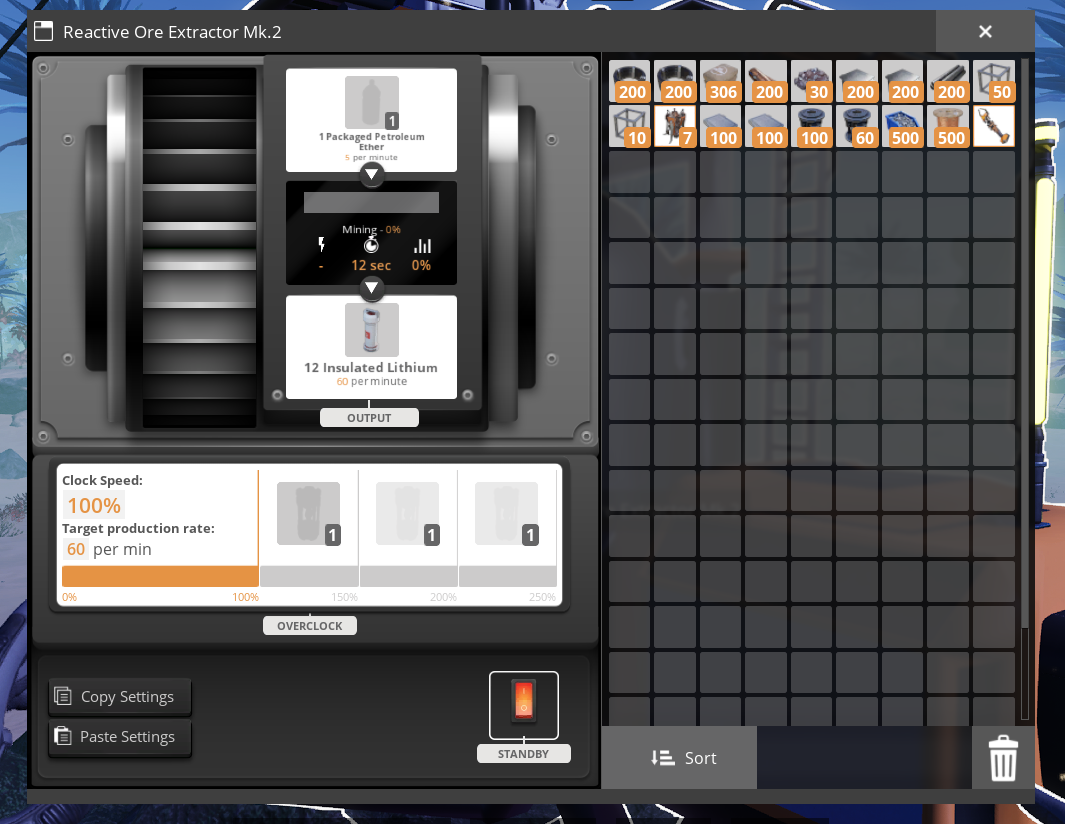
There are three modifications of the building, though in Lithium you won't see Mk.1 version due to specifics of progression.
---
Documentation
The process of creating a resource node is rather straightforward if you followed SML documentation and looked at ExampleMod.
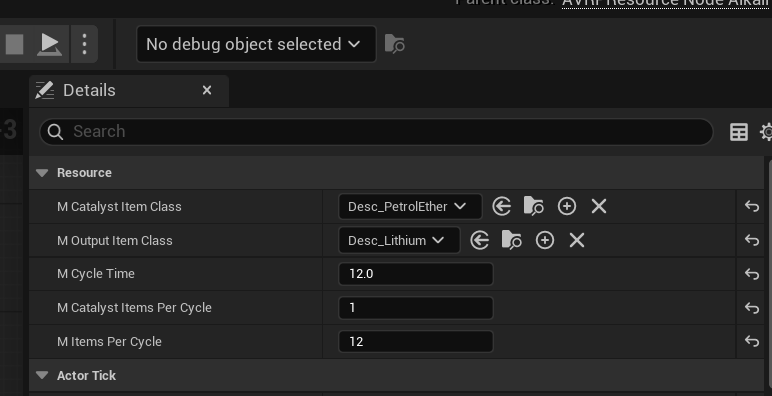
The most simple way to make a uniform resource node is creating a Blueprint subclass of AVRPResourceNodeAlkali. Besides setting a static mesh and a base extract resource class (for Miners and Resource Scanner to work as expected), you also need to set these new values on default object:
- Catalyst Item Class
- Output Item Class
- Cycle Time
- Catalyst Items Per Cycle
- Items Per Cycle
Resource Node being Miner-Extractable or not depends on the fact if mResourceClass (of FGResourceNode, not AVRPResourceNodeAlkali) is a solid item or not. If it is, resource is Miner-Extractable, otherwise - not.
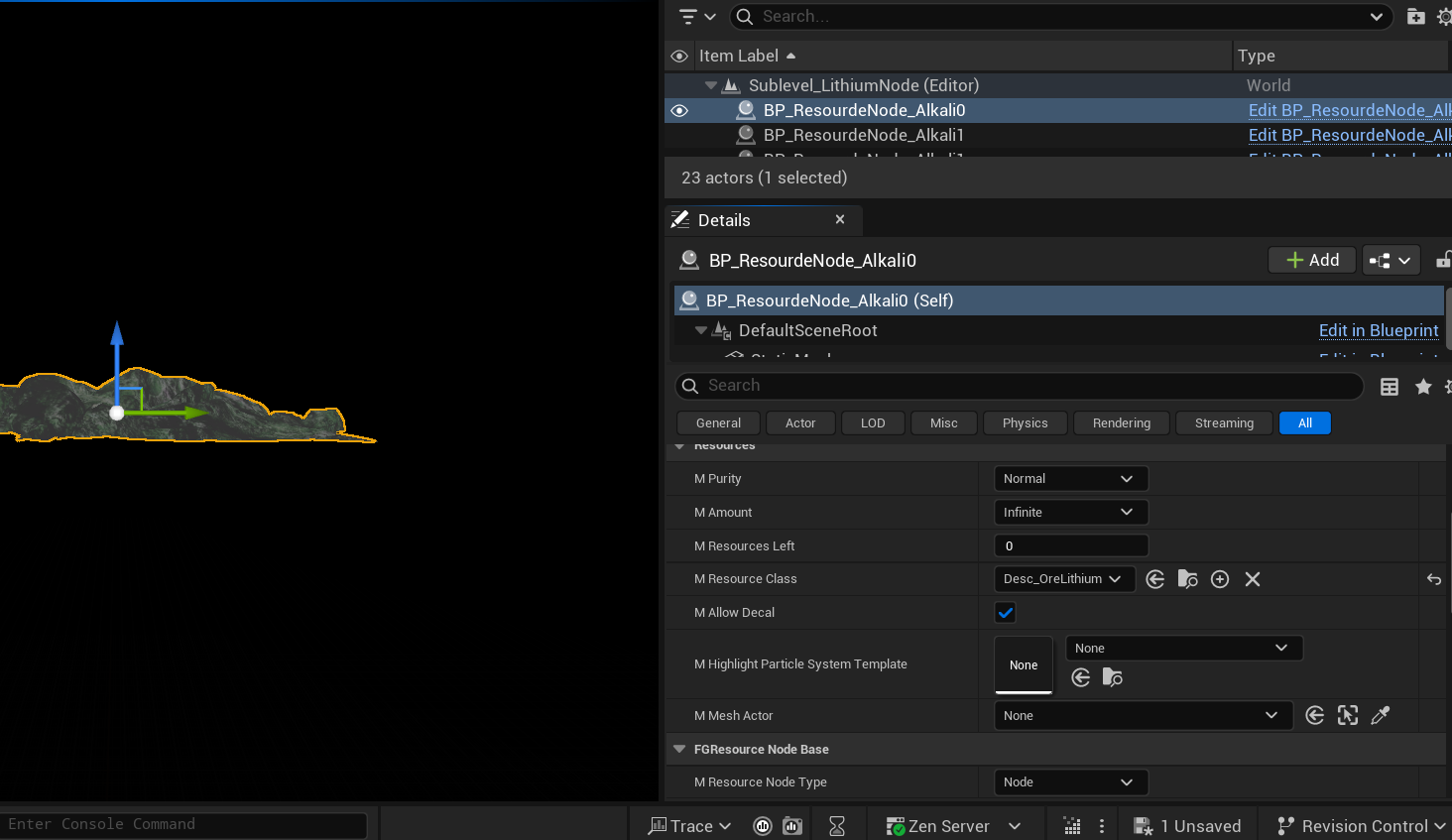
After that place resource nodes in the game world in the way which is most common to you and set purity on each instance of node.
To follow vanilla game's logic it is recommended for `mCycleTime mItemsPerCycle` be equal to 60. And, please, don't make multiple versions of nodes for the same resource, let alone new nodes for vanilla resources unless you know what you are doing. Behaviour might be unexpected if your base resource class in Reractive Node is set to Clude Oil, so don't try this especially.
---
Conclusion
If you have any suggestions, ideas or issues you are free to contact me via:- GitHub (Source code link).
- Discord (@AniMouse), I am on Satisfactory Modding Server and Ficsit Labs.
- [Any of my other social media](https://linktr.ee/anivirus) [under maintainance].
Thanks for reading through all of this!*
Versions
How to Install AlkaLib on Your Server
Order Satisfactory Server
Order a Satisfactory server with at least 4 GB RAM (6 GB recommended). For multiplayer: per 4 players.
Install Mod
Open the mod manager in the dashboard and search for "AlkaLib". Installation dependencies are installed automatically.
Restart Server
Restart the server so the mod is loaded. Players need to have the mod installed locally as well.
Frequently Asked Questions
AlkaLib not working after update – what to do?
After a Satisfactory update, mods need to be updated. Check ficsit.app whether AlkaLib has been updated for the new game version. With Mado Hosting: open the mod manager and click "Update All". If the mod hasn't been updated yet, temporarily remove it so the server starts.
AlkaLib causing crashes in multiplayer – solution
Most common cause: all players must have exactly the same mod version installed. Check server logs for "ModMismatch" or "Version Conflict". Ensure all players use AlkaLib v1.1.0 and the same SML. With Mado Hosting, Satisfactory servers run with 6 GB RAM for stable multiplayer performance.
Is AlkaLib compatible with other Satisfactory mods?
AlkaLib uses the Satisfactory Mod Loader (SML). Generally, SML-based mods are cross-compatible, but mods modifying the same game systems can cause conflicts. Test new mod combinations on a backup save. The Mado dashboard automatically detects known conflicts and warns you.
Rent AlkaLib Server
Play AlkaLib on your own Satisfactory server with mod support.
Mod Information
- Author
- AniViRus Productions
- Latest Version
- v1.1.0
- Created
- June 12, 2026
- Last Updated
- July 8, 2026
- Source Code
- GitHub →