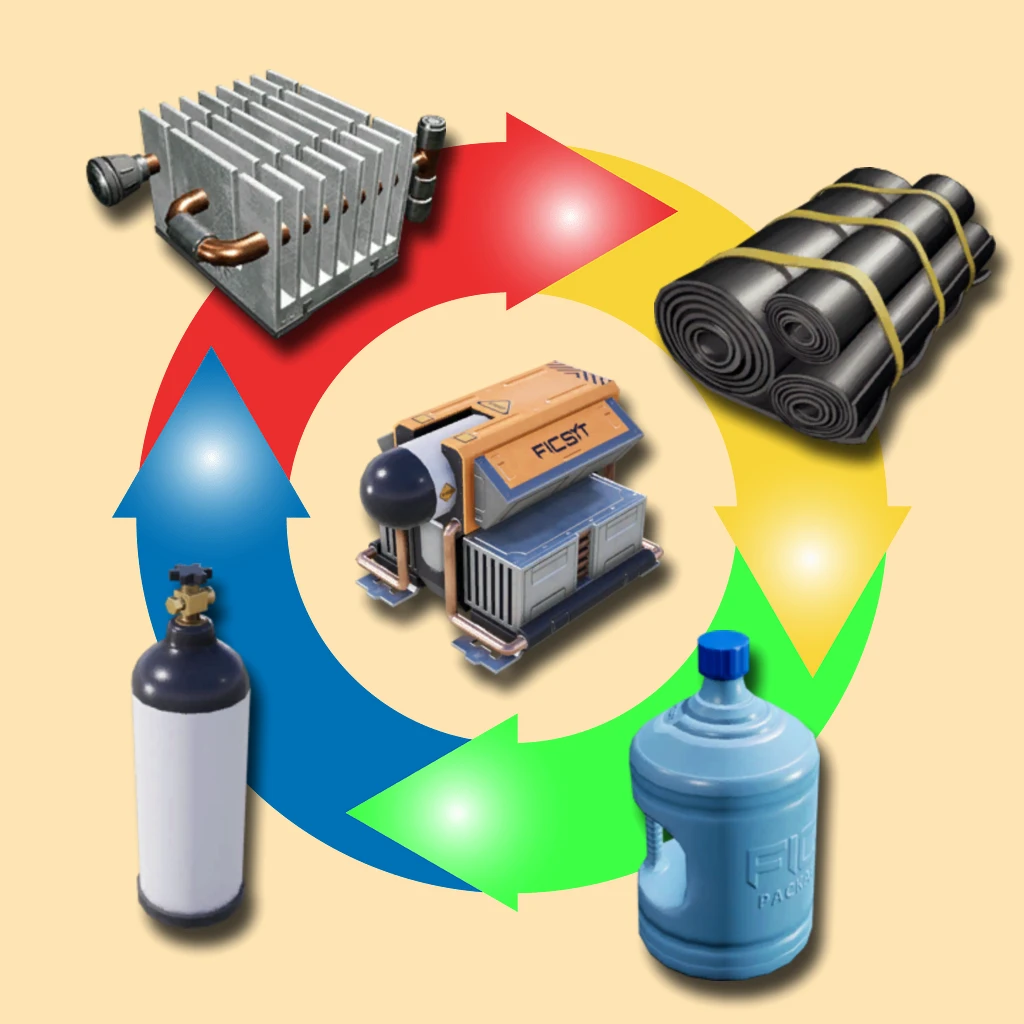
Disassembler
Breaks down solids into as many items as it took to form them
Description
<div style="background:#5682BBFF; padding:5px; margin-top:10px; border-radius:10px; box-shadow: 5px 5px 3px #37567DFF;" >
<h1 id="Title" align="center" style="text-shadow: black 5px 2px 10px;">Disassembler <img width="64" src=https://github.com/Evasion4D/Satisfactory_Mods/raw/main/Images/Satisfactory_12_tag.png></h1>
</div>
Breaks down solids into as many items as it took to form them<br>
(The recipes used are the basic ones, so no alternative recipes)
<br>
Unlock at Tier 3<br>
How does it work?<br>
Inputs<br>
1/ Feed items through the conveyor (Sushi or not sushi)<br>
All solid resources, even radioactive waste, are accepted <br>2/ Feed empty containers through the conveyor<br>
If the items to be decomposed contain gas and/or liquid, introduce the appropriate empty containers, otherwise the gases and fluids will be destroyed.| Empty Fuild Tank | Empty Canister |
|:-------------:|:-------------:|
|||<br>
<U>Example</U>:<br>
Cooling System <br>Will be broken down into:<br>
| Heat Sink | Rubber | Packaged Nitrogen Gas | Packaged Water ||:-------------:|:-------------:|:-------------:|:-------------:|
|  |  |  |  |
<br>
Outputs<br>
<br>1/ Main output<br>
A conveyor must be connected to it to collect the items resulting from the decomposition.<br>2/ Output of packaged gases and liquids<br>
(If there are enough empty containers)3/ Output of raw materials (Ores)<br>
4/ Outputs of elements that cannot be decomposed into solid, liquid or gase
(For example, a power shard comes out as is, because it should give slug (invalid resource)<br>
<br>
<U>Attention:</U><br>
If there is no conveyor connected to outputs 2, 3 or 4, the respective items will be switched to the main output (1)<br>
If you want the complete decomposition, so until you get the raw materials:
Place several disassemblers in series (Output 1 -> Input 1)* Or make a loop by connecting a conveyor from output 1 to input 1 of the same machine<br>

Widget<br>
1/ Inventory of empty containers<br>
Maximum 500 units of each<br>The surplus is sent to output 4<br>
2/ Control the sound of the machine in operation
You can choose from 12 different sounds and adjust the volume-----------
Images from [Wiki](https://satisfactory.wiki.gg/wiki/ "Satisfactory Wiki")
<div style="background:#5682BBFF; padding:5px; margin-top:10px; border-radius:10px; box-shadow: 5px 5px 3px #37567DFF;" >
<h5 align="center" style="color:black; text-shadow: white 0px 0px 5px;">You can contact me on the 2 Satisfactory discords (Jean Michel (jeanmichel4d ))</h5>
</div>
Versions
How to Install Disassembler on Your Server
Order Satisfactory Server
Order a Satisfactory server with at least 4 GB RAM (6 GB recommended). For multiplayer: per 4 players.
Install Mod
Open the mod manager in the dashboard and search for "Disassembler". Installation dependencies are installed automatically.
Restart Server
Restart the server so the mod is loaded. Players need to have the mod installed locally as well.
Frequently Asked Questions
Disassembler not working after update – what to do?
After a Satisfactory update, mods need to be updated. Check ficsit.app whether Disassembler has been updated for the new game version. With Mado Hosting: open the mod manager and click "Update All". If the mod hasn't been updated yet, temporarily remove it so the server starts.
Disassembler causing crashes in multiplayer – solution
Most common cause: all players must have exactly the same mod version installed. Check server logs for "ModMismatch" or "Version Conflict". Ensure all players use Disassembler v3.0.0 and the same SML. With Mado Hosting, Satisfactory servers run with 6 GB RAM for stable multiplayer performance.
Is Disassembler compatible with other Satisfactory mods?
Disassembler uses the Satisfactory Mod Loader (SML). Generally, SML-based mods are cross-compatible, but mods modifying the same game systems can cause conflicts. Test new mod combinations on a backup save. The Mado dashboard automatically detects known conflicts and warns you.
Rent Disassembler Server
Play Disassembler on your own Satisfactory server with mod support.
Mod Information
- Author
- Jean Michel
- Latest Version
- v3.0.0
- Created
- January 20, 2025
- Last Updated
- July 8, 2026
- Source Code
- GitHub →