Image Screens
Screens that showing pictures downloaded from an URL
Description
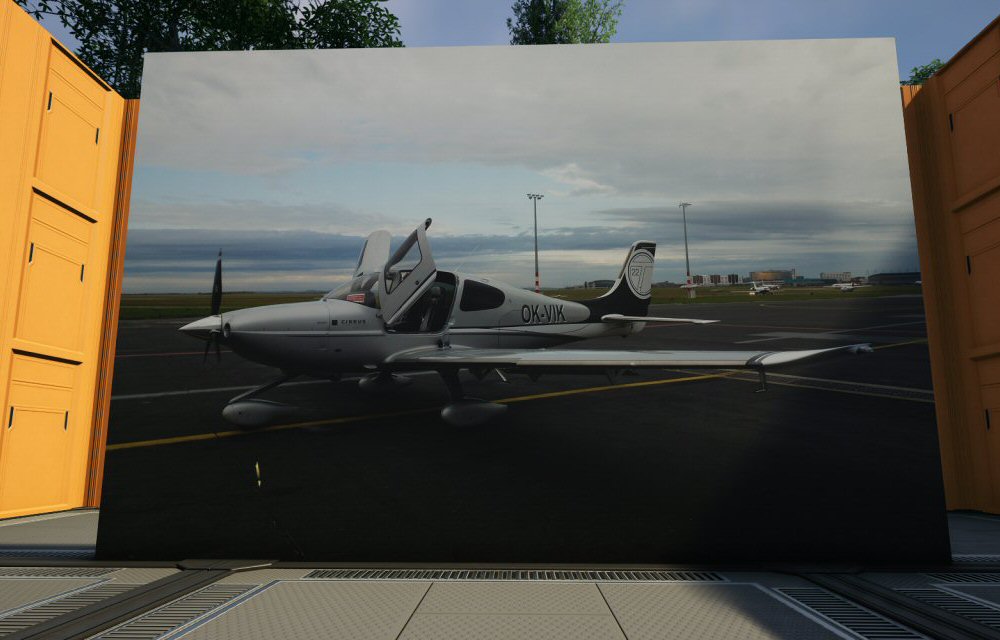
This mod adds buildable Image Screens of several sizes and aspect ratios.
The screens can be configured to display either a static image downloaded from a web,
or a slideshow of web images.
Showcase
Unlocking
Image Screens are locked behing a hub milestone in Tier 1.
The screens are meant to be available early and with basic resources.
Building
When built, the screen displays a default placeholder image.
To set up a real image, interace with the screen as with any other building.
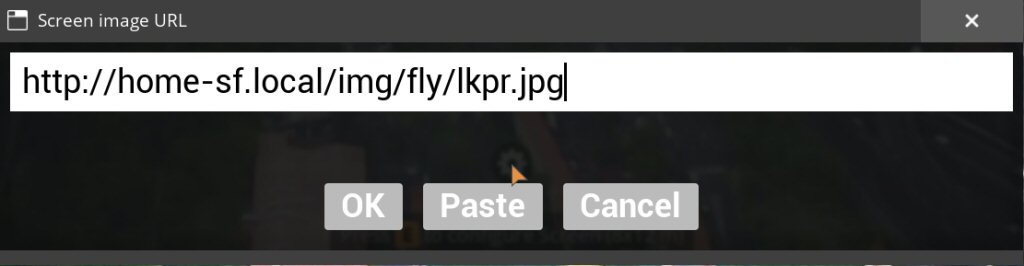
To display a static image, paste an URL of an image in JPG or PNG format to the edit box.
As a shortcut, the Paste button will paste an URL from the clipboard and confirm the change.
If the image downloaded successfully, the screen will start displaying the specified image.
To display a slideshow, paste an URL of a text file.
The text file needs to contain names of images on the same web server
in the same directory or subdirectory.
The screen only supports images or slideshows downloaded from a web server.
Displaying files from your computer is not supported. Other mods exist that will do that.
Copy and paste
The image screens support Satisfactory's copy and paste of building properties.
Press Ctrl+C to copy screen properties and Ctrl+V to paste the same image to a different screen.
When you sample an image screen building with the middle mouse button
and place its copy, it will be displaying the same image or slideshow.
Mass replacement
Mass replacement allows to perform search and replace on URLs in all screens at once.
The UI can be opened using the Mass replace... button in the screen interact UI.
The dialog box expects a set of rules, one per line, in the format
```
FROM => TO
TEXT => SOMETHING-ELSE
```
This is useful to fix URLs e.g. after migrating the images to a different server.
Network activity
The purpose of this mod is to allow displaying images downloaded from the internet.
The mod only downloads images or slideshows from URLs entered by the player.
The mod does not access any other URLs on its own.
The mod supports multiplayer.
A screen built or modified by one player will be displaying to all players in the session.
If the URL is an image file, all clients will download and display the image.
If the URL is a text file, the server (host or DS) will download that file,
and all clients will then be downloading and displaying the images in that slideshow.
Further documentation
You can find more documentation, including detailed programming documentation,
in the mod's [Github repository](https://github.com/michalrehacek/SatisfactoryMods).
About me
I am not a serious modder.
I created the Image Screens mod because I wanted to learn Unreal Engine.
I am a professional game developer and I tried to document the mods well,
so that they can be used as a learning material.
The mods contain programming documentation which explains how each mod is made,
why some features are implemented the way they are, etc.
I am not too active in the Satisfactory modding discord.
My Discord username is `michal.rehacek`.
However, the best way to reach me is my email: rehacek AT the mail from google.
If you want to report a problem with the mod, you can use the Github issues page or email.
Versions
How to Install Image Screens on Your Server
Order Satisfactory Server
Order a Satisfactory server with at least 4 GB RAM (6 GB recommended). For multiplayer: per 4 players.
Install Mod
Open the mod manager in the dashboard and search for "Image Screens". Installation dependencies are installed automatically.
Restart Server
Restart the server so the mod is loaded. Players need to have the mod installed locally as well.
Frequently Asked Questions
Image Screens not working after update – what to do?
After a Satisfactory update, mods need to be updated. Check ficsit.app whether Image Screens has been updated for the new game version. With Mado Hosting: open the mod manager and click "Update All". If the mod hasn't been updated yet, temporarily remove it so the server starts.
Image Screens causing crashes in multiplayer – solution
Most common cause: all players must have exactly the same mod version installed. Check server logs for "ModMismatch" or "Version Conflict". Ensure all players use Image Screens v1.3.0 and the same SML. With Mado Hosting, Satisfactory servers run with 6 GB RAM for stable multiplayer performance.
Is Image Screens compatible with other Satisfactory mods?
Image Screens uses the Satisfactory Mod Loader (SML). Generally, SML-based mods are cross-compatible, but mods modifying the same game systems can cause conflicts. Test new mod combinations on a backup save. The Mado dashboard automatically detects known conflicts and warns you.
Rent Image Screens Server
Play Image Screens on your own Satisfactory server with mod support.
Mod Information
- Author
- michalrehacek
- Latest Version
- v1.3.0
- Created
- June 10, 2025
- Last Updated
- July 8, 2026
- Source Code
- GitHub →