Decent Orchestra - Boombox Radio
!! THIS BOOMBOX TAPE CONTAINS EXPLICIT MUSIC, YOU HAVE BEEN WARNED !!
Description
!! THIS BOOMBOX TAPE CONTAINS EXPLICIT MUSIC, YOU HAVE BEEN WARNED !!
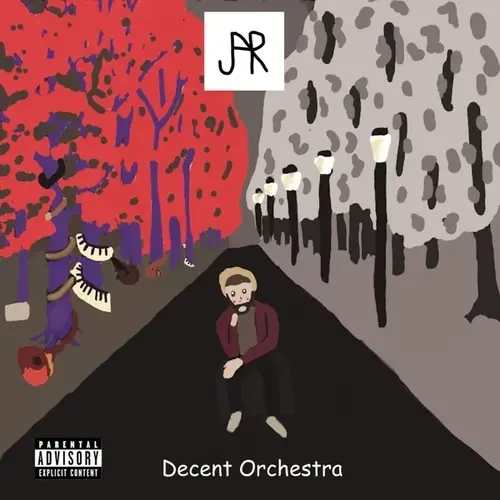
This mod implements sound files from Decent Orchestra, JAR's first release, and cover of AJR's OK Orchestra!
The music contained in this mod is copyrighted, however, I am a copyright holder, and the covers are fully licensed, so I can legally redistribute it.
If you'd like to support me and my modding endeavors, you can do so using [Buy Me a Coffee](https://www.buymeacoffee.com/minodab492)!
Versions
How to Install Decent Orchestra - Boombox Radio on Your Server
Order Satisfactory Server
Order a Satisfactory server with at least 4 GB RAM (6 GB recommended). For multiplayer: per 4 players.
Install Mod
Open the mod manager in the dashboard and search for "Decent Orchestra - Boombox Radio". Installation dependencies are installed automatically.
Restart Server
Restart the server so the mod is loaded. Players need to have the mod installed locally as well.
Frequently Asked Questions
Decent Orchestra - Boombox Radio not working after update – what to do?
After a Satisfactory update, mods need to be updated. Check ficsit.app whether Decent Orchestra - Boombox Radio has been updated for the new game version. With Mado Hosting: open the mod manager and click "Update All". If the mod hasn't been updated yet, temporarily remove it so the server starts.
Decent Orchestra - Boombox Radio causing crashes in multiplayer – solution
Most common cause: all players must have exactly the same mod version installed. Check server logs for "ModMismatch" or "Version Conflict". Ensure all players use Decent Orchestra - Boombox Radio v1.0.2 and the same SML. With Mado Hosting, Satisfactory servers run with 6 GB RAM for stable multiplayer performance.
Is Decent Orchestra - Boombox Radio compatible with other Satisfactory mods?
Decent Orchestra - Boombox Radio uses the Satisfactory Mod Loader (SML). Generally, SML-based mods are cross-compatible, but mods modifying the same game systems can cause conflicts. Test new mod combinations on a backup save. The Mado dashboard automatically detects known conflicts and warns you.
Rent Decent Orchestra - Boombox Radio Server
Play Decent Orchestra - Boombox Radio on your own Satisfactory server with mod support.
Mod Information
- Author
- MinoDab492
- Latest Version
- v1.0.2
- Created
- December 30, 2024
- Last Updated
- July 8, 2026