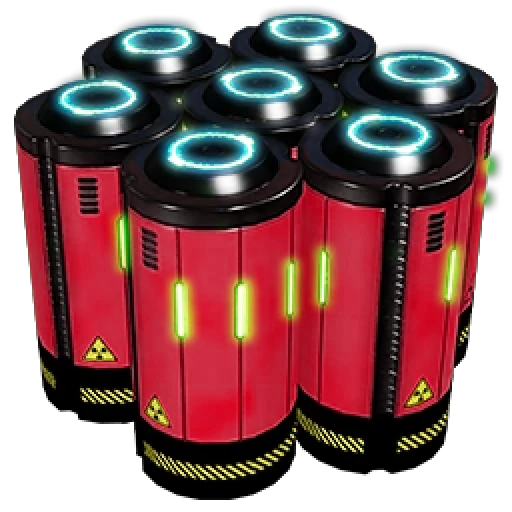
Nuclear Turbofuel
Adds a new alt recipe with a late-game use for turbofuel to greatly enhance nuclear fuel.
Description
There are two issues with large-scale production of turbofuel and power from it:
1) To actually make use of turbofuel power en masse requires excessive numbers of generators - often numbering in the hundreds - which is extremely costly in both space, time, and resources (and if not on a strong computer, game performance)
2) Having done this, you now have little reason to bother with nuclear, because you are producing tens and tens of gigawatts of power and unless you like overclocking and somerslooping T9 machines you will not realistically exceed your generation capacity (and even if you do, nuclear is unlikely to be able to make a major difference)
This mod adds a single new alt recipe that aims to address both problems:

This allows for surplus turbofuel - after a much more modest few-dozen-generator plant has its needs met - to be used to significantly increase the per-ore efficiency of uranium cells (though not net throughput), allowing for the production of more nuclear power from the same amount of uranium.
This recipe is unlocked by a new T8 milestone, costing a hard drive to make it in effect a purchasable alternate recipe, akin to turbofuel itself:

I do plan to move this unlock to the MAM proper (with the same requirements) if I can figure out how to do so.
A sample factory plan using this new alt recipe to run more nuclear plants than would otherwise be possible, made with [my Satisfactory Planner tool](https://github.com/ReikaKalseki/Satisfactory-Planner):

How to Install Nuclear Turbofuel on Your Server
Order Satisfactory Server
Order a Satisfactory server with at least 4 GB RAM (6 GB recommended). For multiplayer: per 4 players.
Install Mod
Open the mod manager in the dashboard and search for "Nuclear Turbofuel". Installation dependencies are installed automatically.
Restart Server
Restart the server so the mod is loaded. Players need to have the mod installed locally as well.
Frequently Asked Questions
Nuclear Turbofuel not working after update – what to do?
After a Satisfactory update, mods need to be updated. Check ficsit.app whether Nuclear Turbofuel has been updated for the new game version. With Mado Hosting: open the mod manager and click "Update All". If the mod hasn't been updated yet, temporarily remove it so the server starts.
Nuclear Turbofuel causing crashes in multiplayer – solution
Most common cause: all players must have exactly the same mod version installed. Check server logs for "ModMismatch" or "Version Conflict". Ensure all players use Nuclear Turbofuel v1.0.0 and the same SML. With Mado Hosting, Satisfactory servers run with 6 GB RAM for stable multiplayer performance.
Is Nuclear Turbofuel compatible with other Satisfactory mods?
Nuclear Turbofuel uses the Satisfactory Mod Loader (SML). Generally, SML-based mods are cross-compatible, but mods modifying the same game systems can cause conflicts. Test new mod combinations on a backup save. The Mado dashboard automatically detects known conflicts and warns you.
Rent Nuclear Turbofuel Server
Play Nuclear Turbofuel on your own Satisfactory server with mod support.
Mod Information
- Author
- Reika
- Latest Version
- v1.0.0
- Created
- October 30, 2024
- Last Updated
- July 8, 2026
- Source Code
- GitHub →