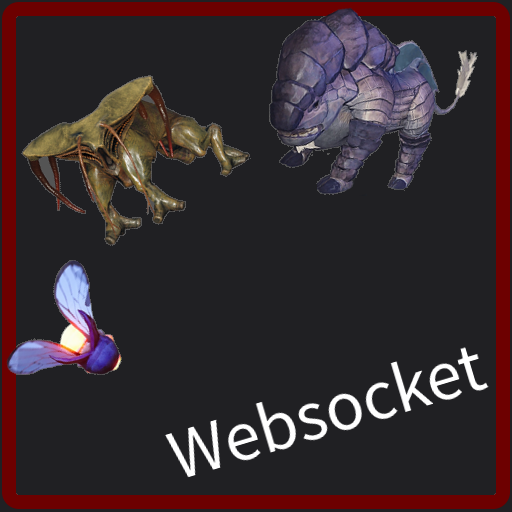
Spawn Mob With Websocket
Spawn mob through Websocket command
Description
This mod is for Satisfactory Streamer who uses Websocket!
This mod adds a command to spawn in game creature near player.<br>
And yes, This is the alternate version of "[Spawn Mob With Dixper](https://ficsit.app/mod/SpawnMobWithDixper)" mod.
___
How to use
1: Set your websocket server address by entering chat "<spanstyle="color: #8ff">/SMWWSetWebsocketURL ws://192.168.11.2:25525/Echo</span>" . Adjust IP, Port and Namespace for your preference.
2: After set URL, enter "<span
style="color: #8ff">SMWWConnect</span>" to connect to your Websocket server. There will be message about success or fail.
3: Spawned creature can kill by write "<span
style="color: #8ff">/KillAllSpawned</span>" command in chat. <span
style="color: #f33">Run this command before save the game</span>.
4: To stop connection, enter chat this "<span
style="color: #8ff">/SMWWDisconnect</span>".
5: Check Mod Config.
6: Commands to send to this mod.<br>
Format : SMWWCommand,MobType,Count<br>
Example : SMWWCommand,Bean,1<br>
#
==== MobType: ==== <br>
Bean, Bird, Doggo, Beetle,Hog, AlphaHog, CliffHog, NuclearHog, Johnny
SpitterDesertSmall, SpitterDesertAlpha,
SpitterAquaticSmall, SpitterAquaticAlpha,
SpitterForestSmall, SpitterForestAlpha,
SpitterForestRedSmall, SpitterForestRedAlpha,
CrabHatcher, BigCrabHatcher, SmallStinger, Stinger, EliteStinger<br>
\========================
Note: Some creature will despawn if you go far away from them. Also run "/KillAllSpawned" before save, They will get saved and remain after you reload the save.<br>
Do not forget Test!
About AI Use
I didn't use any AI to create this mod, but dependent "[ALWebsocket](https://ficsit.app/mod/ALWebsocketLib)" mod uses AI. Go check out for more info.<hr>
If you have a problem, ping "Almine" in "Satisfactory modding server" discord.
How to Install Spawn Mob With Websocket on Your Server
Order Satisfactory Server
Order a Satisfactory server with at least 4 GB RAM (6 GB recommended). For multiplayer: per 4 players.
Install Mod
Open the mod manager in the dashboard and search for "Spawn Mob With Websocket". Installation dependencies are installed automatically.
Restart Server
Restart the server so the mod is loaded. Players need to have the mod installed locally as well.
Frequently Asked Questions
Spawn Mob With Websocket not working after update – what to do?
After a Satisfactory update, mods need to be updated. Check ficsit.app whether Spawn Mob With Websocket has been updated for the new game version. With Mado Hosting: open the mod manager and click "Update All". If the mod hasn't been updated yet, temporarily remove it so the server starts.
Spawn Mob With Websocket causing crashes in multiplayer – solution
Most common cause: all players must have exactly the same mod version installed. Check server logs for "ModMismatch" or "Version Conflict". Ensure all players use Spawn Mob With Websocket v1.0.0 and the same SML. With Mado Hosting, Satisfactory servers run with 6 GB RAM for stable multiplayer performance.
Is Spawn Mob With Websocket compatible with other Satisfactory mods?
Spawn Mob With Websocket uses the Satisfactory Mod Loader (SML). Generally, SML-based mods are cross-compatible, but mods modifying the same game systems can cause conflicts. Test new mod combinations on a backup save. The Mado dashboard automatically detects known conflicts and warns you.
Rent Spawn Mob With Websocket Server
Play Spawn Mob With Websocket on your own Satisfactory server with mod support.
Mod Information
- Author
- Almine2
- Latest Version
- v1.0.0
- Created
- June 21, 2026
- Last Updated
- July 8, 2026