Tier Overflow Lib
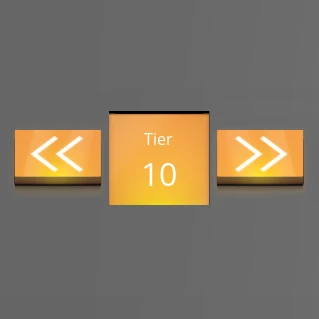
Extend the game by adding a scroller to the list of tiers. Allows modders to add new tiers beyond the default limit and unlock.
Description

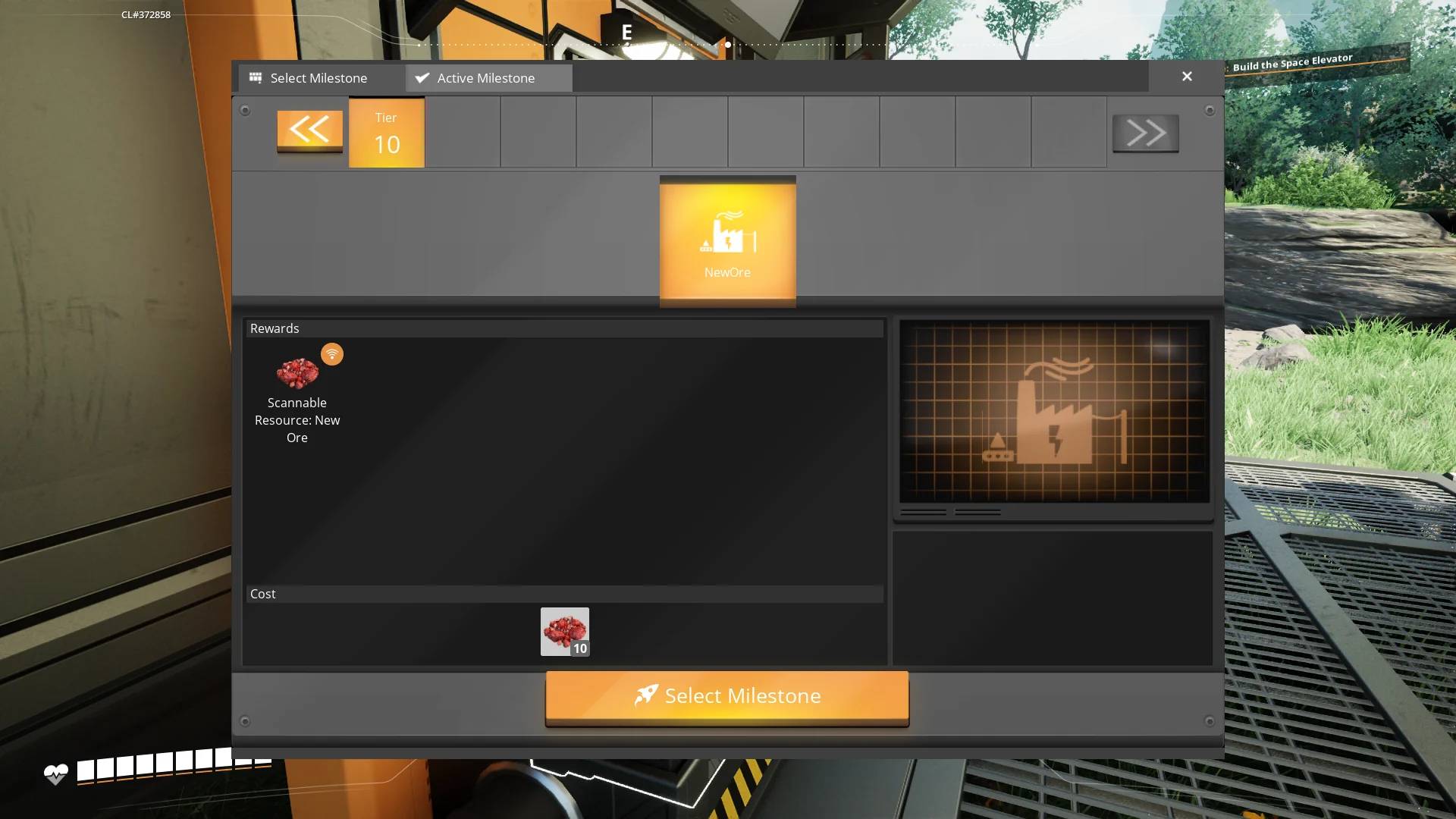
TierOverflowLib is a library mod for Satisfactory that extend the game by adding a scroller to the list of tiers. This allows modders to add new tiers beyond the default limit and unlock them via a method or a Blueprint node.

Features
- Scrollable Tier List: Adds a scroller to the tier list, allowing for an extended number of tiers.
- Dynamic Tier Addition: Enables adding new tiers beyond the default game limit.
- Unlock Mechanisms: Unlock new tiers using a method call or a Blueprint node.
Changelogs
- v1.0.2:
- Added 1.1 support
- v1.0.1:
- Fixed a miss click which made the game crash when loading the mod (empty subsystem field)
- Added a setting "AlwaysShowTierArrows" which always show the tier arrows, even if there is no new tier.
Usage (for modders)
First you need to clone this repository into the 'mods' folder of your modding UE project ('mods' is in the same folder as the .uproject file)Then run the project with Unreal Engine, rebuild TierOverflowLib if the prompt which asking it appears.
Adding New Tiers
To add a new tier to the game:
1. Simply create a new schematic in your mod and put it the TechTier int of your choice.
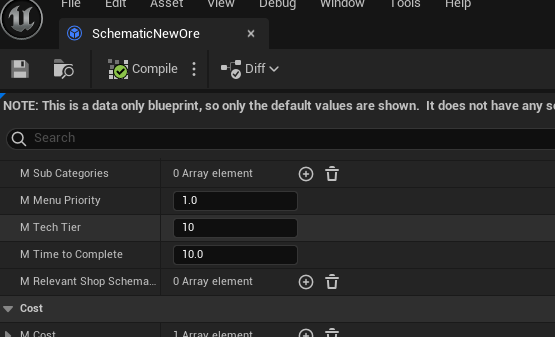
2. Add the schematic in your mod's GameWorldModule as on the modding docs.
Unlocking Tiers
Unlock new tiers using one of the following methods:
- Blueprint Node: Use the `ApplyMaxTier` Blueprint node in your Unreal Engine Blueprints.
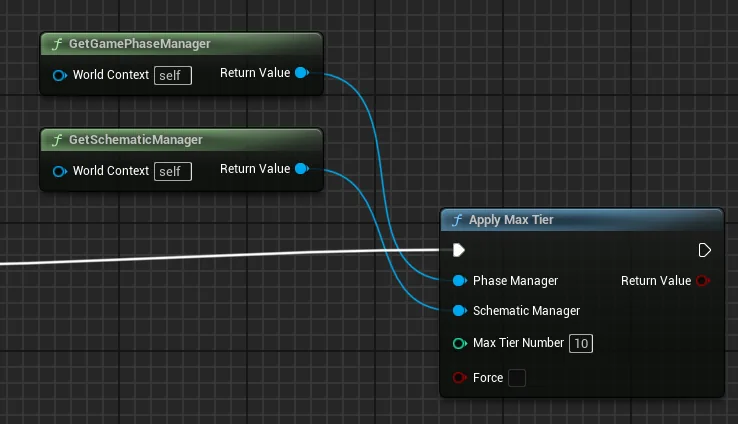
- Method Call: Use the `UTierOverflowLib_BPNodes::ApplyMaxTier` method in your mod's code, fill it with an instance of the session's Phase Manager and Schematic Manager, then with an int for the tier you wish to unlock.
API Reference
Methods
- `ApplyMaxTier(AFGGamePhaseManager phaseManager, AFGSchematicManager schematicManager, int32 maxTierNumber, bool force)`: Unlock the wished tier.
Blueprint Nodes
- `ApplyMaxTier`: Unlock the wished tier.
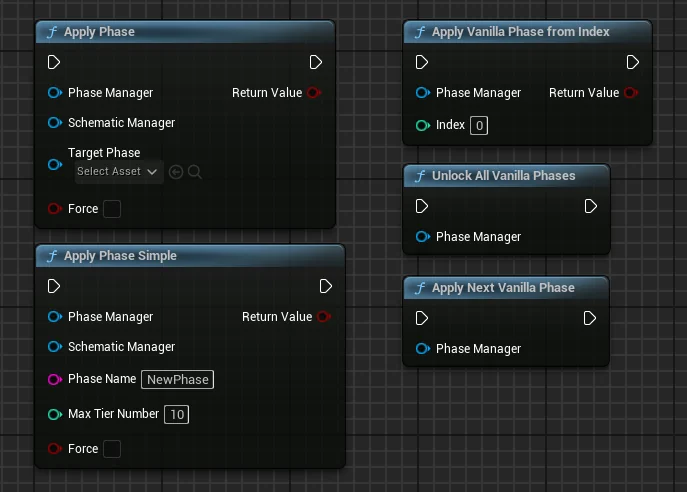
- `ApplyPhase`: Apply a custom phase from a phase asset (can break the game progression).
- `ApplyPhaseSimple`: Apply a custom phase from a phase name and tier number (can break the game progression).
- `ApplyVanillaPhaseFromIndex`: Unlocks a vanilla phase from it's number.
- `ApplyNextVanillaPhase`: Unlocks the next vanilla phase.
- `UnlockAllVanillaPhases`: Unlocks all the vanilla phases.
Future Features
- Server Compatibility Testing: Ensure the mod works seamlessly in multiplayer environments.
- Console & Chat Commands: Introduce commands to interact with the mod features.
- Milestone Integration:
- Allow to unlock a tier from a schematic.
- Display the unlocked tiers graphically in the milestone rewards.
---
Feedback
For bug reports and requests/suggestions you can find me (acxd25) on the [Ficsit Labs Discord](https://discord.gg/pz2U6FvMat).
Note: HolographicWings no longer maintains the library, please do not ping him.
Sponsorship
<img style="float: right;" src="https://i.imgur.com/gc9Thxj.png" />
Are you looking to host your own Satisfactory dedicated server, fully SMM-compatible? I highly recommend <b>Indifferent Broccoli</b>. They offer top-notch servers at affordable prices and an intuitive control panel. [Try their 2-day free trial](https://indifferentbroccoli.com/satisfactory-server-hosting?fpr=acxd), no strings attached.
<br />
---
Thanks
Coffee Stain Studios
[Mircea](https://ficsit.app/user/5NC9GpMKcYZbon), [Robb](https://ficsit.app/user/6axpMZJjUTUBWU) and co., which made this mod possible
* [HolographicWings](https://ficsit.app/user/5q7ihJ2KnwNdiL) for his original idea and initial code development
Versions
How to Install Tier Overflow Lib on Your Server
Order Satisfactory Server
Order a Satisfactory server with at least 4 GB RAM (6 GB recommended). For multiplayer: per 4 players.
Install Mod
Open the mod manager in the dashboard and search for "Tier Overflow Lib". Installation dependencies are installed automatically.
Restart Server
Restart the server so the mod is loaded. Players need to have the mod installed locally as well.
Frequently Asked Questions
Tier Overflow Lib not working after update – what to do?
After a Satisfactory update, mods need to be updated. Check ficsit.app whether Tier Overflow Lib has been updated for the new game version. With Mado Hosting: open the mod manager and click "Update All". If the mod hasn't been updated yet, temporarily remove it so the server starts.
Tier Overflow Lib causing crashes in multiplayer – solution
Most common cause: all players must have exactly the same mod version installed. Check server logs for "ModMismatch" or "Version Conflict". Ensure all players use Tier Overflow Lib v1.0.2 and the same SML. With Mado Hosting, Satisfactory servers run with 6 GB RAM for stable multiplayer performance.
Is Tier Overflow Lib compatible with other Satisfactory mods?
Tier Overflow Lib uses the Satisfactory Mod Loader (SML). Generally, SML-based mods are cross-compatible, but mods modifying the same game systems can cause conflicts. Test new mod combinations on a backup save. The Mado dashboard automatically detects known conflicts and warns you.
Rent Tier Overflow Lib Server
Play Tier Overflow Lib on your own Satisfactory server with mod support.
Mod Information
- Author
- Acxd, HolographicWings
- Latest Version
- v1.0.2
- Created
- October 19, 2024
- Last Updated
- July 8, 2026
- Source Code
- GitHub →