
YouMod
Automatically develop a ContentLib-based mod using text files. Bonus: Factorio data-raw conversion tool.
Description
<center><img src="https://github.com/DellAquila/Layout/raw/main/New/CABECALHO.png"></center>
Create a new mod ingame, using text files with ContentLib.
This mod will help you create your first mod using contentlib. It will create editable text files for modded and vanilla assets, depending of what you have in your game at the time of the generation of the files.
---
This mod was made with CONTENTLIB:
<a href="https://ficsit.app/mod/5T4Z1exTKPDbWF"><img src="https://github.com/DellAquila/Layout/raw/main/NOG_001.png"></A><a href="https://discord.gg/azC9UtsJ2K"><img src="https://github.com/DellAquila/Layout/raw/main/NOG_002.png"></A>
---
PS: Don't use Windows Notepad, or Notepad++, will actively make editing your scripts more difficult. They are nice editors, but not for this purpose. Get a text editor that supports JSON Schemas, or you can use the VSCode web editor if you don’t want to download anything. https://vscode.dev/
Documentation for ContentLib: https://docs.ficsit.app/contentlib/latest/Tutorials/ConceptOverview.html
----
<br/><img src="https://github.com/DellAquila/Layout/raw/main/Videos_Up.png"><br/>
[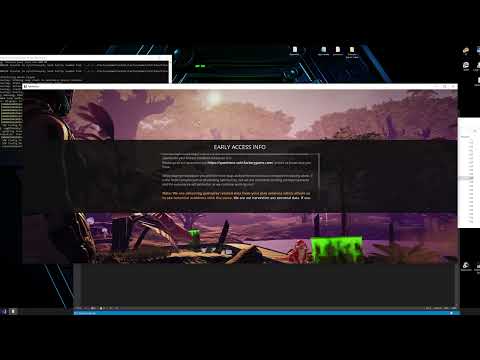](https://www.youtube.com/watch?v=jH3bXaiinzI)
<br/><img src="https://github.com/DellAquila/Layout/raw/main/Videos_Down.png"><br/>
Steps:
-
1. Use the chat command to open the widget:
/createmod

2. Choose what you want to extract from the game as text files:
- All Recipes from your current game (...YourMod/ContentLib/RecipePatches/)
- All Items from your current game (...YourMod/ContentLib/ItemPatches/)
- All Milestones from your current game (...YourMod/ContentLib/SchematicPatches/)
- All Entities stats from your current game (...YourMod/ContentLib/CDOs/)
- Example of new Recipes (...YourMod/ContentLib/Recipes/)
- Example of new Items (...YourMod/ContentLib/Items/)
- Example of new Milestones (...YourMod/ContentLib/Schematics)

3. Edit the text files (All files will be already on your Mod Folder from Satisfactory)
You will see that types of files :
Entities:
-


Recipes:
-

Items:
-

Milestones:
-

Visual Kits:
-

4. Delete all files you didn't edit.
5. Restart the game
6. If you think your mod is ready, zip it and upload to ficsit.app
----
Observations:
-
- Recipes can't be set to Workbech or Workshop, so they don't "Clear Buildings" as default.
-----
Extracting All Items and Recipes from Factorio
This guide outlines the process of extracting all items and recipes from Factorio to Satisfactory using YouMod.
Video Demonstration:
<br/><img src="https://github.com/DellAquila/Layout/raw/main/Videos_Up.png"><br/>
[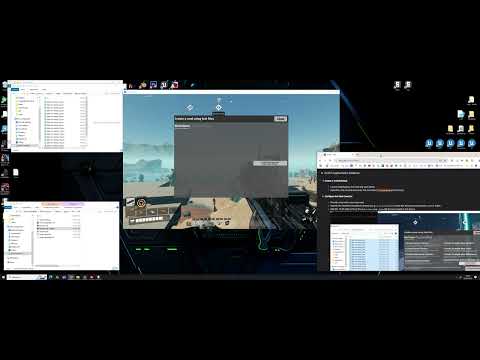](https://www.youtube.com/watch?v=mNafVFAdL4o)
<br/><img src="https://github.com/DellAquila/Layout/raw/main/Videos_Down.png"><br/>
Steps:
1. Ensure Factorio Modded Items:
Confirm that your Factorio installation includes all desired mods and items available.
2. Generate Data Dump:
Run Factorio with the following command-line parameter: `\bin\x64\factorio.exe --dump-data`
This command generates a data dump file and the game will not launch.
3. Locate the Data Dump File:
The generated file is named `data-raw-dump.json`.
It's typically located in: `%AppData%\Roaming\Factorio\script-output\data-raw-dump.json`
4. Split the Data Dump File:
The `data-raw-dump.json` file is often very large.
Use a file splitting tool (e.g., [https://textfilesplitter.com/](https://textfilesplitter.com/)) to divide it into 15-20 smaller parts. This will improve processing efficiency and avoid crashing the game when processing it.
5. Create a YouMod Mod:
Launch Satisfactory and load any save game.
Open the chat console and enter the command: `/createmod` (press Enter).
6. Configure the Mod Creation:
Provide a name for your new mod.
Specify the Factorio installation directory (e.g., `C:\Factorio\`). Ensure this directory contains the `/data/` folder.
Add the 15-20 split parts of the `data-raw-dump.json` file that you made in the step 4.

7. Generate ContentLib Files:
Uncheck any boxes related to Satisfactory-specific content.
Check the box that you "read" the terms.
Check the "Convert to Factorio" box.
Click "Generate Mod".
This process extracts all ContentLib files for items, recipes, and icons into your mod's folder. (This may take 3-10 minutes).
8. Modify and Customize:
Modify or delete files as needed. (Folder: .../Mod/YourModName )
Create recipes to convert Satisfactory ores to Factorio equivalents, or merge content as desired.
Add any missing items or recipe ingredients/products.

Important Notes:
Recipes will be assigned to standard machines (Constructor, Assembler, Manufacturer, etc.). Recipes with unusual input/output counts will use a special machine provided by the mod FactorioMachine ( https://ficsit.app/mod/FactorioMachine ). You can adjust the JSON files to change this if you want.
Meshes will appear as randomly colored boxes.
This generated mod will contain copyrighted content and should not be shared or redistributed.
Restart Satisfactory to apply the changes.
Icons from Factorio versions above 1.0 will display as multiple icon sizes in one file. Edit or replace these files if necessary.

Mods like Magic Machine ( [https://ficsit.app/mod/MagicMachine](https://ficsit.app/mod/MagicMachine) ) can be used to spawn basic items for testing.
Factorio fluid quantities in recipes will be divided by 10.
* The assembly machine mesh is provided by FUE5 (Fan factorio project in Unreal Engine 5).
Visuals:


<br/>Credits: Icons, UI and Graphic advices from <a href="https://discord.gg/xkVJ73E">Deantendo: The UI guy!</A> <br/>
________
<br/>I'm having a lot of fun making Satisfactory Mods and I hope you are enjoying them! If you want to [donate](https://www.paypal.com/cgi-bin/webscr?cmd=_s-xclick&hosted_button_id=U96NB4W469FR2&source=url), i would be very grateful.<br/><br/>[](https://discord.gg/xkVJ73E)<br/>[](https://store.steampowered.com/app/1958750/Hexfactory/)<br/>[](https://www.patreon.com/AndreAquila)<br/>[](https://ko-fi.com/aquilaindustrial)<br/>[](https://www.paypal.com/cgi-bin/webscr?cmd=_s-xclick&hosted_button_id=U96NB4W469FR2&source=url)
Versions
How to Install YouMod on Your Server
Order Satisfactory Server
Order a Satisfactory server with at least 4 GB RAM (6 GB recommended). For multiplayer: per 4 players.
Install Mod
Open the mod manager in the dashboard and search for "YouMod". Installation dependencies are installed automatically.
Restart Server
Restart the server so the mod is loaded. Players need to have the mod installed locally as well.
Frequently Asked Questions
YouMod not working after update – what to do?
After a Satisfactory update, mods need to be updated. Check ficsit.app whether YouMod has been updated for the new game version. With Mado Hosting: open the mod manager and click "Update All". If the mod hasn't been updated yet, temporarily remove it so the server starts.
YouMod causing crashes in multiplayer – solution
Most common cause: all players must have exactly the same mod version installed. Check server logs for "ModMismatch" or "Version Conflict". Ensure all players use YouMod v1.0.14 and the same SML. With Mado Hosting, Satisfactory servers run with 6 GB RAM for stable multiplayer performance.
Is YouMod compatible with other Satisfactory mods?
YouMod uses the Satisfactory Mod Loader (SML). Generally, SML-based mods are cross-compatible, but mods modifying the same game systems can cause conflicts. Test new mod combinations on a backup save. The Mado dashboard automatically detects known conflicts and warns you.
Rent YouMod Server
Play YouMod on your own Satisfactory server with mod support.
Mod Information
- Author
- Andre Aquila
- Latest Version
- v1.0.14
- Created
- January 28, 2024
- Last Updated
- July 8, 2026
- Source Code
- GitHub →