
7 Nights to survive
Another zombie survival but for creators and a surprising twist
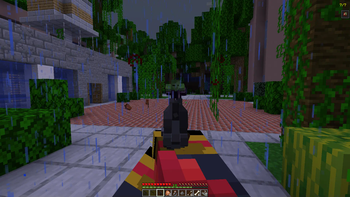
Screenshots
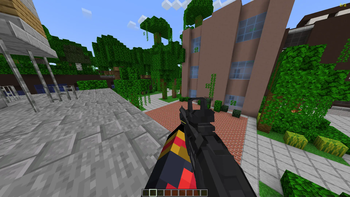
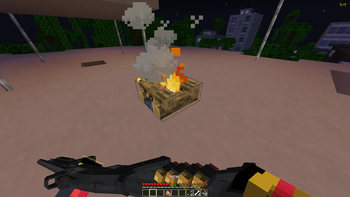
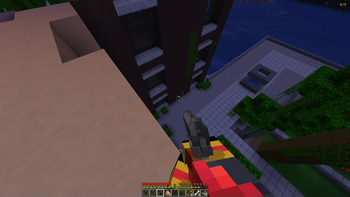
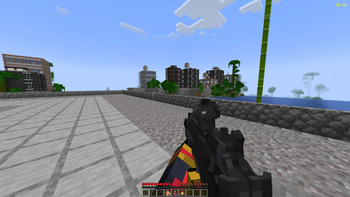

About this Modpack
Hello and thanks for choosing 7 Nights to survive!
(point blank must be manually downloaded)
This mod is meant for content creators but anyone is welcome to use it
what do i do in this mod?:
I will hav rules set below for multiplayer and singleplayer so you know your objective
(scroll all the way to the bottem to see points system)
RULES AND START:
Start: when starting a world you may choose a role
Singleplayer: 1 pistol, 1 shotgun, 1 machine gun, 1 sniper, 64 cooked chicken, 3 health II potions and 18 stacks of creative ammo
Multiplayer:(only 1 player can choose a class no more that 2 people can be in the same class)
Gunner: 1 Machine gun, 1 pistol, 5 stacks of creative ammo, 20 cooked chicken
Sniper: 1 Sniper rifle, 1 pistol, 2 stacks of creative ammo, 15 cooked chicken
Medic: 1 pistol, 10 Potions of healing II, 40 cooked chicken, 3 stacks of creative ammo, 3 campfires
Supplier: 1 Shotgun, 1 pistol, 20 cooked chicken, 18 Stacks of creative ammo, 1 campfire
(NOTE: all players start off with a walkie talkie this allows players with voice chat to talk from far away)
RULES:
No killing your fellow players this is cheating
No creative unless its to get your kit
No trapping yourself in an area for all 7 days
Must you voice chat (multiplayer only)
All players must record there prespective
What do some of the mods do?:
Well most of the mods are to make the game more emmersive but wont really effect your gameplay the ones listed below are the ones to look out for
When killings a mob you will see red orbs, dont worry these red orbs heal you when killing hostile mobs (blue orbs give speed)
When your fellow player is down you can revive him before he dies...
POINTS SYSTEM:
Killing a player: -1
Surviving a night: +1
Reviving a player: +1
Getting infected: -1
dying: -1
camping in one spot the whole game: -7
the player with the most points at the end of day 7 wins!!!!


Available Versions
How to Set Up a 7 Nights to survive Server
Order Server
Choose at least 6 GB RAM (8 GB recommended for 7 Nights to survive). Based on player count: per 5 players.
Install Modpack in Dashboard
Open the modpack browser in the dashboard, search for "7 Nights to survive" and click "Install". The neoforge loader and Minecraft 1.20.1 are configured automatically.
Start Server & Play
Start the server – all mods are loaded automatically. Share the server IP with friends and play together!
Frequently Asked Questions
7 Nights to survive server crashes or won't start – what to do?
Most common causes: insufficient RAM or wrong neoforge loader. Check latest.log for "OutOfMemoryError" → increase RAM to at least 8 GB. For "Mixin" or "ClassNotFoundException" errors: modpack version and loader don't match. With Mado Hosting, loader and Minecraft version are auto-configured on modpack install – preventing most startup issues.
How much RAM does a 7 Nights to survive server really need?
Minimum 6 GB, recommended 8 GB for stable performance. per 5 players. Important: Minecraft modpacks need more RAM than vanilla – plan extra per additional player. With Mado Hosting, you can scale RAM up live at any time without data loss (from €12/month).
Can I add custom mods to 7 Nights to survive without conflicts?
Yes, but check compatibility: only use mods for the same loader (neoforge) and same Minecraft version (1.20.1). Common issues: ID conflicts with recipe mods and incompatible coremod versions. The Mado dashboard mod browser only shows compatible mods and warns about known conflicts.
7 Nights to survive server lagging – performance tips
1) Increase RAM to 8 GB+. 2) Reduce server view-distance to 8 (server.properties). 3) Pre-generate chunks with the "Chunky" plugin. 4) Use /spark profiler to check which mods consume the most tick time. With Mado Hosting, all servers run on NVMe SSDs with dedicated CPU cores – eliminating hardware as a bottleneck.
Similar Modpacks
![Cobblemon Official Modpack [Fabric]](https://cdn.modrinth.com/data/5FFgwNNP/e7f9ee2e9d361623847853fe2ddce42f519ee64f.png)
![COBBLEVERSE - Pokemon Adventure [Cobblemon]](https://cdn.modrinth.com/data/Jkb29YJU/581ecf54530972afb18a04660afd820f2f24f6c7.png)
![Better MC [FABRIC] - BMC2](https://cdn.modrinth.com/data/shFhR8Vx/a19c2bcb51d38f32f138d3607e91cb2b7b8e387f_96.webp)


![Better MC [FORGE] - BMC4](https://cdn.modrinth.com/data/4BV47HRn/7f5ef7cc61b2593609aabef3ed07a866a4f11b73_96.webp)
Rent 7 Nights to survive Server
Start your own server with automatic modpack installation.
Supported Versions
Start your 7 Nights to survive Server now
From €12.00/month with 8 GB RAM for the best performance.
Configure Server →