
A Bit More Fun
A semi-vanilla Minecraft modpack that makes the game a bit more fun and challenging. Enhanced villagers, enchanting, fishing, adventuring, mobs and more.
Screenshots
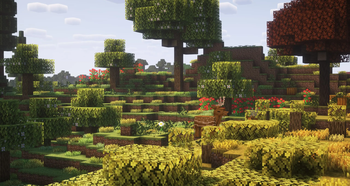
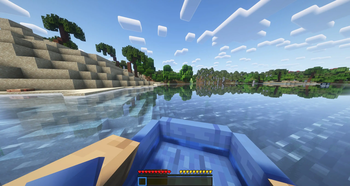
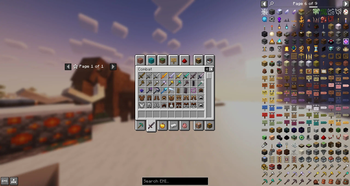
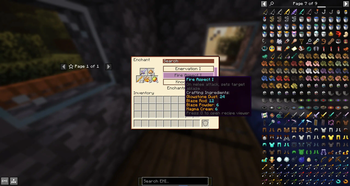
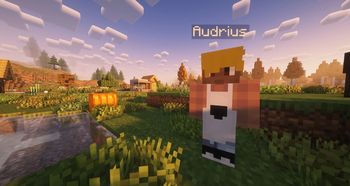
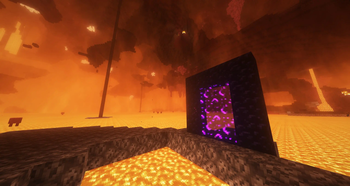
About this Modpack

Features
- ⚡ Energy - Instead of hunger there is now energy/stamina
- 🍖 Nutrition - Heal with food over time
and eat a balanced diet - ❄️ Temperature - Keep yourself warm/cool in different environments
- 🌍 Seasons & Biomes - Make gameplay more dynamic with four seasons and new biomes
- 🏡 Settle - Settle in a village and become a King
- ⚔️ Fight - Fight mobs which get stronger the further you venture
- ♟️ Bosses - Take down and fight unique bosses
- 🎒 Backpacks - Expand your inventory with pouches and satchels
- 📑 Organised EMI - Only see items which are useful and are organised in a orderly manner
- ✨ Aesthetics - Visual overhaul that makes thing look pretty and immersive
- 🔨 Optimized - Includes many performance mods so your PC doesn't explode
Get a lighter version of this modpack, which should be less resource intesive. This modpack has less client-only mods meaning that some visuals might not be as pretty. Get this modpack here. This version of the modpack is not yet released.
Requirements / How to Start
- Ensure you allocate about 5-6GB RAM in Modrinth App
- Create your world (with cheats) and run the command
/gamerule doDaylightCycle false - Pre-generate chunks with the command
/chunky start minecraft:overworld square 0 0 400 - (optional) Increase the last number to generate more chunks
- Set yourself into Creative Mode while you wait, just in case.
- Wait for Chunky to pre-generate chunks.
- Make sure you enable daylight cycling with
/gamerule doDaylightCycle trueand start playing.
Note: This modpack is currently for singleplayer, but I will get server files up soon.
To-Do Features/Fixes
- Patchouli Wiki book (figure out how to do using data pack)
- Resource Pack (mob variants and other aesthetic changes)
- Simple magic with a few staves that uses XP (looking for a mod)
- Advancement overhaul (maybe quests using patchouli)
- Remove HeartyMeals when UI issue is fixed with Energized. Add modded foods to Energized.
- Make some swords one-handed only & retexture to look like longswords. Perhaps adjust recipe.
- Find alternative to EMI/recipes
- Let me know what other ideas you have...
Got a question or suggestions? Join the Discord group.
Available Versions
How to Set Up a A Bit More Fun Server
Order Server
Choose at least 6 GB RAM (8 GB recommended for A Bit More Fun). Based on player count: per 5 players.
Install Modpack in Dashboard
Open the modpack browser in the dashboard, search for "A Bit More Fun" and click "Install". The fabric loader and Minecraft 1.20.1 are configured automatically.
Start Server & Play
Start the server – all mods are loaded automatically. Share the server IP with friends and play together!
Frequently Asked Questions
A Bit More Fun server crashes or won't start – what to do?
Most common causes: insufficient RAM or wrong fabric loader. Check latest.log for "OutOfMemoryError" → increase RAM to at least 8 GB. For "Mixin" or "ClassNotFoundException" errors: modpack version and loader don't match. With Mado Hosting, loader and Minecraft version are auto-configured on modpack install – preventing most startup issues.
How much RAM does a A Bit More Fun server really need?
Minimum 6 GB, recommended 8 GB for stable performance. per 5 players. Important: Minecraft modpacks need more RAM than vanilla – plan extra per additional player. With Mado Hosting, you can scale RAM up live at any time without data loss (from €12/month).
Can I add custom mods to A Bit More Fun without conflicts?
Yes, but check compatibility: only use mods for the same loader (fabric) and same Minecraft version (1.20.1). Common issues: ID conflicts with recipe mods and incompatible coremod versions. The Mado dashboard mod browser only shows compatible mods and warns about known conflicts.
A Bit More Fun server lagging – performance tips
1) Increase RAM to 8 GB+. 2) Reduce server view-distance to 8 (server.properties). 3) Pre-generate chunks with the "Chunky" plugin. 4) Use /spark profiler to check which mods consume the most tick time. With Mado Hosting, all servers run on NVMe SSDs with dedicated CPU cores – eliminating hardware as a bottleneck.
Rent A Bit More Fun Server
Start your own server with automatic modpack installation.
Supported Versions
Start your A Bit More Fun Server now
From €12.00/month with 8 GB RAM for the best performance.
Configure Server →