
A Designers Excessive Overdose.
A modpack containing a magnitude of decorations/blocks and extensive tools to help you build.
Screenshots
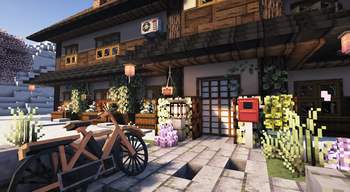
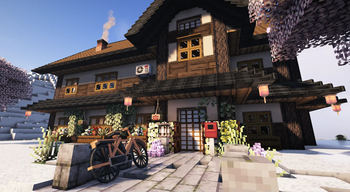
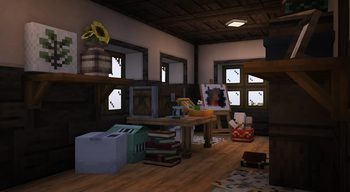
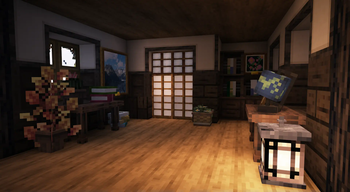
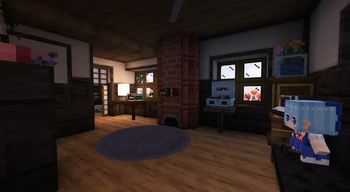
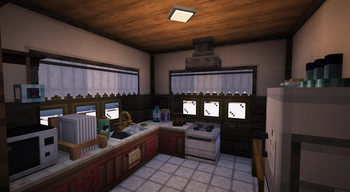
About this Modpack
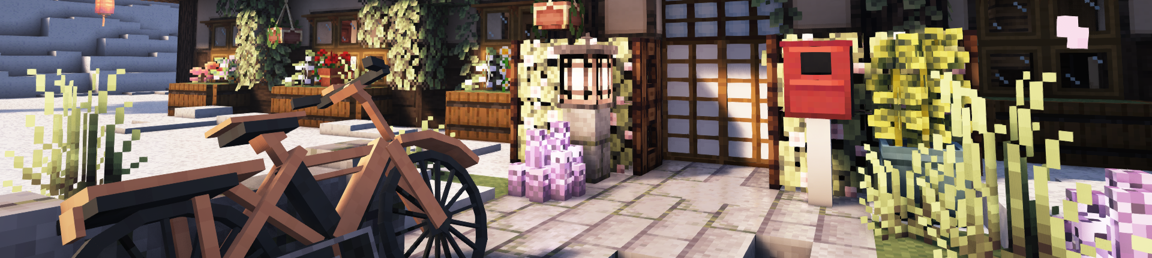
A Designer's Excessive Overdose, AKA: "ADEO" is a modpack containing 192 mods designed to be a builder's paradise.
Allocate atleast 7GB of RAM.
Performance is good with Complimentary Shaders. An average 140 FPS. (depending on PC setup)
[Sidenote: I realized my FPS fluctuation was due to old AMD drivers.]
Multiplayer is possible via e4mc mod, Similar to "Essential" but lightweight, visit the modpage to see how it works.
It takes about 2 minutes 30 seconds to load the pack + 1 minute 12 seconds to generate a world. So please be patient.
The main aspect of ADEO is to provide blocks/decor for nearly any type of build, While providing powerful tools such as Yuushya Modelling and Axiom, which can allow you to manipulate decor in various ways, along with terraforming, cloning, block replace, Fast place and much more. I suggest watching a tutorial on Axiom.
As for Yuushya Modelling, There isn't much info on how to use it but I shall provide some basic info here: You first need the Gourd of Entitilization. You can use that item to right click mostly any block/decoration, This will turn it into a block entity. From here you can use any of the "Entity Block Layer" tools. Then right/left click to move the position/rotation/size (Depending on the tool you hold). To change the axis, put any of the "Layer" tools in your offhand and right click, they will change color according to axis colors.
Sidenote: Changes you make in multiplayer using Yuushya Modelling tools won't apply to other players.
For world/structure generation, I have chosen Tectonic + ChoiceTheorem's Overhauled Village.
Trobleshooting:
Shaders are enabled by default, try disabling shaders in the main menu if a crash occurs when loading a world.
Reset Axiom's tutorial: Right Shift > Help (top left) > Reset Tutorial > Introduction.
Change Axiom keybinds: Right Shift > Help > Keybinds.
Vanilla flight: Hold Left ALT > Red Toolbox (bottom right) > Change momentum (75%-85%) and Flight Direction to "horizontal".
Additional Notes:
The modpack is designed for creative mode. Survival mode has not been tested.
Yuushya's resource pack is enabled by default, keep in mind it allows connected textures for Yuushya's modded blocks.
A little showcase of what can be done, using this modpack:
If you encounter a bug, crash, or just want to leave feedback in general.
The easiest way is to open the video above this text within youtube and just leave a comment.
Available Versions
How to Set Up a A Designers Excessive Overdose. Server
Order Server
Choose at least 4 GB RAM (6 GB recommended for A Designers Excessive Overdose.). Based on player count: per 8 players.
Install Modpack in Dashboard
Open the modpack browser in the dashboard, search for "A Designers Excessive Overdose." and click "Install". The fabric loader and Minecraft 1.20.1 are configured automatically.
Start Server & Play
Start the server – all mods are loaded automatically. Share the server IP with friends and play together!
Frequently Asked Questions
A Designers Excessive Overdose. server crashes or won't start – what to do?
Most common causes: insufficient RAM or wrong fabric loader. Check latest.log for "OutOfMemoryError" → increase RAM to at least 6 GB. For "Mixin" or "ClassNotFoundException" errors: modpack version and loader don't match. With Mado Hosting, loader and Minecraft version are auto-configured on modpack install – preventing most startup issues.
How much RAM does a A Designers Excessive Overdose. server really need?
Minimum 4 GB, recommended 6 GB for stable performance. per 8 players. Important: Minecraft modpacks need more RAM than vanilla – plan extra per additional player. With Mado Hosting, you can scale RAM up live at any time without data loss (from €8/month).
Can I add custom mods to A Designers Excessive Overdose. without conflicts?
Yes, but check compatibility: only use mods for the same loader (fabric) and same Minecraft version (1.20.1). Common issues: ID conflicts with recipe mods and incompatible coremod versions. The Mado dashboard mod browser only shows compatible mods and warns about known conflicts.
A Designers Excessive Overdose. server lagging – performance tips
1) Increase RAM to 6 GB+. 2) Reduce server view-distance to 8 (server.properties). 3) Pre-generate chunks with the "Chunky" plugin. 4) Use /spark profiler to check which mods consume the most tick time. With Mado Hosting, all servers run on NVMe SSDs with dedicated CPU cores – eliminating hardware as a bottleneck.
Similar Modpacks
![Better MC [FABRIC] - BMC2](https://cdn.modrinth.com/data/shFhR8Vx/a19c2bcb51d38f32f138d3607e91cb2b7b8e387f_96.webp)
![Better MC [FORGE] - BMC4](https://cdn.modrinth.com/data/4BV47HRn/7f5ef7cc61b2593609aabef3ed07a866a4f11b73_96.webp)


![Better MC [FABRIC] - BMC3](https://cdn.modrinth.com/data/NHUidpfR/327e0749bb6d160c41799fd77bf6d3d631569dc8_96.webp)

Rent A Designers Excessive Overdose. Server
Start your own server with automatic modpack installation.
Supported Versions
Start your A Designers Excessive Overdose. Server now
From €8.00/month with 6 GB RAM for the best performance.
Configure Server →