
A Twisted World
A Rebalanced and renewed experience for playing Minecraft with A focus on progression .
Screenshots
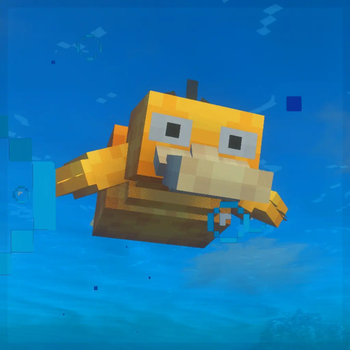
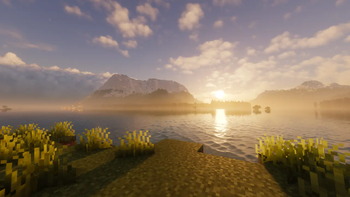
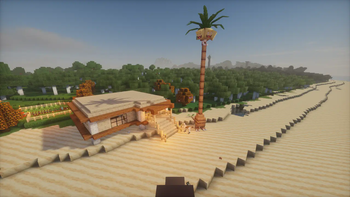
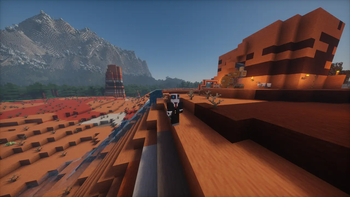
About this Modpack

A Twisted world or ATW is A modpack I made for my server. If you're looking for A mod that combines enhanced exploration across all dimensions, create / tech and Animals like cobblemon this is your pack.
Join us on the server or just play alone. - 51.195.188.199:25612
The pack includes many addons for create and other mods like farmers delight.
I've done my very best to fix bugs and optimize FPS and stuttering and will continue to do so as I update and patch.
Included Mods
- Forsaken Corpses
- Noisium
- Create Big Cannons
- Create Deco
- Text Placeholder API
- Create Support for Open Parties and Claims
- LambDynamicLights
- Chunky Border
- playerAnimator
- StepUp
- Moonlight Lib
- YUNG's Bridges
- Cubes Without Borders
- Not Enough Animations
- Immersive Armors
- Create Goggles
- StutterFix
- [ETF] Entity Texture Features
- Guard Villagers (Fabric/Quilt)
- Balm
- Default Options
- Immersive Melodies
- Cobblemon
- BetterNether
- LazyDFU
- ImmediatelyFast
- Jade 🔍
- Better Third Person
- Trinkets
- Mod Menu
- Immersive UI
- Fabric Language Kotlin
- Small Ships
- Bobby
- Animal Feeding Trough
- Puzzle
- oωo (owo-lib)
- Data API
- Debugify
- YUNG's Better End Island
- PandaLib
- No Elytra Firework Boost
- Hysteria Shaders
- Forge Config API Port
- Particular ✨
- Iris Shaders
- Cloth Config API
- Chat Heads
- ModernFix
- Bat Membrane (Anti Phantom)
- 3D Skin Layers
- Dungeons and Taverns
- Ocean's Delight
- M.R.U
- Sophisticated Backpacks (Unoffical Fabric port)
- CoroUtil
- Create: Structures
- Cristel Lib
- [EMF] Entity Model Features
- Inventory Management
- Elytra Slot
- Create Jetpack
- Let Me Despawn
- YUNG's Better Dungeons
- YUNG's Better Desert Temples
- Create: Copycats+
- MixinTrace
- Better Combat
- Nature's Compass
- Create Slice & Dice
- Jump Over Fences
- YUNG's Better Ocean Monuments
- Tom's Simple Storage Mod
- AntiXray
- Legendary Tooltips
- CTOV - Farmer Delight Compat
- Hybrid Aquatic
- Create Ore Excavation
- Create Fabric
- Animatica
- AmbientSounds
- Create
- YUNG's Extras
- Xaero's World Map
- Cobblepedia
- Resourceful Config
- Creeper Overhaul
- Create Crafts & Additions
- YUNG's Better Nether Fortresses
- FabricSkyboxes
- Cobblemon Move Inspector
- HotbarReplace
- Gen's Villager Hats
- Mandala's GUI - Dark mode
- Villager Names
- Gliders
- Essential Commands
- LibZ
- Controlling
- XXL Packets
- TrashSlot
- Resourceful Lib
- Starlight (Fabric)
- Sushi Bar
- Polytone
- Fast Better Grass
- Hide Experimental Warning
- Dynamic FPS
- Language Reload
- Capes
- Create: Steam 'n' Rails
- Discord Integration
- FerriteCore
- Keep Some Inventory
- Chat Animation [Smooth Chat]
- BetterEnd
- Collective
- Entity Culling
- No Resource Pack Warnings
- Enchantment Reveal
- Merchant Markers
- Dark Loading Screen
- Too Many Binds
- Sparse Structures
- Create: Missions
- Emotecraft
- Realms Button Remover
- Cobblemon Integrations
- Create: Dreams & Desires
- No Chat Reports
- Bedrodium
- Creeper explosions drop all items
- Continuity
- Ribbits
- Paginated Advancements & Custom Frames
- YUNG's Better Strongholds
- Jade Addons (Fabric)
- Staaaaaaaaaaaack (Stxck)
- Village Hero+
- Create Enchantment Industry Fabric
- Tectonic
- Presence Footsteps
- Hysteria-Shaders-Universal-v1.2.1.zip.txt
- Elytra Recipe (Vanilla Edition)
- Xaero's Minimap
- Regrowth
- Exposure
- TalkBubbles
- Geckolib
- Remove Reloading Screen
- Bookshelf
- MaLiLib
- Mouse Tweaks
- Open Parties and Claims
- FastQuit
- Litematica
- Fabric API
- Farmer's Delight Refabricated
- Sodium
- FabricSkyBoxes Interop
- spark
- YDM's Weapon Master
- Skeletal Remains
- SmoothMenu Refabricated
- Enderman Overhaul
- Spice of Life: Valheim Edition
- Memory Leak Fix
- Steve's Realistic Sleep
- Create Utilities
- Iceberg
- Spawn
- Searchables
- Terralith
- RemoveWelcomeScreen[FABRIC]
- OctoLib
- Handcrafted
- YetAnotherConfigLib
- EMI
- Chunky
- Lithium
- Model Gap Fix
- Enchantment Descriptions
- Resourcify
- YUNG's Better Witch Huts
- More Chat History
- YUNG's API
- HT's TreeChop
- Sounds
- CreativeCore
- Architectury API
- Sophisticated Core (Unofficial Fabric port)
- Towers of the Wild Modded
- Cobblemounts
- Highlight
- Distant Horizons
- Create: Oxidized
- Centered Crosshair
- Indium
- Clumps
- Reese's Sodium Options
- Spectral
- Cull Less Leaves
- What Are They Up To (Watut)
- Patchouli
- Create: Numismatics
- Raised
- Simple Voice Chat
- Chef's Delight
- Reactive Music
- BCLib
- no f3
- Game Menu Remove GFARB
- More Culling
- Prism
- CIT Resewn
- Monsters in the Closet
- Fzzy Config
- Better Compatibility Checker
- YUNG's Better Mineshafts
- Fast IP Ping
- YUNG's Better Jungle Temples
- Simply Swords
Available Versions
How to Set Up a A Twisted World Server
Order Server
Choose at least 6 GB RAM (8 GB recommended for A Twisted World). Based on player count: per 5 players.
Install Modpack in Dashboard
Open the modpack browser in the dashboard, search for "A Twisted World" and click "Install". The fabric loader and Minecraft 1.20.1 are configured automatically.
Start Server & Play
Start the server – all mods are loaded automatically. Share the server IP with friends and play together!
Frequently Asked Questions
A Twisted World server crashes or won't start – what to do?
Most common causes: insufficient RAM or wrong fabric loader. Check latest.log for "OutOfMemoryError" → increase RAM to at least 8 GB. For "Mixin" or "ClassNotFoundException" errors: modpack version and loader don't match. With Mado Hosting, loader and Minecraft version are auto-configured on modpack install – preventing most startup issues.
How much RAM does a A Twisted World server really need?
Minimum 6 GB, recommended 8 GB for stable performance. per 5 players. Important: Minecraft modpacks need more RAM than vanilla – plan extra per additional player. With Mado Hosting, you can scale RAM up live at any time without data loss (from €12/month).
Can I add custom mods to A Twisted World without conflicts?
Yes, but check compatibility: only use mods for the same loader (fabric) and same Minecraft version (1.20.1). Common issues: ID conflicts with recipe mods and incompatible coremod versions. The Mado dashboard mod browser only shows compatible mods and warns about known conflicts.
A Twisted World server lagging – performance tips
1) Increase RAM to 8 GB+. 2) Reduce server view-distance to 8 (server.properties). 3) Pre-generate chunks with the "Chunky" plugin. 4) Use /spark profiler to check which mods consume the most tick time. With Mado Hosting, all servers run on NVMe SSDs with dedicated CPU cores – eliminating hardware as a bottleneck.
Similar Modpacks
![Cobblemon Official Modpack [Fabric]](https://cdn.modrinth.com/data/5FFgwNNP/e7f9ee2e9d361623847853fe2ddce42f519ee64f.png)
![COBBLEVERSE - Pokemon Adventure [Cobblemon]](https://cdn.modrinth.com/data/Jkb29YJU/581ecf54530972afb18a04660afd820f2f24f6c7.png)
![Better MC [FABRIC] - BMC2](https://cdn.modrinth.com/data/shFhR8Vx/a19c2bcb51d38f32f138d3607e91cb2b7b8e387f_96.webp)


![Better MC [FORGE] - BMC4](https://cdn.modrinth.com/data/4BV47HRn/7f5ef7cc61b2593609aabef3ed07a866a4f11b73_96.webp)
Rent A Twisted World Server
Start your own server with automatic modpack installation.
Supported Versions
Start your A Twisted World Server now
From €12.00/month with 8 GB RAM for the best performance.
Configure Server →