
A7MD Adventures
The Official A7MD Modpack
Screenshots
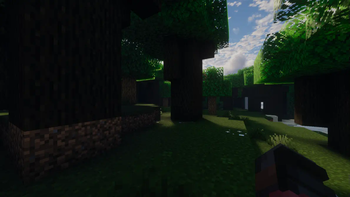
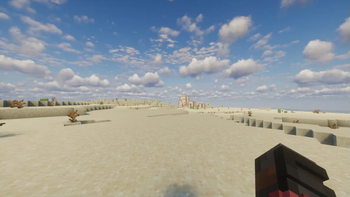
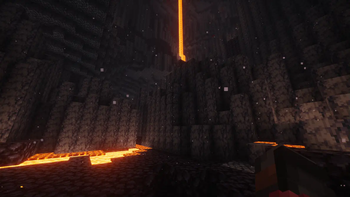
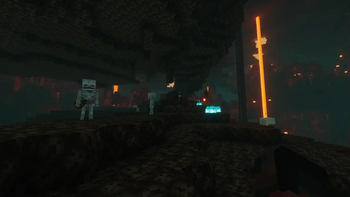
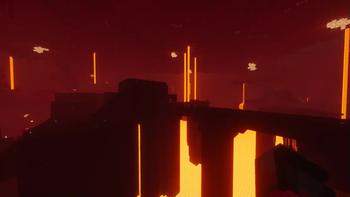
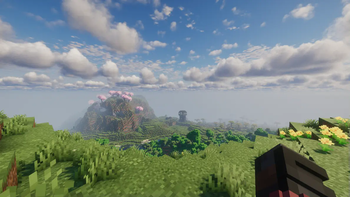
About this Modpack

===1.21.1===📜A7MD Adventures 🔍===v1.0===
What does it offer?
A7MD Adventures is the official modpack of the content creator i1ia7md, used in all of his streams to make content creation easier without changing the vanilla experience.
The modpack has a lot of helpful utility mods for single-player and multiplayer survival and creative building. It's built on Fabously Optimised to enhance performance and apply Optifine replacements for resource packs.
All mods are client-side! (Works on multiplayer servers)
Features
📷 Content Creation 🎥: and expressive emotes to get those funny clips while streaming.
⚔️ Survival Utilities 🪓: Sorting, info HUDs, fast building, inventories tab, quickly swapping tools & items, and many more tools to help enhance your survival experience.
🏗️ Building 🧱: Axiom, and Litematica. mods to make your building much easier and focus on creativity.
ㅤㅤ ㅤ ㅤㅤㅤㅤ




Credits 📄
Resource Packs
- Fancy Beds
- Icons
- Flower Clusters
- Visible diamonds
- VanillaTweaks
- Better Enchanting Table Blue
- LowOnFire
- IconsAdditions
- FreshAnimations
- Icons+Menu
- JustExpressions
- Simple Grass Flowers
- Connected Paths
- Fast Better Grass
- FlowerPots
- Icon Xaero's X FreshAnimations
- SoulfulAncientDebrisOF
- Even Better Enchants
- Fancy Crops
- Unique Dark
- Shiny Items
- Midnighttiggers-FCT-Default
- Invisible Item Frames
- Qrafty's Capitalized Font
Mods
- Auto Clicker
- Simple Voice Chat
- Advancement Frames
- Essential Mod
- Squat Grow
- Do a Barrel Roll
- YetAnotherConfigLib (YACL)
- Entity Culling
- Better F1 Reborn
- Litematica Printer
- Zoomify
- Emotecraft
- Fusion (Connected Textures)
- Tax Free Levels
- Enhanced Block Entities
- Forge Config API Port
- Sodium Dynamic Lights
- Inventory Profiles Next
- EMI Ores
- CICADA
- Better Advancements
- Continuity
- Very Many Players (Fabric)
- YUNG's API
- Day Counter
- Better Than Mending
- Item Highlighter
- Complementary Shaders - Reimagined
- Text Formatting Everywhere
- Fzzy Config
- Chat Heads
- Raised
- Lithium
- Slotted Armor HUD
- Text Placeholder API
- Shulker Box Tooltip
- Controlling
- Villager Names
- Traveler's Titles
- Tweakeroo
- Dynamic Crosshair
- Entity Texture Features
- AppleSkin
- Jump Over Fences
- Just Enough Breeding (JEBr)
- ReplayMod
- Carry On
- Xaero's World Map
- Axiom
- Tool Trims Mod
- TCDCommons API
- Entity Model Features
- Gamma Utils (Fullbright)
- Infinite Trading
- Konkrete
- OptiGUI
- Enchantment Descriptions
- Boat Item View
- More Culling
- e4mc
- Carpet
- Visible Traders
- Prism
- Inventory Tabs
- libIPN
- Noisium
- EMI Enchanting
- FancyMenu
- TweakerMore
- Held Item Info
- Fire Spread Tweaks
- Enchantment Level Cap Indicator
- No Chat Reports
- 3D Skin Layers
- JamLib
- TxniLib
- One Click Crafting
- UniLib
- Fabric Language Kotlin
- M.R.U
- LibZ
- Tinkerer's Smithing
- Recursive Resources
- CreativeCore
- FerriteCore
- Fabric API
- Drippy Loading Screen
- Sodium
- Pick Up Notifier
- Better Statistics Screen
- Cherished Worlds
- Trade Cycling
- Indium
- Collective
- Animatica
- Bookshelf
- Distraction Free Recipes
- Concurrent Chunk Management Engine
- Reese's Sodium Options
- SuperMartijn642's Config Lib
- Durability Tooltip
- Jade
- Dungeons and Taverns
- EMI Loot
- Litematica
- Particle Rain
- Iris Shaders
- MaLiLib
- Coals to Gunpowder
- Legendary Tooltips
- Easy Shulker Boxes
- Melody
- Armor Statues
- RightClickHarvest
- Chest Tracker
- Searchables
- Sodium Extra
- Bridging Mod
- Xaero's Minimap
- Sodium Leaf Culling
- Item Borders
- ImmediatelyFast
- Infinity and Mending
- Merge Enchantments
- ModernFix
- Deepslate Refinery
- BetterF3
- EMI professions
- CERBON's API
- Advancement Plaques
- TieredZ
- Prickle
- MiniHUD
- Not Enough Animations
- ClickThrough Plus
- Sodium Extras
- Presence Footsteps
- Mod Menu
- Puzzles Lib
- CraftPresence
- Moonlight Lib
- Eating Animation
- AdvancementsFullscreen
- Architectury API
- Detail Armor Bar
- Show Me Your Skin!
- EMI
- Visuality
- Lighty
- Iceberg
- Cloth Config API
- CIT Resewn
- Leave My Bars Alone
- Item Scroller
Shader Packs
Available Versions
How to Set Up a A7MD Adventures Server
Order Server
Choose at least 6 GB RAM (8 GB recommended for A7MD Adventures). Based on player count: per 5 players.
Install Modpack in Dashboard
Open the modpack browser in the dashboard, search for "A7MD Adventures" and click "Install". The fabric loader and Minecraft 1.21.1 are configured automatically.
Start Server & Play
Start the server – all mods are loaded automatically. Share the server IP with friends and play together!
Frequently Asked Questions
A7MD Adventures server crashes or won't start – what to do?
Most common causes: insufficient RAM or wrong fabric loader. Check latest.log for "OutOfMemoryError" → increase RAM to at least 8 GB. For "Mixin" or "ClassNotFoundException" errors: modpack version and loader don't match. With Mado Hosting, loader and Minecraft version are auto-configured on modpack install – preventing most startup issues.
How much RAM does a A7MD Adventures server really need?
Minimum 6 GB, recommended 8 GB for stable performance. per 5 players. Important: Minecraft modpacks need more RAM than vanilla – plan extra per additional player. With Mado Hosting, you can scale RAM up live at any time without data loss (from €12/month).
Can I add custom mods to A7MD Adventures without conflicts?
Yes, but check compatibility: only use mods for the same loader (fabric) and same Minecraft version (1.21.1). Common issues: ID conflicts with recipe mods and incompatible coremod versions. The Mado dashboard mod browser only shows compatible mods and warns about known conflicts.
A7MD Adventures server lagging – performance tips
1) Increase RAM to 8 GB+. 2) Reduce server view-distance to 8 (server.properties). 3) Pre-generate chunks with the "Chunky" plugin. 4) Use /spark profiler to check which mods consume the most tick time. With Mado Hosting, all servers run on NVMe SSDs with dedicated CPU cores – eliminating hardware as a bottleneck.
Similar Modpacks
![Cobblemon Official Modpack [Fabric]](https://cdn.modrinth.com/data/5FFgwNNP/e7f9ee2e9d361623847853fe2ddce42f519ee64f.png)
![COBBLEVERSE - Pokemon Adventure [Cobblemon]](https://cdn.modrinth.com/data/Jkb29YJU/581ecf54530972afb18a04660afd820f2f24f6c7.png)
![Better MC [FABRIC] - BMC2](https://cdn.modrinth.com/data/shFhR8Vx/a19c2bcb51d38f32f138d3607e91cb2b7b8e387f_96.webp)


![Better MC [FORGE] - BMC4](https://cdn.modrinth.com/data/4BV47HRn/7f5ef7cc61b2593609aabef3ed07a866a4f11b73_96.webp)
Rent A7MD Adventures Server
Start your own server with automatic modpack installation.
Supported Versions
Start your A7MD Adventures Server now
From €12.00/month with 8 GB RAM for the best performance.
Configure Server →