
Above the cloud
A sky island survival modpack.
Screenshots
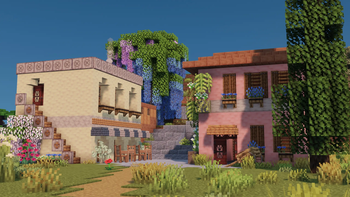




About this Modpack
Embark on a wondrous adventure in a fantastical world of floating islands, filled with awe and beauty!
- Diverse Island Worlds: Islands with varied biomes, from lush jungles to mysterious glaciers, await your exploration.
- Varied Challenging Structures: Traverse ancient ruins and perilous dungeons to unlock hidden secrets and treasures.
- Romantic Aerial Journeys: Pilot planes or airships, soaring through the sea of clouds, embracing the freedom and romance of flight.
- Rich Decorations: Craft your dream island haven with exquisite building materials and unique ornamental designs.
Set sail now and immerse yourself in this magical, adventure-filled skybound wonderland!
探索一個由漂浮空島構成的奇幻世界,開啟一場充滿驚奇與美感的冒險之旅!
- 多樣生態的空島世界:不同生態的空島,從繁茂的叢林到神秘的冰川,等待你來探索。
- 挑戰多變的結構:穿越古老遺跡、危險地牢,解鎖隱藏的秘密與寶藏。
- 浪漫的空中之旅:駕駛飛機或飛艇,翱翔於雲海之間,感受自由與浪漫的飛行體驗。
- 豐富的裝飾品:用精美的建築材料與獨特裝飾,打造屬於你的夢幻空島家園。
Available Versions
How to Set Up a Above the cloud Server
Order Server
Choose at least 6 GB RAM (8 GB recommended for Above the cloud). Based on player count: per 5 players.
Install Modpack in Dashboard
Open the modpack browser in the dashboard, search for "Above the cloud" and click "Install". The fabric loader and Minecraft 1.21.1 are configured automatically.
Start Server & Play
Start the server – all mods are loaded automatically. Share the server IP with friends and play together!
Frequently Asked Questions
Above the cloud server crashes or won't start – what to do?
Most common causes: insufficient RAM or wrong fabric loader. Check latest.log for "OutOfMemoryError" → increase RAM to at least 8 GB. For "Mixin" or "ClassNotFoundException" errors: modpack version and loader don't match. With Mado Hosting, loader and Minecraft version are auto-configured on modpack install – preventing most startup issues.
How much RAM does a Above the cloud server really need?
Minimum 6 GB, recommended 8 GB for stable performance. per 5 players. Important: Minecraft modpacks need more RAM than vanilla – plan extra per additional player. With Mado Hosting, you can scale RAM up live at any time without data loss (from €12/month).
Can I add custom mods to Above the cloud without conflicts?
Yes, but check compatibility: only use mods for the same loader (fabric) and same Minecraft version (1.21.1). Common issues: ID conflicts with recipe mods and incompatible coremod versions. The Mado dashboard mod browser only shows compatible mods and warns about known conflicts.
Above the cloud server lagging – performance tips
1) Increase RAM to 8 GB+. 2) Reduce server view-distance to 8 (server.properties). 3) Pre-generate chunks with the "Chunky" plugin. 4) Use /spark profiler to check which mods consume the most tick time. With Mado Hosting, all servers run on NVMe SSDs with dedicated CPU cores – eliminating hardware as a bottleneck.
Rent Above the cloud Server
Start your own server with automatic modpack installation.
Supported Versions
Start your Above the cloud Server now
From €12.00/month with 8 GB RAM for the best performance.
Configure Server →