
Absolutely Optimize Creator Pack
A simple Optimization & Creator Perfect ModPack.
Screenshots

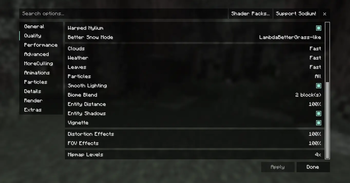
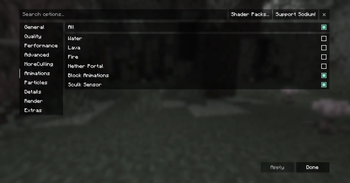
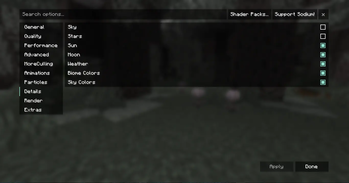
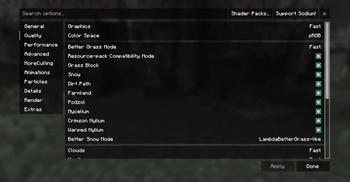
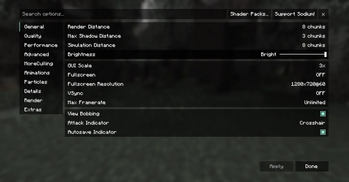
About this Modpack
🎮 Overview
Step into a smoother, smarter, and more optimized Minecraft experience with the Absolutely Optimize Creator Pack. This modpack is built with creators and streamers, in mind—designed to maximize performance, streamline workflows, and unlock your full creative potential without sacrificing stability or style.
🚀 What You’ll Get
• A curated set of high-impact mods aimed at optimization, performance and creative freedom.
• Configurations tuned for both single-player and small server use—so you can build, record or stream with minimal fuss.
• Quality-of-life enhancements: tools for faster building, smarter management of mods, simplified UI/UX so you spend less time tweaking and more time creating.
• A strong focus on compatibility and stability so you avoid crashes, lag and frustration.
• Easy setup: downloadable as a single pack, ready to install via Modrinth’s launcher or supported launchers.
🎥 Why Use This Pack?
• For creators: Whether you’re recording, live-streaming or designing large builds, this pack reduces overhead so your hardware and workflow stay focused on the creative process.
• For builders: Get tools to build faster, manage large structures, and maintain performance even when you’re pushing the limits.
• For modpack newcomers: Everything is pre-configured and ready — less time tinkering, more time playing or creating.
• For servers & friends: Easy for you and your teammates to get on the same page — same mod set, same settings, minimal setup.
⚙️ Key Features
• Performance-tuned mods and settings (memory allocation, render distance, chunk loading) to reduce lag and stutter.
• Creative-friendly tools: build helpers, structure planners, in-game mod management UI, better control over modded content.
• Stream/record readiness: optimized for screen capture, minimal unexpected pop-ups, better visual stability.
• Compatibility-aware: mods chosen to play nice with each other and with recent Minecraft versions.
• Clear, simple step-by-step installation and setup instructions included in the pack.
🧰 Installation Requirements
• Supported Minecraft version (make sure to update as needed for future versions)
• Recommended RAM allocation: insert value here, e.g. 3 GB, 6 GB+] for smooth performance.
• A launcher compatible with Modrinth modpacks (e.g., the official Modrinth App, MultiMC, Prism Launcher).
• Important: Ensure your GPU drivers and Java version are up to date for best results.
📝 Notes & Tips
• Always make a backup of your worlds before installing or updating the pack.
• If using on a server, use the server version of the pack (if available) and ensure all players are on the same version to avoid issues.
• For recording/streaming: reduce other background applications, set Minecraft’s video settings to balance quality vs performance (especially if you’ll render later).
• If you encounter issues, check the modpack’s issue tracker or community forum for help — many common issues are documented.
• Want to customise further? Many mods in the pack let you tweak settings. Just be cautious with major changes to avoid performance drops.
ℹ️ Disclaimer
This pack is provided as-is, with no guarantee of compatibility with every hardware setup. Mod authors retain their own licenses — please check individual mod licences if you plan to redistribute or modify this pack. Please also comply with Modrinth’s rules for project descriptions and distribution.
Available Versions
How to Set Up a Absolutely Optimize Creator Pack Server
Order Server
Choose at least 4 GB RAM (6 GB recommended for Absolutely Optimize Creator Pack). Based on player count: per 8 players.
Install Modpack in Dashboard
Open the modpack browser in the dashboard, search for "Absolutely Optimize Creator Pack" and click "Install". The fabric loader and Minecraft 1.21.8 are configured automatically.
Start Server & Play
Start the server – all mods are loaded automatically. Share the server IP with friends and play together!
Frequently Asked Questions
Absolutely Optimize Creator Pack server crashes or won't start – what to do?
Most common causes: insufficient RAM or wrong fabric loader. Check latest.log for "OutOfMemoryError" → increase RAM to at least 6 GB. For "Mixin" or "ClassNotFoundException" errors: modpack version and loader don't match. With Mado Hosting, loader and Minecraft version are auto-configured on modpack install – preventing most startup issues.
How much RAM does a Absolutely Optimize Creator Pack server really need?
Minimum 4 GB, recommended 6 GB for stable performance. per 8 players. Important: Minecraft modpacks need more RAM than vanilla – plan extra per additional player. With Mado Hosting, you can scale RAM up live at any time without data loss (from €8/month).
Can I add custom mods to Absolutely Optimize Creator Pack without conflicts?
Yes, but check compatibility: only use mods for the same loader (fabric) and same Minecraft version (1.21.8). Common issues: ID conflicts with recipe mods and incompatible coremod versions. The Mado dashboard mod browser only shows compatible mods and warns about known conflicts.
Absolutely Optimize Creator Pack server lagging – performance tips
1) Increase RAM to 6 GB+. 2) Reduce server view-distance to 8 (server.properties). 3) Pre-generate chunks with the "Chunky" plugin. 4) Use /spark profiler to check which mods consume the most tick time. With Mado Hosting, all servers run on NVMe SSDs with dedicated CPU cores – eliminating hardware as a bottleneck.
Similar Modpacks

![Cobblemon Official Modpack [Fabric]](https://cdn.modrinth.com/data/5FFgwNNP/e7f9ee2e9d361623847853fe2ddce42f519ee64f.png)
![COBBLEVERSE - Pokemon Adventure [Cobblemon]](https://cdn.modrinth.com/data/Jkb29YJU/581ecf54530972afb18a04660afd820f2f24f6c7.png)
![Better MC [FABRIC] - BMC2](https://cdn.modrinth.com/data/shFhR8Vx/a19c2bcb51d38f32f138d3607e91cb2b7b8e387f_96.webp)


Rent Absolutely Optimize Creator Pack Server
Start your own server with automatic modpack installation.
Supported Versions
Start your Absolutely Optimize Creator Pack Server now
From €8.00/month with 6 GB RAM for the best performance.
Configure Server →