
Adventure Craft
Adventure Craft is RPG with many equipment,RPG class and mechanisms.
Screenshots
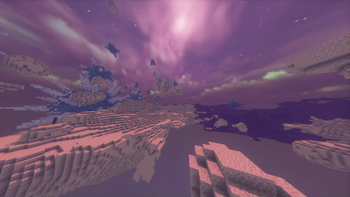
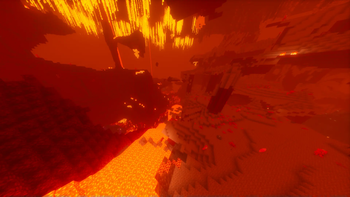
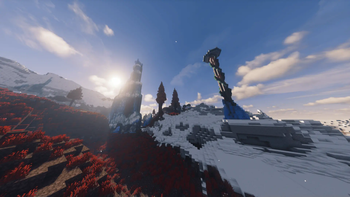
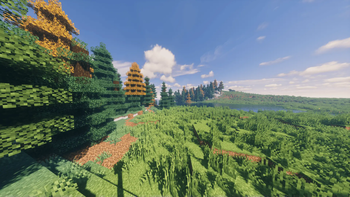
About this Modpack
About the Modpack
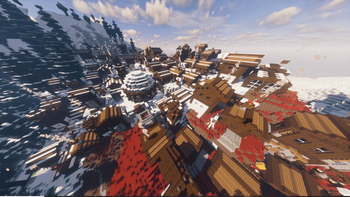
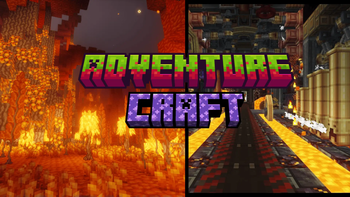
This modpack takes you into a world of medieval weapons with a unique twist. It features a variety of unusual and exciting weapons that will change the way you experience combat. The modpack also includes a wide range of different blocks and structures, providing endless possibilities for building and exploration. With several challenging bosses to defeat, it guarantees plenty of action and adventure. Additionally, it integrates the Create mod, allowing you to construct complex mechanisms and contraptions for even more creative gameplay. If you're looking for a fresh and thrilling experience, this modpack is a must-download. Dive into a medieval world filled with fun, creativity, and challenges!
Where you can ask about modpack
This is a link to Discord [https://discord.gg/FkYjF3jz4X]
where you can ask the creators of the Blombix Team about their work. And if you have any ideas that could be included in modpacks, you can express your idea on this Discord.

・ 🏢Some different Structures and many types of biomes
・ 🦖A lot of cretures and some bosses
・ ⚔️A lot of equipment
・🧙♂️Many types of different enchants
・ 🌐Better dimentions
・ 💻500+ mods

Mods,Shaders,Resorce packs
Version:1.1.0・3D skin Layers
・ARRP
・Ad Astra
・Ad Astra:Planets+
・Advanced Netherite
・AdventureZ
・Alloy Forgery
・Almanac
・Alternate 3D Potions
・An Origins Addon: Apocalypse Origins
・Animal Armor Trims - Horse & Wolf
・AppleSkin
・Aquamirae
・Architectury API
・Armor Stand Arms
・Armor Stands
・Armor Statures
・Armor of the Ages
・Armorful
・Armourer's Workshop
・AttributeFix
・Automobillity
・Axes Are Weapons
・AzureLib
・AzureLib Armor
・BC Lib
・BSL Shaders
・BackSlot
・BadOptomazations
・Balm
・Barbeque‘s Delight
・Basic Weapons
・Beans Backpacks (Legacy)
・Beautify:Refabricated
・Berserker (more RPG Classes)
・Better Archelogy
・Better Combat
・Better End
・Better Nether
・Boat item view
・Bookshelf
・Bosses of Mass Destruction
・Botarium
・CERBON's API
・CICADA
・Cake delight
・Cardinal Camponents API
・Casualness Delight
・Charm of Undying
・Chef's Delight
・ChoiceTheoorem's Overhauled Village
・Chunky
・Cloth Config API
・Cloud Boots
・Collective
・Combat+ Core
・Common Network
・Concurrent chunk Management Engine (fabric)
・CorgiLib
・Corn Delight [Fabric/Quilt]
・Cosmetic Armor
・Crate Delight
・Create
・Create Fabric
・Create: Dreams Q Desores
・Create: Structures
・Cubes Without borders
・Cull Less Leaves
・Cultural Delights [Fabric]
・Debugifty
・Deeper and Darker
・Delightful Creators [Fabric]
・Detail Armor Bar
・Distant Horizons
・Do a Barrel Roll
・Dramatic Skys [Resorce pack]
・Dual Swords
・Dungeon Now Loading
・Dungeons and Taverns Pillager Outpost Overhaul
・Dyed
・Dynamic FPS
・Elytra Boosters
・Elytra Slot
・Elytra Trims
・Enchant Icons
・Enchanting infuser
・Enchantment Descriptions
・Enchantments-Plus
・End's Delight
・Ender's Delight
・Enhanced Block Entities
・Entity Culling
・Epic Knights: Shields Armor and Weapons
・Essential Mod
・Eugene's Guan Dao
・Every Compat (wood good)
・Expanded Delight
・Explorer's Compass
・Extra RPG Attributes
・Fabric APi
・Fabric Language Kotlin
・Fabric Seasons
・Fabric Seasons:Delight Compat
・Fabric Seasons:Extras
・Fabric Seasons:Terralith Compat
・FabricSkyboxes
・Farmer's Delight Refabricated
・Farmer's knives [Fabric]
・Fast IP Ping
・FastAnim
・FastPBR
・FastQuit
・Fastload
・FerriteCooore
・Festive Delight
・Fey Tweaks
・Forge Config Api Port
・Fresh Animatioon [resorcepack]
・frigt's Delight
・Gazebos (RPG Series)
・GeckoLIB
・Geophilic
・Gilded Armor
・GlichCore
・HT's Treechop
・Hex Casting
・Hybrid Aquatic
・Ice Berg
・IIMusu's Enchantments
・ImmediatelyFast
・Immersive Aircraft
・Immersive Armors
・Immersive Melodies
・Immersive Weathering
・Improbed Pillager Outpost
・Incendium
・Indium
・Inline
・Inventoory Profiles Next
・Invocations
・irys Shaders
・Item Highlighter
・ItemFig
・Jade
・Just enought Beacons Reforger
・Just enought Farmer's Recipes
・Just enought Items
・Just enought Resources (JER)
・Knight LIB
・Knight Quest
・Krypton
・Lamp DynamicLights
・Language Reload
・LazyDFU
・Leaves Be gone
・Let me Despawn
・Lithium
・lithostitched
・lookin' Sharp
・low on fire
・M.R.U
・MC dungeons Armors
・MC dungeons Weapons
・McPitanLib
・Macaw's briges
・Macaw's briges - Oh The biomes you'll go
・Macaw's doors
・Macaw's fences - Oh the bioomes you'll go
・Macaw's fences and walls
・Macaw's Furniture
・Macaw's Furniture - Oh the bioomes you'll go
・Macaw's holidays
・Macaw's light and Lamps
・Macaw's paintings
・Macaw's Paths and Pavings
・Macaw's Roofs
・Macaw's Roofs - Oh the bioomes you'll go
・Macaw's Trapdoors
・Macaw's Windows
・Macaw's Stairs
・Man of many planes
・Mandala's GUI - Dark mode
・Marium's Soulslike weaponry
・MedievalWeapons
・Memory leak fix
・Mobs attempt parkooour
・mobs of mythology
・mod menu
・model Gap Fix
・Modern Fix
・MonoLib
・MoonLight Lib
・More armor trims
・More Culling
・More delight
・More RPG Library
・More Swords For minecraft
・More swords Legacy
・Motshen's Better Leaves
・mutant Monsters
・mythic Metals
・Mythic Mounts
・Nature's Compass
・Necronomicon API
・Nemo's Creatures
・Nethers Delight Refabricated
・No More purple
・Noisium
・NullScape
・Nytophobia
・Dread
・Obscure API
・Ocean's Delight
・Oh The Biomes we've gone
・Oh The Biomes we've gone delight
・Oh The trees You'll Grow
・Over Enchanted
・PAUCAL
・Packet Fixer
・Patchouli
・Pehkui
・Pineapple Delight
・Powah!
・Puzzle Lib
・Ranged Weapon API
・Reeses Sodium Options
・Remove Reloading Screen
・Resourceful Config
・Resourceful LIB
・Respite Creators [Fabric]
・Runes
・Ships
・Silent's Delight
・Silk
・Simple Armor Hud
・Simple Netherite Horse Armor
・Simple Uncrafting Table
・Simply swords
・SmartBrainLib
・Sodium
・Sodium EXtra
・Solas Shader [shaders]
・Spell engine
・Spell Power Attributes
・SpeelBaldes and Such
・Starlight (fabric)
・Storage Delight
・Structory
・Structory; Towers
・Structure pool ApI
・SuperMartijn642's Config lib
・Supplemetaries
・TARDIS Refined
・TerraBlender
・Terralith
・ThreadTweak
・Tierify
・Tool Trims
・TooltipFix
・Towers of the Wild Modded
・Traveler's backpack
・Treeplacer
・Trinkets
・Ube's Delight
・Ultris:boss Expansion
・Uncrafter
・Universal Enchants
・Useful slime
・very Many Players (Fabric)
・Visuality
・VoidZ
・Waystones
・Weaponworks
・Wizards (RPG Series)
・Xaero's Minimap
・YDM's Weapoon Master
・YUNG's API
・YetAnotherConfigLib (YACL)
・[Deprecated] Farmer's Delight [Fabric]
・[EMF] Entity Model Features
・[ETF] Entity Texture Features
・[TaCZ] Timeless and Classics Zero
・libiPN
・origins weapooons
・oωo (owo-lib)
・playerAnimator
・uku'sArmor HUD
・ukulib
Available Versions
How to Set Up a Adventure Craft Server
Order Server
Choose at least 6 GB RAM (8 GB recommended for Adventure Craft). Based on player count: per 5 players.
Install Modpack in Dashboard
Open the modpack browser in the dashboard, search for "Adventure Craft" and click "Install". The fabric loader and Minecraft 1.20.1 are configured automatically.
Start Server & Play
Start the server – all mods are loaded automatically. Share the server IP with friends and play together!
Frequently Asked Questions
Adventure Craft server crashes or won't start – what to do?
Most common causes: insufficient RAM or wrong fabric loader. Check latest.log for "OutOfMemoryError" → increase RAM to at least 8 GB. For "Mixin" or "ClassNotFoundException" errors: modpack version and loader don't match. With Mado Hosting, loader and Minecraft version are auto-configured on modpack install – preventing most startup issues.
How much RAM does a Adventure Craft server really need?
Minimum 6 GB, recommended 8 GB for stable performance. per 5 players. Important: Minecraft modpacks need more RAM than vanilla – plan extra per additional player. With Mado Hosting, you can scale RAM up live at any time without data loss (from €12/month).
Can I add custom mods to Adventure Craft without conflicts?
Yes, but check compatibility: only use mods for the same loader (fabric) and same Minecraft version (1.20.1). Common issues: ID conflicts with recipe mods and incompatible coremod versions. The Mado dashboard mod browser only shows compatible mods and warns about known conflicts.
Adventure Craft server lagging – performance tips
1) Increase RAM to 8 GB+. 2) Reduce server view-distance to 8 (server.properties). 3) Pre-generate chunks with the "Chunky" plugin. 4) Use /spark profiler to check which mods consume the most tick time. With Mado Hosting, all servers run on NVMe SSDs with dedicated CPU cores – eliminating hardware as a bottleneck.
Similar Modpacks
![Cobblemon Official Modpack [Fabric]](https://cdn.modrinth.com/data/5FFgwNNP/e7f9ee2e9d361623847853fe2ddce42f519ee64f.png)
![COBBLEVERSE - Pokemon Adventure [Cobblemon]](https://cdn.modrinth.com/data/Jkb29YJU/581ecf54530972afb18a04660afd820f2f24f6c7.png)
![Better MC [FABRIC] - BMC2](https://cdn.modrinth.com/data/shFhR8Vx/a19c2bcb51d38f32f138d3607e91cb2b7b8e387f_96.webp)


![Better MC [FORGE] - BMC4](https://cdn.modrinth.com/data/4BV47HRn/7f5ef7cc61b2593609aabef3ed07a866a4f11b73_96.webp)
Rent Adventure Craft Server
Start your own server with automatic modpack installation.
Supported Versions
Start your Adventure Craft Server now
From €12.00/month with 8 GB RAM for the best performance.
Configure Server →