
Adventures Expanded
A Minecraft modpack aimed to expand the game and add new things to chase after and discover, collect new items, and strive to assemble a collection of items remarking your adventures from the start.
Screenshots
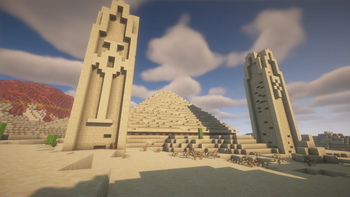
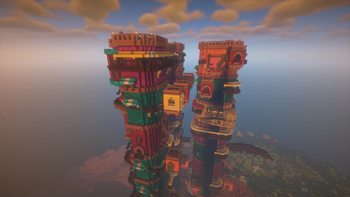
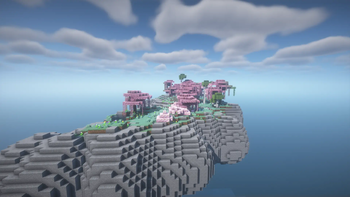
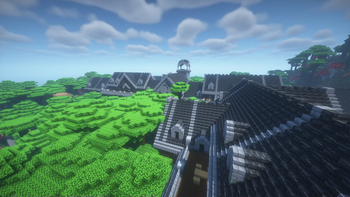
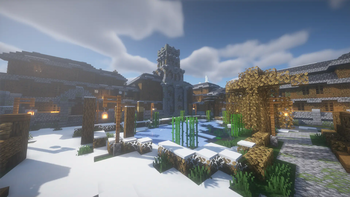
About this Modpack
About the Modpack
A Minecraft modpack aimed to expand the game and add new things to chase after and discover, collect new items, and strive to assemble a collection of items remarking your adventures from the start.
With the addition of a revamped End and Nether, your journey beyond the overworld will be remarkable. New plants and cooking methods allow for new types of food to be consumed. Introducing new structures allows for better exploration and brings amazement as structures can be giant, or hidden in the depths of your world.
Modpack is marked as lightweight as there is not much of an FPS difference between an instance with all optimization mods in this modpack vs this modpack
Hardware Tested:
- Apple Macbook Pro M2
- 6GB RAM allocated
Mods & Shaders used
Mods
- Animatica
- Armor Stand Poses
- BCLib
- Better End
- Better Nether
- CICADA
- Chrysalis
- Chunks Fade in
- Cloth Config API
- Collective
- Comforts
- Concurrent Chunk Management Engine
- Controlling
- CraftPresence
- Deeper and Darker
- Detail Armor Bar
- Distracting Trims
- Do a Barrel Roll
- Double Doors
- Dungeons and Taverns
- Dungeons and Taverns Ancient City Overhaul
- Dungeons and Taverns Pillager Outpost Rework
- Dungeons and Taverns Swamp Hut Rework
- Dynamic FPS
- Elytra Physics
- Elytra Slot
- Elytra Trims
- Endless Music
- Enhanced Block Entities
- Expanded Delight
- Explosive Enhancement
- Fabric API
- Fabric Seasons
- Fabric Seasons: Delight Compat
- Fabric Seasons: Extras
- Fabric Seasons: Terralith Compat
- Falling Leaves
- Fancy Menu
- Farmer's Delight
- FerriteCore
- Forge Config API Port
- Iceberg
- Iris Shaders
- KonKrete
- Language Reload
- Leaves Be Gone
- Legendary ToolTips
- Lithium
- Logical Zoom
- Melody
- Mod Menu
- Moonlight Lib
- More Mob Variants
- Noisium
- Prism
- Puzzles Lib
- Reacharound
- Realistic Sleep
- Reese's Sodium Options
- STRAYED FATES: Forsaken
- Searchables
- Smarter Farmers
- Sodium
- Sodium Extra
- Sound Physics Remastered
- Stacked Armor Trims
- Terralith
- Tool Trims
- Trinkets
- Visuality
- When Dungeons Arise
- Xaero Zoomout
- Xaero's Minimap
- Xaero's World Map
- YUNG's API
- YUNG's Better Desert Temples
- YUNG's Better End Island
- YUNG's Better Jungle Temples
- YUNG's Better Mineshafts
- YUNG's Better Nether Fortresses
- YUNG's Better Ocean Monuments
- YUNG's Bridges
Shaders & Resource Packs Available
- Bliss
- BSL
- Complementary Reimagined
- Extra Xaero's Minimap Icons
Available Versions
How to Set Up a Adventures Expanded Server
Order Server
Choose at least 6 GB RAM (8 GB recommended for Adventures Expanded). Based on player count: per 5 players.
Install Modpack in Dashboard
Open the modpack browser in the dashboard, search for "Adventures Expanded" and click "Install". The fabric loader and Minecraft 1.20.1 are configured automatically.
Start Server & Play
Start the server – all mods are loaded automatically. Share the server IP with friends and play together!
Frequently Asked Questions
Adventures Expanded server crashes or won't start – what to do?
Most common causes: insufficient RAM or wrong fabric loader. Check latest.log for "OutOfMemoryError" → increase RAM to at least 8 GB. For "Mixin" or "ClassNotFoundException" errors: modpack version and loader don't match. With Mado Hosting, loader and Minecraft version are auto-configured on modpack install – preventing most startup issues.
How much RAM does a Adventures Expanded server really need?
Minimum 6 GB, recommended 8 GB for stable performance. per 5 players. Important: Minecraft modpacks need more RAM than vanilla – plan extra per additional player. With Mado Hosting, you can scale RAM up live at any time without data loss (from €12/month).
Can I add custom mods to Adventures Expanded without conflicts?
Yes, but check compatibility: only use mods for the same loader (fabric) and same Minecraft version (1.20.1). Common issues: ID conflicts with recipe mods and incompatible coremod versions. The Mado dashboard mod browser only shows compatible mods and warns about known conflicts.
Adventures Expanded server lagging – performance tips
1) Increase RAM to 8 GB+. 2) Reduce server view-distance to 8 (server.properties). 3) Pre-generate chunks with the "Chunky" plugin. 4) Use /spark profiler to check which mods consume the most tick time. With Mado Hosting, all servers run on NVMe SSDs with dedicated CPU cores – eliminating hardware as a bottleneck.
Rent Adventures Expanded Server
Start your own server with automatic modpack installation.
Supported Versions
Start your Adventures Expanded Server now
From €12.00/month with 8 GB RAM for the best performance.
Configure Server →