
Adventure Tech
Here is the Adventure Tech Modpack!
Screenshots
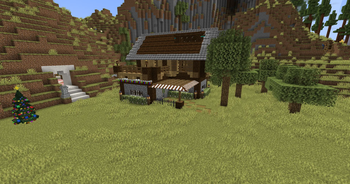
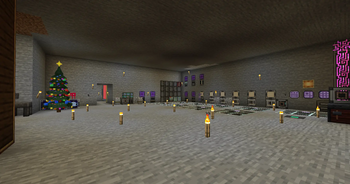
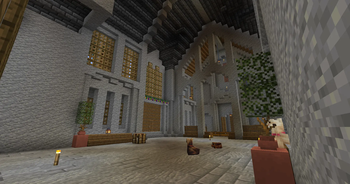
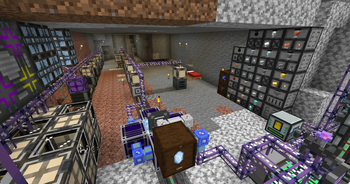
About this Modpack
English:
This is the modpack Adventure Tech!
Featuring over 200 mods, this pack offers a diverse mix of adventure, technology, quality-of-life enhancements, and brand new worlds to explore. Whether you enjoy building complex automation systems, exploring exciting new dimensions, or just relaxing and playing with friends, there’s something here for everyone. We’re always looking forward to your feedback and suggestions to help us continuously improve and expand the modpack together!
Server Download
Comming Soon!!!
Installation Instructions
4GB of RAM is recommended to start!
Note:
This modpack includes a preconfigured server entry, allowing you to quickly join the Adventure Tech server.
German:
Das ist das Modpack Adventure Tech!
Dieses Modpack vereint über 200 Mods und bietet eine abwechslungsreiche Mischung aus Abenteuer, Technik, Komfortfunktionen und neuen Welten. Egal ob du gerne komplexe Automatisierungssysteme baust, spannende neue Dimensionen erkundest oder einfach entspannt mit Freunden spielst – hier findest du für jeden Geschmack das Richtige. Wir freuen uns auf dein Feedback und deine Ideen, um das Modpack stetig zu verbessern und gemeinsam weiterzuentwickeln!
Server Download
Kommt bald!!!
Installationshinweis
4GB RAM sind beim Start empfohlen!
Hinweis:
In diesem Modpack ist bereits ein vorkonfigurierter server enthalten, damit du direkt dem Adventure Tech!-Server beitreten kannst.
Available Versions
How to Set Up a Adventure Tech Server
Order Server
Choose at least 6 GB RAM (8 GB recommended for Adventure Tech). Based on player count: per 5 players.
Install Modpack in Dashboard
Open the modpack browser in the dashboard, search for "Adventure Tech" and click "Install". The forge loader and Minecraft 1.20.1 are configured automatically.
Start Server & Play
Start the server – all mods are loaded automatically. Share the server IP with friends and play together!
Frequently Asked Questions
Adventure Tech server crashes or won't start – what to do?
Most common causes: insufficient RAM or wrong forge loader. Check latest.log for "OutOfMemoryError" → increase RAM to at least 8 GB. For "Mixin" or "ClassNotFoundException" errors: modpack version and loader don't match. With Mado Hosting, loader and Minecraft version are auto-configured on modpack install – preventing most startup issues.
How much RAM does a Adventure Tech server really need?
Minimum 6 GB, recommended 8 GB for stable performance. per 5 players. Important: Minecraft modpacks need more RAM than vanilla – plan extra per additional player. With Mado Hosting, you can scale RAM up live at any time without data loss (from €12/month).
Can I add custom mods to Adventure Tech without conflicts?
Yes, but check compatibility: only use mods for the same loader (forge) and same Minecraft version (1.20.1). Common issues: ID conflicts with recipe mods and incompatible coremod versions. The Mado dashboard mod browser only shows compatible mods and warns about known conflicts.
Adventure Tech server lagging – performance tips
1) Increase RAM to 8 GB+. 2) Reduce server view-distance to 8 (server.properties). 3) Pre-generate chunks with the "Chunky" plugin. 4) Use /spark profiler to check which mods consume the most tick time. With Mado Hosting, all servers run on NVMe SSDs with dedicated CPU cores – eliminating hardware as a bottleneck.
Similar Modpacks
![Cobblemon Official Modpack [Fabric]](https://cdn.modrinth.com/data/5FFgwNNP/e7f9ee2e9d361623847853fe2ddce42f519ee64f.png)
![COBBLEVERSE - Pokemon Adventure [Cobblemon]](https://cdn.modrinth.com/data/Jkb29YJU/581ecf54530972afb18a04660afd820f2f24f6c7.png)
![Better MC [FABRIC] - BMC2](https://cdn.modrinth.com/data/shFhR8Vx/a19c2bcb51d38f32f138d3607e91cb2b7b8e387f_96.webp)


![Better MC [FORGE] - BMC4](https://cdn.modrinth.com/data/4BV47HRn/7f5ef7cc61b2593609aabef3ed07a866a4f11b73_96.webp)
Rent Adventure Tech Server
Start your own server with automatic modpack installation.
Supported Versions
Start your Adventure Tech Server now
From €12.00/month with 8 GB RAM for the best performance.
Configure Server →