
AED MC Client Mods
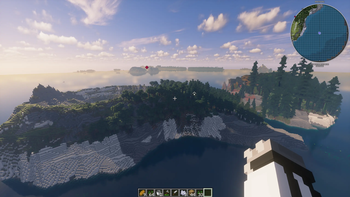
The AskEuropeDiscord Minecraft Server pack. The collection aims for a building and exploring feel, that let's you have a proper survival game with many building options and a few mods to enhance our community's interactions.
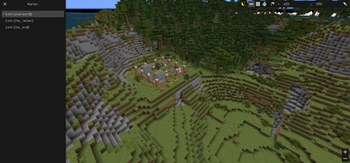
Screenshots
About this Modpack
Ask.Europe.Discord – AED
is the discord server of a Reddit community named Ask Europe. With members from all over the world, a nice shared gaming experience was always our main focus.
We wanted a world that feels big, natural with a lot of neat gadgets but nothing that totally breaks the game. Create being the only main adjustment to the game, which is nerfed to a degree that makes it non-industrious
Click here for installation guide (later)
Server-Info
The pack is made for our own server but can ofc be included in other larger setups. We use the following
- VM Server hosted in Germany (only relevant if you actually want to join our server)
- runs fabric 0.18.4
- runs Minecraft 1.21.11
- client side works with mininmum RAM (512MB) but more is advised
I. Mods
I.a Setup and Feel:
Mods we choose as a basic setup for how the server should be played and feel
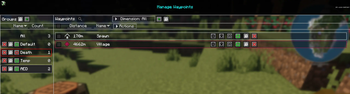
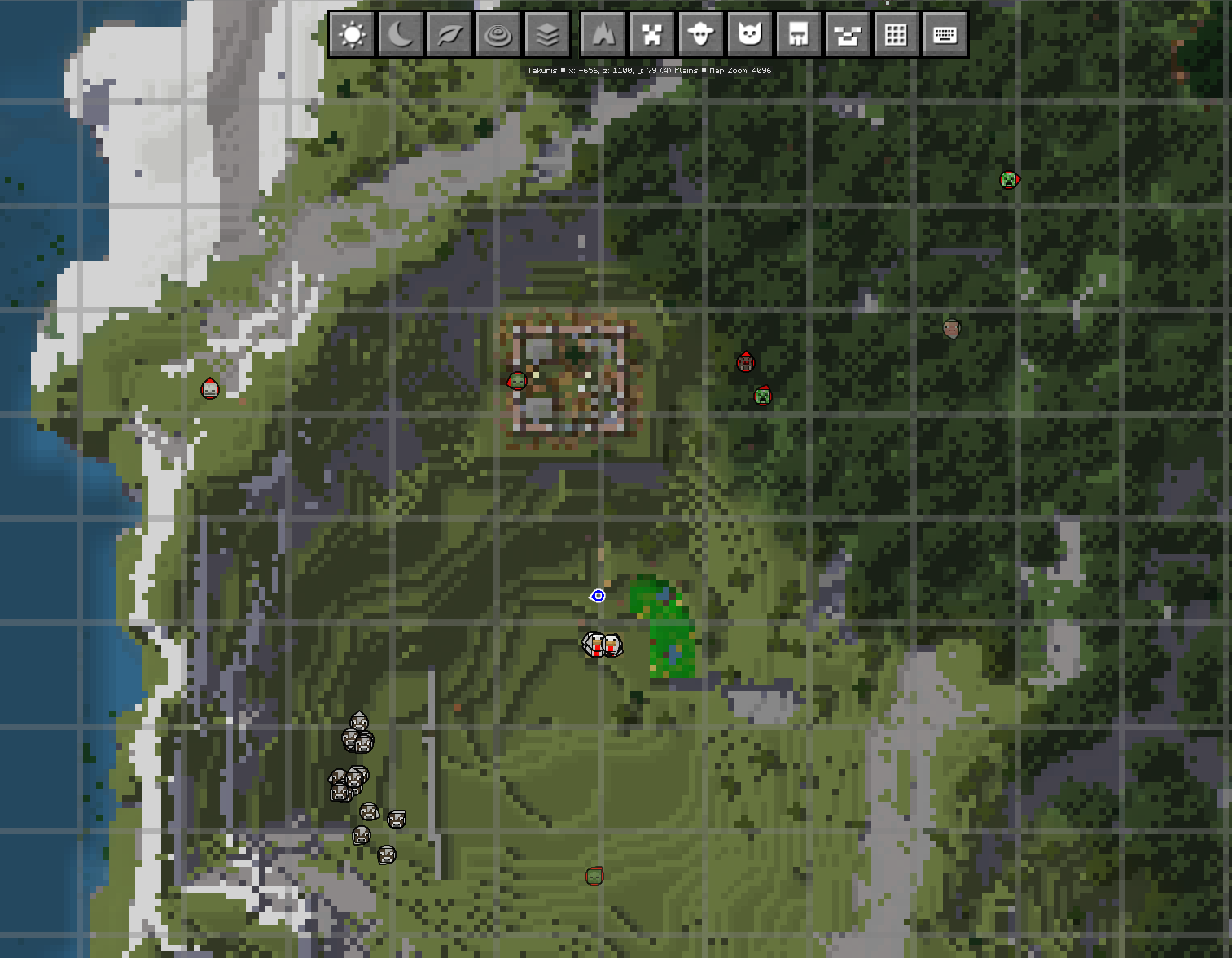
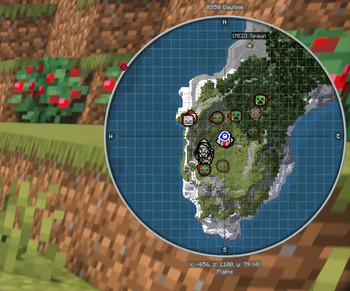
JourneyMap is our core for the shared map and minimap
~~ - Bluemap as a way to share our world with the rest of the community~~Create in a limited setup. It has several options to make the development and building much more interesting (especially for the tech-fans) but we don't use it to its fullest as it can break the game, needs a bit of learning
Farmer's Delight to enrich the overall survival experience (we're still testing some of them Addons
Village Spawn point you spawn in a village
Tom's Simple Storage Mod quite elaborate inventory mod for chest-systems, needs a bit of learning
I.b WorldGen
- Tectonic on the server side which makes it even nicer to have a big.big.World-feel mod
- used together with William Wythers' Overhauled Overworld for the natural looking bioms
- and Taller Forests for the same reason
- Explorify it's a big world, it needs content to explore
- Structuory it's a big big world....
- Useful Structures it's a big big....
- Tectonic on the server side which makes it even nicer to have a big.big.World-feel mod
I.c Noteworthy content
mods with additional items and blocks to built with
- several of MaCaw's mods are included into the pack for a bigger selection of stuff to built
- several of Seril's mods, cause they each do their neat lil thing, reliably and they are light on performance AND they mostly work server-side only, go check him out
Handcraftedcause you should feel at home at home- too hungryFramedBlockscause the more the merrier- too hungry- AnotherFurniture
- Lost Relics
I.d Enhance the gaming mods
mods that mainly aim to enhance the gaming-experience and make life easier
- Elytra Accessory cause yeah
- BetterF3 Cause yeah the vanilla DebugMenu sucks (optional)
- RightClickHarvest cause yeah no one got time for that (server side)
- Just Enough Items cause yeah, especially with many mods containing new blocks and receipts this will be necessary (optional)
- Better Pets + wandering pets
- Backpacks! decent backpack mod that works well with fabric
- Better Combat
II. Installing as a client
II.A If you use modrinth
,just install this pack or the slim version via the modrinth game launcher:
inside the modrinth software
click "+" (create new instance) ....
click "Install from modpack"
type "AED" when he asks you to search for a modpack.
Select our AED client mod. The rest should be done by the software.
Start the game start a multiplayer game and
join our server. (You will receive the IP-Adress on the discord server
II.B If you don't use Modrinth
,we will here pretend you use the default game launcher:
- install java
- install the minecraft launcher
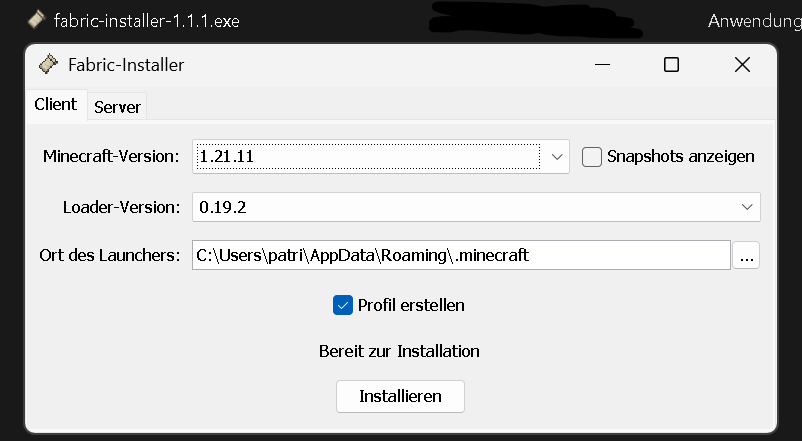
- install fabric
- choose the correct version of the game 1.21.11
- start the launcher
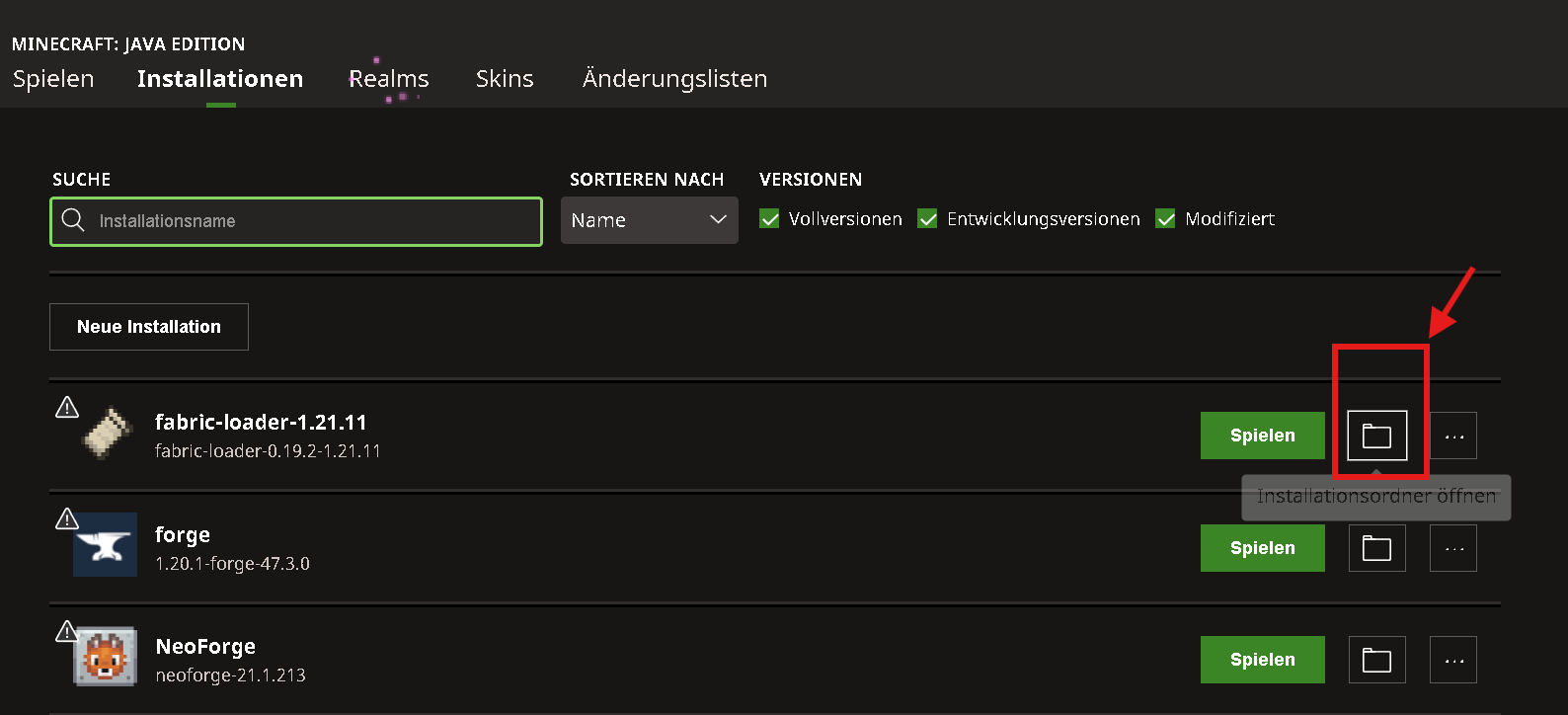
- go to installations
- look for the fabric install and click the folder symbol
- go to the mods folder of your install
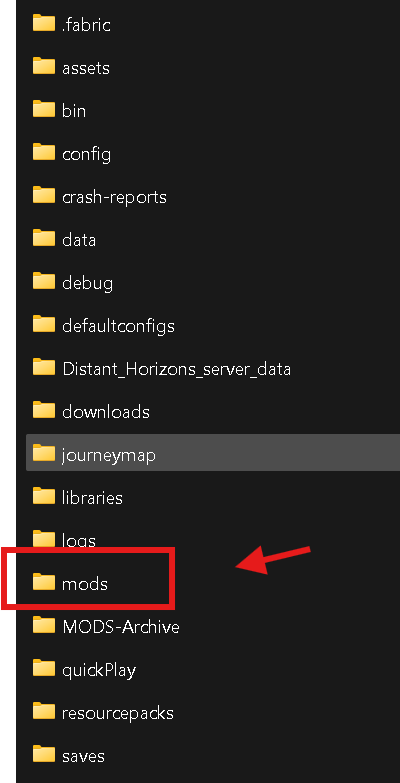
- at this point in time this folder might be empty or might not
- fill it with our mod files you will get here as an archive or here as an unpacked folder.
- this means the .jar files must be inside the mod folder like so:
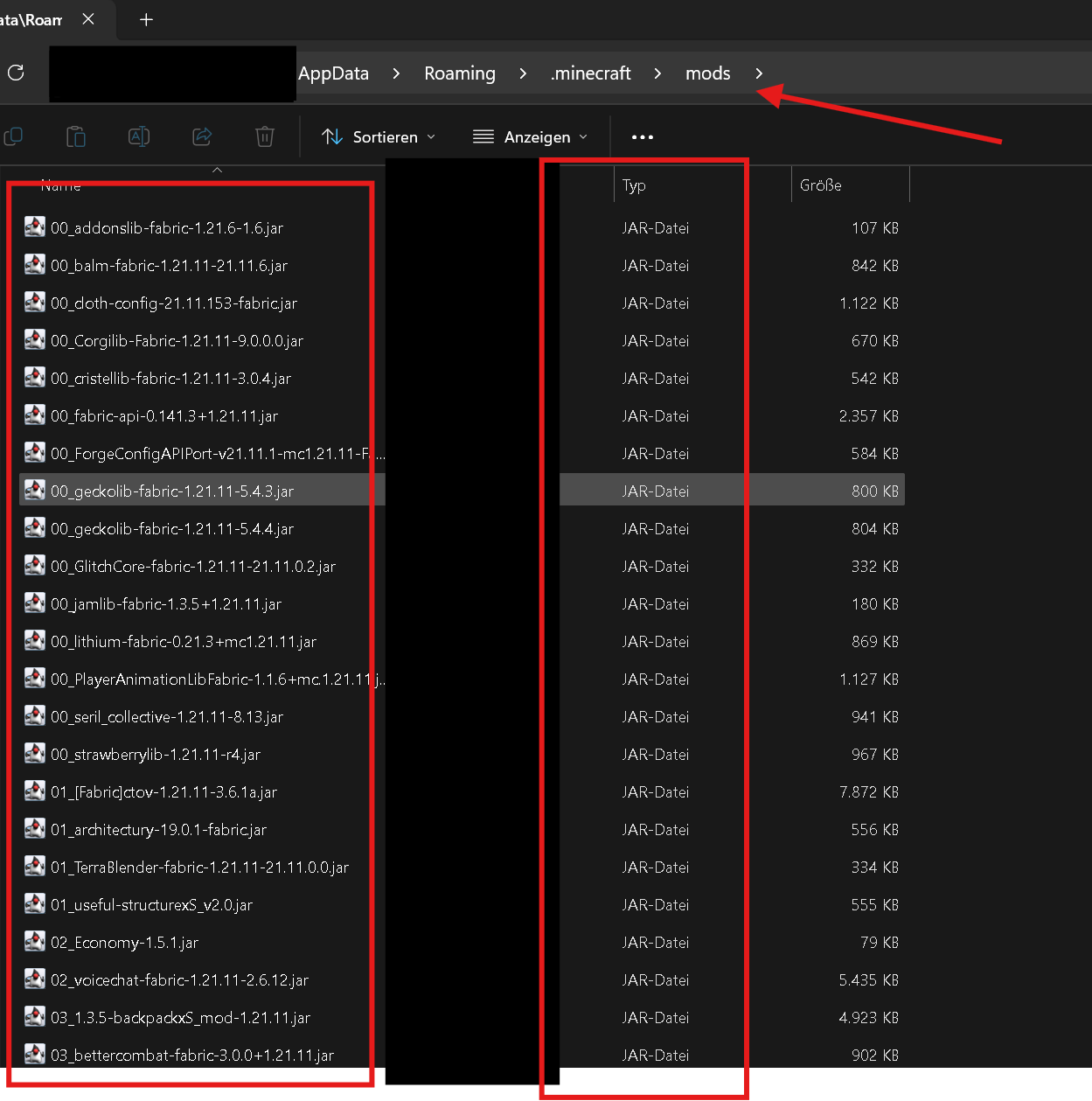
- this means the .jar files must be inside the mod folder like so:
- then the game should be able to start and you can join our server via multiplayer. You'll get the IP at our discord server
Available Versions
How to Set Up a AED MC Client Mods Server
Order Server
Choose at least 6 GB RAM (8 GB recommended for AED MC Client Mods). Based on player count: per 5 players.
Install Modpack in Dashboard
Open the modpack browser in the dashboard, search for "AED MC Client Mods" and click "Install". The fabric loader and Minecraft 1.21.11 are configured automatically.
Start Server & Play
Start the server – all mods are loaded automatically. Share the server IP with friends and play together!
Frequently Asked Questions
AED MC Client Mods server crashes or won't start – what to do?
Most common causes: insufficient RAM or wrong fabric loader. Check latest.log for "OutOfMemoryError" → increase RAM to at least 8 GB. For "Mixin" or "ClassNotFoundException" errors: modpack version and loader don't match. With Mado Hosting, loader and Minecraft version are auto-configured on modpack install – preventing most startup issues.
How much RAM does a AED MC Client Mods server really need?
Minimum 6 GB, recommended 8 GB for stable performance. per 5 players. Important: Minecraft modpacks need more RAM than vanilla – plan extra per additional player. With Mado Hosting, you can scale RAM up live at any time without data loss (from €12/month).
Can I add custom mods to AED MC Client Mods without conflicts?
Yes, but check compatibility: only use mods for the same loader (fabric) and same Minecraft version (1.21.11). Common issues: ID conflicts with recipe mods and incompatible coremod versions. The Mado dashboard mod browser only shows compatible mods and warns about known conflicts.
AED MC Client Mods server lagging – performance tips
1) Increase RAM to 8 GB+. 2) Reduce server view-distance to 8 (server.properties). 3) Pre-generate chunks with the "Chunky" plugin. 4) Use /spark profiler to check which mods consume the most tick time. With Mado Hosting, all servers run on NVMe SSDs with dedicated CPU cores – eliminating hardware as a bottleneck.
Similar Modpacks
![Cobblemon Official Modpack [Fabric]](https://cdn.modrinth.com/data/5FFgwNNP/e7f9ee2e9d361623847853fe2ddce42f519ee64f.png)
![COBBLEVERSE - Pokemon Adventure [Cobblemon]](https://cdn.modrinth.com/data/Jkb29YJU/581ecf54530972afb18a04660afd820f2f24f6c7.png)
![Better MC [FABRIC] - BMC2](https://cdn.modrinth.com/data/shFhR8Vx/a19c2bcb51d38f32f138d3607e91cb2b7b8e387f_96.webp)


![Better MC [FORGE] - BMC4](https://cdn.modrinth.com/data/4BV47HRn/7f5ef7cc61b2593609aabef3ed07a866a4f11b73_96.webp)
Rent AED MC Client Mods Server
Start your own server with automatic modpack installation.
Supported Versions
Start your AED MC Client Mods Server now
From €12.00/month with 8 GB RAM for the best performance.
Configure Server →