
Aeternum Roleplay
Modpack for playing on the aeternum-roleplay Server
Screenshots
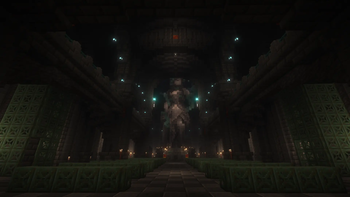

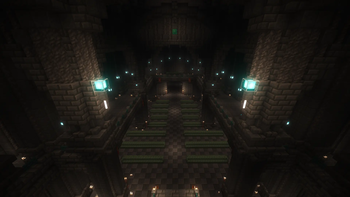



About this Modpack
Dieses Modpack wurde für den deutschen Rollenspielserver Aeternum-Roleplay erstellt.
Es beinhaltet bereits voreingestellte und auf den Server zugeschnittene Chatfilter, Performanceoptimierungen, eine erhöhte Render-Distanz sowie die Möglichkeit, das servereigene Ressourcenpaket auch außerhalb des Spielbeitritts herunterzuladen.
Features:
- Aeternum Texturepack Download
- Performance
- Sodium
- Eine stark optimierte Mod, die dabei hilft, das Beste aus Minecraft herauszuholen und für ein flüssigeres Spielerlebnis zu sorgen.
- Sodium
- Vision Enhancement
- Voxy
- Diese Mod stellt eine Alternative zu Distant Horizons dar und nutzt eine LoD-Technologie, um die Sichtweite deutlich zu erhöhen.
- Voxy
- Chat Enhancement
- Vorkonfigurierte und auf den Server zugeschnittene Einstellungen, darunter Chatfilter und Chattabs.
- Figura + Figura-Scripte
- Figura ermöglicht es dir, dein Spielermodell umfangreich anzupassen und anderen Spielern deinen Avatar anzeigen zu lassen, ganz ohne zusätzliche Server-Mods.
- Im Ordner
aeternum_figura_scriptesind zwei Figura-Scripte enthalten:aeternum_afk_indicator.lua- Zeigt an, wenn ein Spieler AFK ist.aeternum_show_typing.lua- Zeigt an, wenn ein Spieler aktuell im Chat schreibt.- Zum Anzeigen der Funktionen müssen die Figura-Berechtigungen des jeweiligen Spielers auf die maximale Stufe gesetzt sein.
- Weitere Informationen sind der
readme.luazu entnehmen.

English:
This modpack was created for the German roleplay server Aeternum-Roleplay.
It includes preconfigured chat filters tailored specifically to the server, performance optimizations, an increased render distance, and the ability to download the server's custom resource pack even without joining the server.
Features:
- Aeternum Texturepack Download
- Performance
- Sodium
- A highly optimized mod designed to improve Minecraft's performance and provide a smoother gameplay experience.
- Sodium
- Vision Enhancement
- Voxy
- This mod serves as an alternative to Distant Horizons and uses LoD (Level of Detail) technology to significantly increase your viewing distance.
- Voxy
- Chat Enhancement
- Preconfigured settings tailored to the server, including chat filters and chat tabs.
- Figura + Figura Scripts
- Figura allows you to extensively customize your player model and lets other players see your avatar without requiring any additional server-side mods.
- The folder
aeternum_figura_scripteincludes two Figura scripts:aeternum_afk_indicator.lua- Displays an AFK indicator.aeternum_show_typing.lua- Displays when a player is currently typing in chat.- Requires the player's Figura permissions to be set to the maximum level in order to function properly.
- See
readme.luafor additional information.
Available Versions
How to Set Up a Aeternum Roleplay Server
Order Server
Choose at least 4 GB RAM (6 GB recommended for Aeternum Roleplay). Based on player count: per 8 players.
Install Modpack in Dashboard
Open the modpack browser in the dashboard, search for "Aeternum Roleplay" and click "Install". The fabric loader and Minecraft 1.21.8 are configured automatically.
Start Server & Play
Start the server – all mods are loaded automatically. Share the server IP with friends and play together!
Frequently Asked Questions
Aeternum Roleplay server crashes or won't start – what to do?
Most common causes: insufficient RAM or wrong fabric loader. Check latest.log for "OutOfMemoryError" → increase RAM to at least 6 GB. For "Mixin" or "ClassNotFoundException" errors: modpack version and loader don't match. With Mado Hosting, loader and Minecraft version are auto-configured on modpack install – preventing most startup issues.
How much RAM does a Aeternum Roleplay server really need?
Minimum 4 GB, recommended 6 GB for stable performance. per 8 players. Important: Minecraft modpacks need more RAM than vanilla – plan extra per additional player. With Mado Hosting, you can scale RAM up live at any time without data loss (from €8/month).
Can I add custom mods to Aeternum Roleplay without conflicts?
Yes, but check compatibility: only use mods for the same loader (fabric) and same Minecraft version (1.21.8). Common issues: ID conflicts with recipe mods and incompatible coremod versions. The Mado dashboard mod browser only shows compatible mods and warns about known conflicts.
Aeternum Roleplay server lagging – performance tips
1) Increase RAM to 6 GB+. 2) Reduce server view-distance to 8 (server.properties). 3) Pre-generate chunks with the "Chunky" plugin. 4) Use /spark profiler to check which mods consume the most tick time. With Mado Hosting, all servers run on NVMe SSDs with dedicated CPU cores – eliminating hardware as a bottleneck.
Similar Modpacks

![Cobblemon Official Modpack [Fabric]](https://cdn.modrinth.com/data/5FFgwNNP/e7f9ee2e9d361623847853fe2ddce42f519ee64f.png)
![COBBLEVERSE - Pokemon Adventure [Cobblemon]](https://cdn.modrinth.com/data/Jkb29YJU/581ecf54530972afb18a04660afd820f2f24f6c7.png)
![Better MC [FABRIC] - BMC2](https://cdn.modrinth.com/data/shFhR8Vx/a19c2bcb51d38f32f138d3607e91cb2b7b8e387f_96.webp)


Rent Aeternum Roleplay Server
Start your own server with automatic modpack installation.
Details
- License
- LicenseRef-All-Rights-Reserved
- Server-side
- Unsupported
- Client-side
- Required
Supported Versions
Start your Aeternum Roleplay Server now
From €8.00/month with 6 GB RAM for the best performance.
Configure Server →