
Alex's Amazing PVP Pack
"Alex's Amazing PVP Pack" contains a mix of mods and texture packs that make the PVP experience WAY better.
Screenshots
About this Modpack
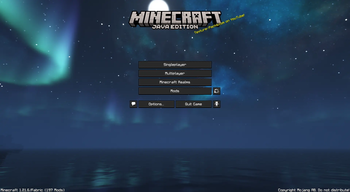
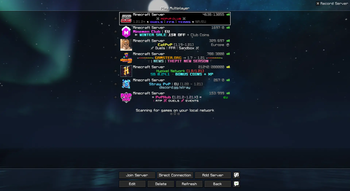
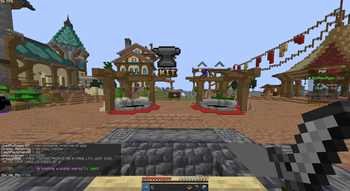
"Alex's Amazing PVP Pack" contains a mix of mods and texture packs that make the PVP experience WAY better. Optimization and QoL mods are the focus of the modpack, already set with the best video options for low-end PCs/laptops (it is advised to use V-Sync or limit the FPS between 60-120 if you have a really bad hardware that can barely run Minecraft). This modpack has custom keybinds, but you're free to change them.
We even have mods to make Optfine packs compatible and shader support.
We have:
- In-game datapcks and texture packs download
- Custom Hitbox (not models)
- Tiers (MCTiers, PvPTiers, Subtiers) on players name
- Replay Mod
- Favorite Worlds
- More Chat History
- Lunar Client-like widgets
- Smooth Chat
- Crosshair Indicator
This modpacks specifically contains:
Optimization mods:
- BadOptimizations
- Clumps
- Concurrent Chunk Management Engine
- Dynamic FPS
- EntityCulling
- FerriteCore
- ImmediatelyFast
- Krypton
- Lithium
- Particle Core
- More Culling
- No Telemetry
- ScalableLux
- Sodium/Sodium Extra/Reese's Sodium Options
- Very Many Players
QoL mods:
- AppleSkin
- Better Advancements
- Better Mount HUD
- Better Ping Display
- Better Statistic Screen
- BetterF3
- BetterHitbox
- Boat Item View
- Bobby
- Carpet Mod (fake players)
- Chat Heads
- ChatAnimation (like Lunar Client)
- Cherished World
- Crosshair Indicator
- Fabrishot
- Fadeless
- Fast IP Ping
- Fullbright
- GUI Effect Timer
- HerosAnchorOptimizer
- How High is it? (mace damage)
- Marlow's Crystal Optimizer
- Mod Menu
- Model Gap Fix
- More Chat History
- NetherPortalFix
- No Chat Reports
- Remove Reloading Screen (disable if texture packs get bugged)
- Replay Mod
- Resourcify
- Shield Status & Fixes
- Shulker Box Tooltip
- Third Person Nametag
- Tiers
- TotemCounter
- uku's Armor HUD
- Widgets
- Zoomify
PVP and QoL Packs (same order as in the game) (ignoring mods built-in packs)
- Connected Ore Bordes + Connected Budding Amethyst
- Simple Grass Flower
- Cool Font 4
- Low Fire
- Low Shield
- Daggers
- Viual Armor Trims
- Unique Dark
- CPVP Essentials
- Vanilla+
Available Versions
How to Set Up a Alex's Amazing PVP Pack Server
Order Server
Choose at least 4 GB RAM (6 GB recommended for Alex's Amazing PVP Pack). Based on player count: per 8 players.
Install Modpack in Dashboard
Open the modpack browser in the dashboard, search for "Alex's Amazing PVP Pack" and click "Install". The fabric loader and Minecraft 1.21.6 are configured automatically.
Start Server & Play
Start the server – all mods are loaded automatically. Share the server IP with friends and play together!
Frequently Asked Questions
Alex's Amazing PVP Pack server crashes or won't start – what to do?
Most common causes: insufficient RAM or wrong fabric loader. Check latest.log for "OutOfMemoryError" → increase RAM to at least 6 GB. For "Mixin" or "ClassNotFoundException" errors: modpack version and loader don't match. With Mado Hosting, loader and Minecraft version are auto-configured on modpack install – preventing most startup issues.
How much RAM does a Alex's Amazing PVP Pack server really need?
Minimum 4 GB, recommended 6 GB for stable performance. per 8 players. Important: Minecraft modpacks need more RAM than vanilla – plan extra per additional player. With Mado Hosting, you can scale RAM up live at any time without data loss (from €8/month).
Can I add custom mods to Alex's Amazing PVP Pack without conflicts?
Yes, but check compatibility: only use mods for the same loader (fabric) and same Minecraft version (1.21.6). Common issues: ID conflicts with recipe mods and incompatible coremod versions. The Mado dashboard mod browser only shows compatible mods and warns about known conflicts.
Alex's Amazing PVP Pack server lagging – performance tips
1) Increase RAM to 6 GB+. 2) Reduce server view-distance to 8 (server.properties). 3) Pre-generate chunks with the "Chunky" plugin. 4) Use /spark profiler to check which mods consume the most tick time. With Mado Hosting, all servers run on NVMe SSDs with dedicated CPU cores – eliminating hardware as a bottleneck.
Similar Modpacks

![Better MC [FABRIC] - BMC2](https://cdn.modrinth.com/data/shFhR8Vx/a19c2bcb51d38f32f138d3607e91cb2b7b8e387f_96.webp)
![Better MC [FORGE] - BMC4](https://cdn.modrinth.com/data/4BV47HRn/7f5ef7cc61b2593609aabef3ed07a866a4f11b73_96.webp)


Rent Alex's Amazing PVP Pack Server
Start your own server with automatic modpack installation.
Supported Versions
Start your Alex's Amazing PVP Pack Server now
From €8.00/month with 6 GB RAM for the best performance.
Configure Server →