
All Of Utility 2
Redstone tech, carpet+addons, exploration, visual, QOL, building tools.
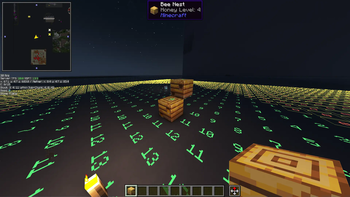
Screenshots

About this Modpack
All of Utility 2 - Client Utility Modpack
All of Utility 2 is a continuously updated, client-side–focused utility modpack for advanced survival, technical gameplay, building, and multiplayer servers.
It is not tied to a single Minecraft version and has been maintained across multiple game releases.
⚠️ Project Status & New Version
All of Utility 2 is no longer actively maintained.
The project has moved to a new, updated version:
➡️ All of Utility 3
Starting from version 26.1.2 and above, all future development continues on the new page.
All of Utility 2 remains functional on the Minecraft versions it originally supported, but it will no longer receive updates or new features.
🎯 Intended Audience
- Technical and redstone-focused players
- Builders working on large-scale projects
- Multiplayer players who rely on advanced client tools
- Players who want a powerful but configurable client setup
🔄 Versioning & World Rendering
- The modpack exists in multiple Minecraft versions
- World-rendering mods depend on the Minecraft version:
- Older versions: Bobby and/or Voxy
- Minecraft 1.21.11+: Voxy only
- Rendering mods are selected to ensure best compatibility and performance per version
⚡ Performance & Optimization
Focused on high FPS, low latency, and efficient memory usage:
- Sodium, Lithium, FerriteCore, Krypton
- Entity Culling, More Culling, ImmediatelyFast
- Dynamic FPS, GPU Tape, Nvidium (when supported)
🗺️ Exploration, Maps & Navigation
Advanced tools for exploration and multiplayer coordination:
- Xaero’s Minimap & World Map (+ XaeroPlus)
- Waypoints, direction helpers, client-side map utilities
- Extended render distance via Bobby or Voxy (depending on version)
🧱 Building, Redstone & Technical Gameplay
Strong focus on technical Minecraft and redstone work:
- Litematica (+ optional printers)
- Tweakeroo, Tweakermore, MiniHUD, ItemScroller, ChunkDebug
- Carpet and multiple Carpet-based additions
- WorldEdit (client-side usage)
- Axiom, DBTools, Chunk utilities
🎨 Visual Enhancements
Visual upgrades without sacrificing performance:
- Not Enough Animations
- Entity Texture & Model Features
- Continuity, Better Clouds, Smooth Skies
- Skin Layers 3D, Wavey Capes
- Ambient Environment, particle and lighting improvements
🔊 Audio & Immersion
Enhanced spatial and environmental sound:
- Presence Footsteps
- Sound Physics Remastered
- Drip Sounds
- AudioPlayer
- Ambient and environmental audio mods
🎙️ Multiplayer & Server Interaction
- Simple Voice Chat + voice-related extensions
- Replay Mod (+ voice integration)
- Many mods unlock additional features when corresponding server mods are installed
- Designed to integrate smoothly with modded or semi-modded servers
🔀 Modular & Flexible Design
- Some mods are disabled by default
- Alternatives are included where possible
- Players can switch between mods to:
- Gain specific functionality
- Avoid conflicts
- Match server rules or personal preferences
⚠️ Important Notice
WARNING:
This modpack contains client-side utilities that may be considered cheating on some servers
(e.g. Litematica, MiniHUD, Tweakeroo, Carpet-based features).
✅ Server Compatibility
- Allowed on Mainstay SMP
- Client-side only (no server installation required)
- Many features scale based on server-side mod support
- Always follow the rules of the server you play on
All of Utility 2 prioritizes precision, information, and adaptability
over vanilla balance.
Available Versions
How to Set Up a All Of Utility 2 Server
Order Server
Choose at least 4 GB RAM (6 GB recommended for All Of Utility 2). Based on player count: per 8 players.
Install Modpack in Dashboard
Open the modpack browser in the dashboard, search for "All Of Utility 2" and click "Install". The fabric loader and Minecraft 1.21.11 are configured automatically.
Start Server & Play
Start the server – all mods are loaded automatically. Share the server IP with friends and play together!
Frequently Asked Questions
All Of Utility 2 server crashes or won't start – what to do?
Most common causes: insufficient RAM or wrong fabric loader. Check latest.log for "OutOfMemoryError" → increase RAM to at least 6 GB. For "Mixin" or "ClassNotFoundException" errors: modpack version and loader don't match. With Mado Hosting, loader and Minecraft version are auto-configured on modpack install – preventing most startup issues.
How much RAM does a All Of Utility 2 server really need?
Minimum 4 GB, recommended 6 GB for stable performance. per 8 players. Important: Minecraft modpacks need more RAM than vanilla – plan extra per additional player. With Mado Hosting, you can scale RAM up live at any time without data loss (from €8/month).
Can I add custom mods to All Of Utility 2 without conflicts?
Yes, but check compatibility: only use mods for the same loader (fabric) and same Minecraft version (1.21.11). Common issues: ID conflicts with recipe mods and incompatible coremod versions. The Mado dashboard mod browser only shows compatible mods and warns about known conflicts.
All Of Utility 2 server lagging – performance tips
1) Increase RAM to 6 GB+. 2) Reduce server view-distance to 8 (server.properties). 3) Pre-generate chunks with the "Chunky" plugin. 4) Use /spark profiler to check which mods consume the most tick time. With Mado Hosting, all servers run on NVMe SSDs with dedicated CPU cores – eliminating hardware as a bottleneck.
Similar Modpacks

![Cobblemon Official Modpack [Fabric]](https://cdn.modrinth.com/data/5FFgwNNP/e7f9ee2e9d361623847853fe2ddce42f519ee64f.png)
![COBBLEVERSE - Pokemon Adventure [Cobblemon]](https://cdn.modrinth.com/data/Jkb29YJU/581ecf54530972afb18a04660afd820f2f24f6c7.png)
![Better MC [FABRIC] - BMC2](https://cdn.modrinth.com/data/shFhR8Vx/a19c2bcb51d38f32f138d3607e91cb2b7b8e387f_96.webp)


Rent All Of Utility 2 Server
Start your own server with automatic modpack installation.
Supported Versions
Start your All Of Utility 2 Server now
From €8.00/month with 6 GB RAM for the best performance.
Configure Server →