
Apocalipse Light
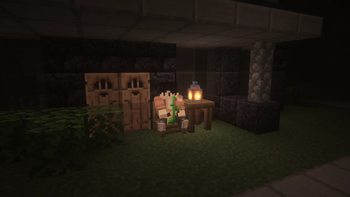
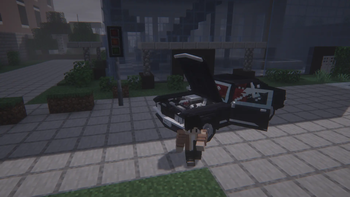
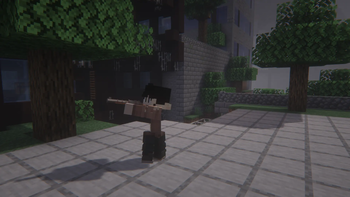
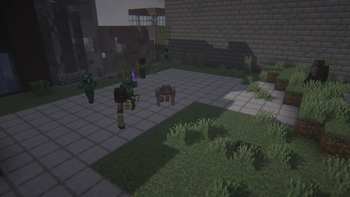
Survive the zombie apocalypse. Explore ruined cities, fight relentless hordes, and do whatever it takes to stay alive.
Screenshots
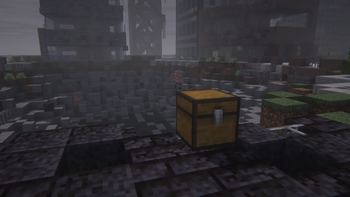
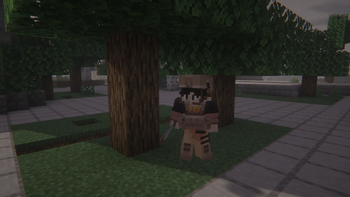
About this Modpack
🇺🇸 English Version
The world has fallen. Cities are abandoned, supplies are scarce, and the streets are full of zombies that definitely did not get the memo about personal space.
In this zombie apocalypse survival modpack, your goal is simple: stay alive. Explore massive ruined cities, search every building for resources, and try not to get surrounded by the undead.
Zombies are far more dangerous than usual. They can hear you, track you, and swarm you if you're not careful. Every building might contain the supplies you desperately need… or a horde waiting around the corner.
Survival is much harsher than vanilla Minecraft. You’ll need to manage injuries, scavenge for supplies, and think twice before running into a building full of zombies like it's a supermarket sale.
Nights are darker, exploration is riskier, and every decision matters if you want to survive just one more day.
Main Mods Included:
- The Lost Cities
- Zombie Awareness
- Improved Mobs
- Create
- Legendary Survival Overhaul
- Sound Physics Remastered
- Enhanced Celestials
And many more mods to make the apocalypse feel even more immersive and dangerous.
Good luck surviving the end of the world — you're definitely going to need it.
⚠️ Mandatory Manual Installation
Due to licensing and distribution restrictions, the mod Survivor's Arsenal is not included in this download. To have the full experience (including the custom weapons and items), you must download it manually:
Download the mod here: Survivor's Arsenal on CurseForge
Drop the .jar file into your mods folder.
Without this mod, some recipes and loot tables may not work correctly.
🇧🇷 Versão em Português
O mundo acabou. Cidades estão abandonadas, recursos são escassos e as ruas estão cheias de zumbis que definitivamente não sabem o que é espaço pessoal.
Neste modpack de sobrevivência em um apocalipse zumbi, seu objetivo é simples: continuar vivo. Explore cidades destruídas, procure suprimentos em cada prédio e tente não ser cercado pelos mortos-vivos.
Os zumbis são muito mais perigosos do que no Minecraft normal. Eles podem ouvir você, rastrear seus movimentos e atacar em hordas se você não tomar cuidado. Cada prédio pode ter os recursos que você precisa… ou uma horda esperando na próxima sala.
A sobrevivência é muito mais difícil do que no vanilla. Você terá que lidar com ferimentos, procurar suprimentos e pensar duas vezes antes de entrar em um prédio cheio de zumbis como se fosse promoção de supermercado.
As noites são mais perigosas, a exploração é mais arriscada e cada decisão importa se você quiser sobreviver só mais um dia.
Principais Mods Incluídos:
- The Lost Cities
- Zombie Awareness
- Improved Mobs
- Create
- Legendary Survival Overhaul
- Sound Physics Remastered
- Enhanced Celestials
E muitos outros mods para deixar o apocalipse ainda mais imersivo e perigoso.
Boa sorte sobrevivendo ao fim do mundo — você definitivamente vai precisar.
Credits / Mod Authors
Cosmetic Armor Reworked (by LainMI)
Source: https://www.curseforge.com/minecraft/mc-mods/cosmetic-armor-reworked
Framework (by MrCrayfish)
Source: https://www.curseforge.com/minecraft/mc-mods/framework

Available Versions
How to Set Up a Apocalipse Light Server
Order Server
Choose at least 4 GB RAM (6 GB recommended for Apocalipse Light). Based on player count: per 5 players.
Install Modpack in Dashboard
Open the modpack browser in the dashboard, search for "Apocalipse Light" and click "Install". The forge loader and Minecraft 1.20.1 are configured automatically.
Start Server & Play
Start the server – all mods are loaded automatically. Share the server IP with friends and play together!
Frequently Asked Questions
Apocalipse Light server crashes or won't start – what to do?
Most common causes: insufficient RAM or wrong forge loader. Check latest.log for "OutOfMemoryError" → increase RAM to at least 6 GB. For "Mixin" or "ClassNotFoundException" errors: modpack version and loader don't match. With Mado Hosting, loader and Minecraft version are auto-configured on modpack install – preventing most startup issues.
How much RAM does a Apocalipse Light server really need?
Minimum 4 GB, recommended 6 GB for stable performance. per 5 players. Important: Minecraft modpacks need more RAM than vanilla – plan extra per additional player. With Mado Hosting, you can scale RAM up live at any time without data loss (from €8/month).
Can I add custom mods to Apocalipse Light without conflicts?
Yes, but check compatibility: only use mods for the same loader (forge) and same Minecraft version (1.20.1). Common issues: ID conflicts with recipe mods and incompatible coremod versions. The Mado dashboard mod browser only shows compatible mods and warns about known conflicts.
Apocalipse Light server lagging – performance tips
1) Increase RAM to 6 GB+. 2) Reduce server view-distance to 8 (server.properties). 3) Pre-generate chunks with the "Chunky" plugin. 4) Use /spark profiler to check which mods consume the most tick time. With Mado Hosting, all servers run on NVMe SSDs with dedicated CPU cores – eliminating hardware as a bottleneck.
Similar Modpacks

![Better MC [FABRIC] - BMC2](https://cdn.modrinth.com/data/shFhR8Vx/a19c2bcb51d38f32f138d3607e91cb2b7b8e387f_96.webp)
![Better MC [FORGE] - BMC4](https://cdn.modrinth.com/data/4BV47HRn/7f5ef7cc61b2593609aabef3ed07a866a4f11b73_96.webp)


Rent Apocalipse Light Server
Start your own server with automatic modpack installation.
Details
- License
- Creative Commons Attribution Non Commercial No Derivatives 4.0 International
- Server-side
- Required
- Client-side
- Required
Supported Versions
Start your Apocalipse Light Server now
From €8.00/month with 6 GB RAM for the best performance.
Configure Server →