
Arclight Zombies Remastered
Unfinished? Yes. Playable? Sort of. Zombies? Absolutely! Dive into this chaotic, COD-inspired zombie survival modpack where the map’s incomplete, but the horde is relentless. It’s a work in progress, but hey, that’s part of the charm!
Screenshots
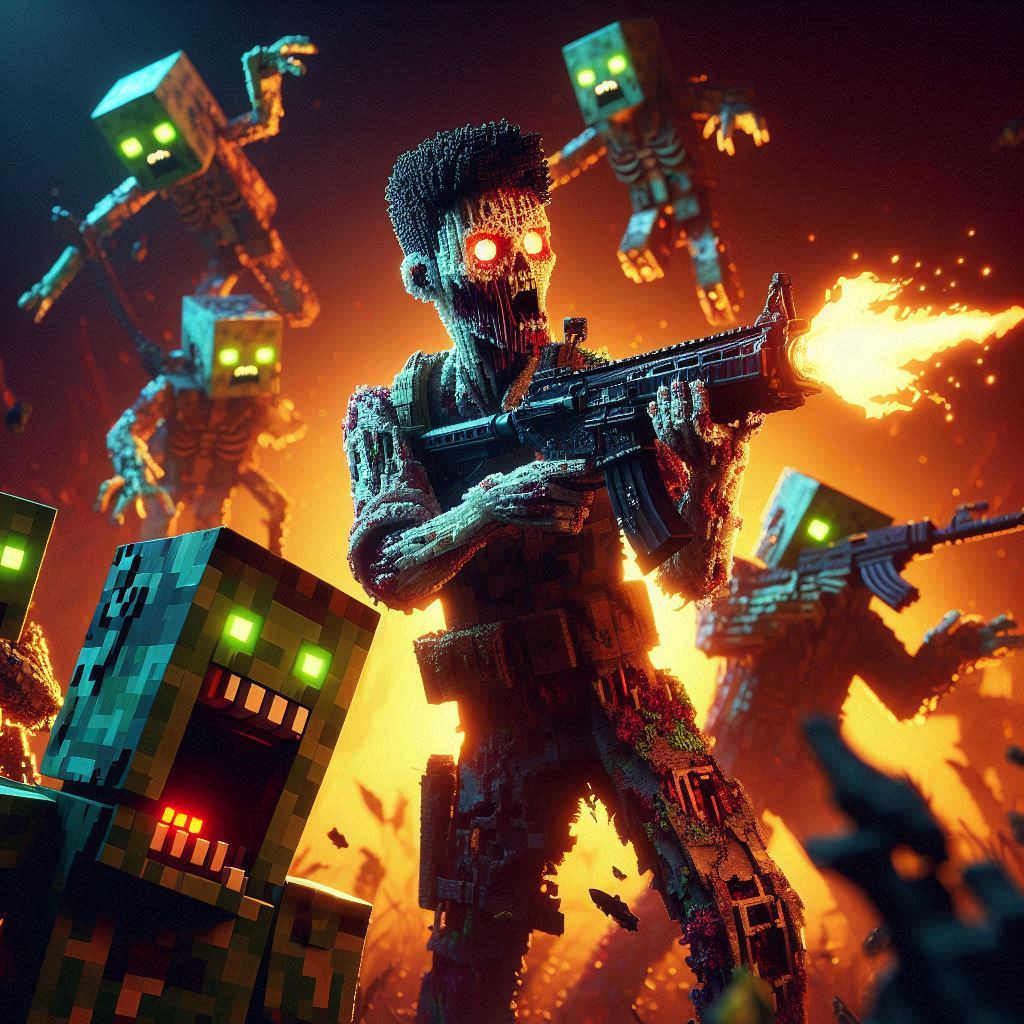
About this Modpack
Arclight Zombies is a custom modpack that my friends and I started developing to recreate the intense, wave-based survival experience inspired by the classic Call of Duty Zombies mode—within Minecraft. When we first started, things were going great, but progress slowed after I lost contact with the friend who was helping me with the map’s building. now i got new friends helping me but letsee how far we can get.
I’ll be honest, losing his help put a damper on my motivation, and for a while, I lost interest in the project. But now, I’m feeling inspired again and want to pick up where we left off. The modpack is still under construction and far from finished, but the vision is still alive, and I’d love some help to bring it to life—especially with building, custom development, and decorating the map.
why guys
That said, I honestly have no idea why people keep downloading this unfinished modpack. It’s not even a proper survival or creative modpack it’s just the framework for my incomplete server but somehow, it’s reached 957 downloads! That’s crazy to me, and I can’t thank you all enough for the support. Seriously, you’ve downloaded a work-in-progress project with practically nothing to offer yet. You’re either really curious, very bored, or just awesome—and either way, I appreciate you.
Get Involved!
But now I need some help. If you’re a:
- Builder: Help with building and decorating the map.
- Redstone Expert: Assist in designing mechanics or gameplay elements.
- Developer: Help create custom mods or plugins, troubleshoot technical issues, or add custom features to enhance gameplay. Since this is a passion project, contributions would need to be free. I understand this is a big ask, but any help would mean the world to me.
- Tester: Playtest the modpack, find bugs, and provide feedback.
- Idea Person: Share creative ideas for features, aesthetics, or map designs.
- Or Anyone Else: Maybe you’re an artist who wants to design a logo that isn’t made in 3 seconds by AI 😅 Or maybe you can make me a in-game art that i can display using photo mods. Anyone is welcome to hop in and add something cool!
Feel free to reach out to me on Discord at redking_11 if you’d like to contribute in any way! Any help, feedback, or collaboration is appreciated more than you know.
For now, Arclight Zombies is still a passion project that’s slowly coming together, and I’m excited to see where it goes. Who knows? Maybe together, we’ll create something incredible—or at least something that’s fun to play when you’re bored.
Current Progress:
Spoilers yay
[==----------------------------] 2%
Known Issues:
Click to expand
- Memory Allocation: The modpack may experience lag or crashes if there is not enough memory, just like any other larger modpack.
- to fix this follow the tutorial under neath
Tips for Better Performance:
Follow these steps to make your game run smoother and avoid crashes:
- Go to Options in the Modrinth instance.
- Enable Override Memory Settings.
- Set the memory to 4GB (6GB is preferred for optimal performance).
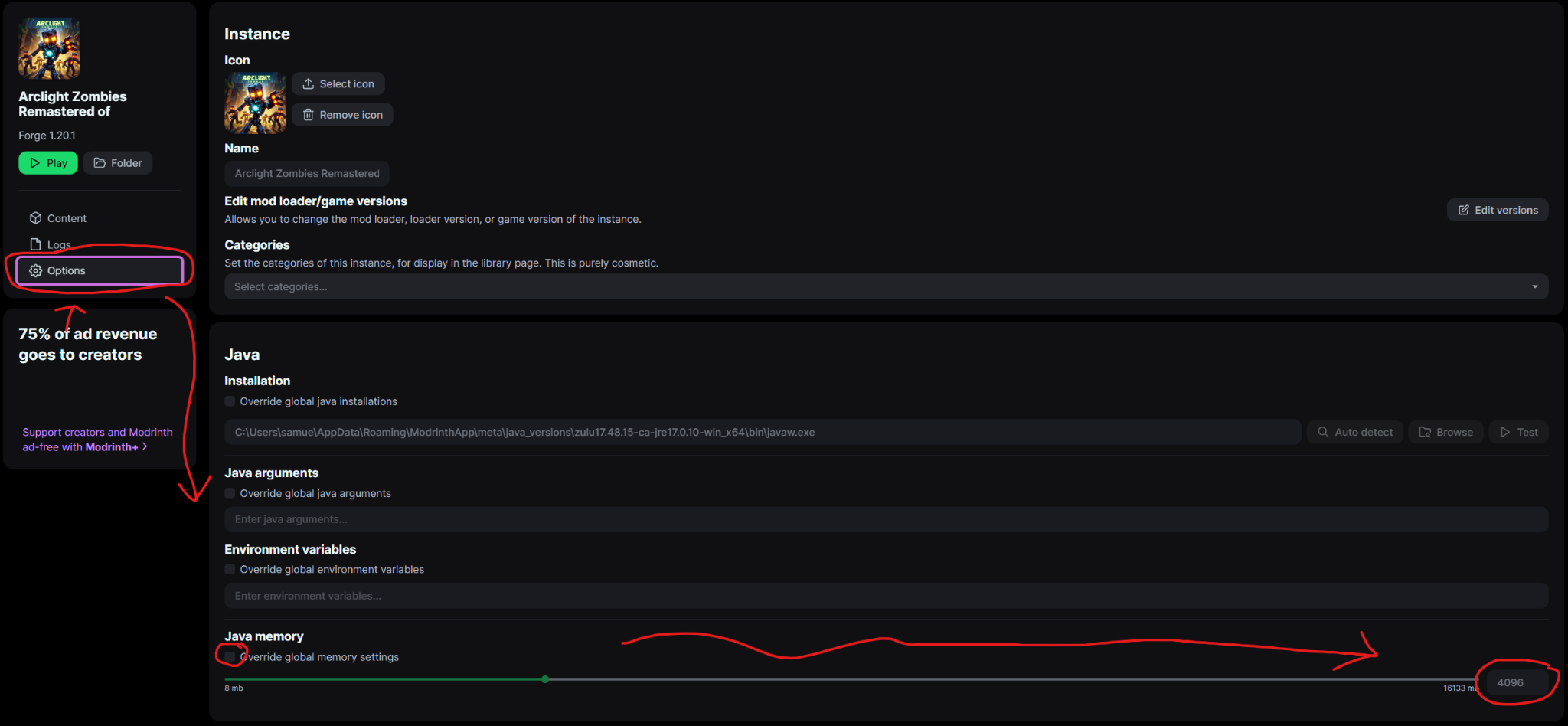
Note: Increasing memory allocation helps the game run everything properly. If you're not sure how much memory to allocate, 4GB is a safe starting point
And honestly, I don’t know why Modrinth sets it to 2GB by default—even though everyone knows modded Minecraft needs at least 4GB to run properly.
Reminder Arclight Zombies is still under construction and absolutely not ready! But hey, that’s part of the charm, right?
Special Thanks
Massive thanks to the legends who helped build this thing:
BTL_Toast and zercalo — seriously, couldn’t have gotten this far without you.
(And yes... technically there was a third, but we don’t talk about him)
Available Versions
How to Set Up a Arclight Zombies Remastered Server
Order Server
Choose at least 4 GB RAM (6 GB recommended for Arclight Zombies Remastered). Based on player count: per 5 players.
Install Modpack in Dashboard
Open the modpack browser in the dashboard, search for "Arclight Zombies Remastered" and click "Install". The forge loader and Minecraft 1.20.1 are configured automatically.
Start Server & Play
Start the server – all mods are loaded automatically. Share the server IP with friends and play together!
Frequently Asked Questions
Arclight Zombies Remastered server crashes or won't start – what to do?
Most common causes: insufficient RAM or wrong forge loader. Check latest.log for "OutOfMemoryError" → increase RAM to at least 6 GB. For "Mixin" or "ClassNotFoundException" errors: modpack version and loader don't match. With Mado Hosting, loader and Minecraft version are auto-configured on modpack install – preventing most startup issues.
How much RAM does a Arclight Zombies Remastered server really need?
Minimum 4 GB, recommended 6 GB for stable performance. per 5 players. Important: Minecraft modpacks need more RAM than vanilla – plan extra per additional player. With Mado Hosting, you can scale RAM up live at any time without data loss (from €8/month).
Can I add custom mods to Arclight Zombies Remastered without conflicts?
Yes, but check compatibility: only use mods for the same loader (forge) and same Minecraft version (1.20.1). Common issues: ID conflicts with recipe mods and incompatible coremod versions. The Mado dashboard mod browser only shows compatible mods and warns about known conflicts.
Arclight Zombies Remastered server lagging – performance tips
1) Increase RAM to 6 GB+. 2) Reduce server view-distance to 8 (server.properties). 3) Pre-generate chunks with the "Chunky" plugin. 4) Use /spark profiler to check which mods consume the most tick time. With Mado Hosting, all servers run on NVMe SSDs with dedicated CPU cores – eliminating hardware as a bottleneck.
Similar Modpacks

![COBBLEVERSE - Pokemon Adventure [Cobblemon]](https://cdn.modrinth.com/data/Jkb29YJU/581ecf54530972afb18a04660afd820f2f24f6c7.png)




Rent Arclight Zombies Remastered Server
Start your own server with automatic modpack installation.
Supported Versions
Start your Arclight Zombies Remastered Server now
From €8.00/month with 6 GB RAM for the best performance.
Configure Server →