
Arcomua Lite
Lite version of Arcomua Modpack. Focus on optimization and some QoLs without compromising performance.
Screenshots

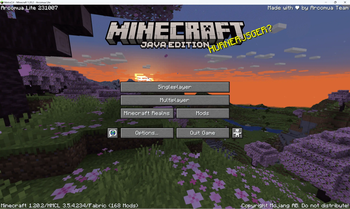
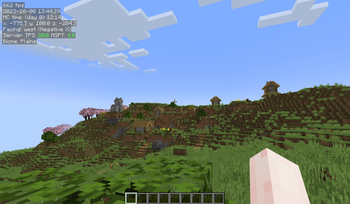
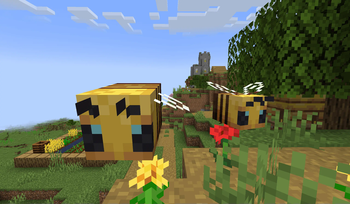
About this Modpack
We don't have time to update this modpack any further, so if you need it, please use Arcomua Cloth instead.
Arcomua Lite is a fork from Arcomua Cloth mainly designed to reach higher FPS and more vanilla than the original modpack.
⚡ High Performance
Many optimization mods were included to ensure the game reaches the highest performance.
✨ QoL Improvements
Many QoL mods were featured in this modpack to make your gameplay more enjoyable and make your eyes comfortable, such as Tweakeroo, MiniHUD, Litematica, and Redstone display resource pack.
Advantages over the standard version
⚡ Higher efficiency
Removed most decorative mods, as they usually sacrificed some FPS for better visual effects. You deserve a higher frame rate.
⚖️ Performance Balancing
Compared to the Vanilla, this version has better bug fixes and game performance optimizations, your game won't eat a lot of memory in one breath, and the CPU won't warm up for you when the game starts up, so enjoy the gaming environment without the sound of fans!
🪄 Minimalist Design
Without some mods that provided unnecessary functionalities, like mini-map and world map. These mods cost a lot of FPS, removing them will also make the game closer to vanilla and easier to play.
Why choose us?
Compared to other more similar modpacks, our modpack has the following advantages:
🔁 Long-term Update
Rest assured that I will be diligently updating this modpack to ensure it remains fully compatible with the latest version of vanilla.
🆕 Adopting New Technologies
We continuously experiment with and utilize the latest technologies to provide a more efficient and improved user experience.
📖 Comprehensive Problem-solving Guidance
We want you to know that we genuinely care about your experience and are here to help with any issues you may encounter. We aim to provide clear and detailed instructions to make problem-solving a breeze. Don't hesitate to reach out if you need any assistance!
🍎 macOS and Apple Silicon Support
We made a series of optimizations for Mac users to make the game more playable on macOS.
Simplified Chinese introduction
Available Versions
How to Set Up a Arcomua Lite Server
Order Server
Choose at least 4 GB RAM (6 GB recommended for Arcomua Lite). Based on player count: per 8 players.
Install Modpack in Dashboard
Open the modpack browser in the dashboard, search for "Arcomua Lite" and click "Install". The fabric loader and Minecraft 1.20.4 are configured automatically.
Start Server & Play
Start the server – all mods are loaded automatically. Share the server IP with friends and play together!
Frequently Asked Questions
Arcomua Lite server crashes or won't start – what to do?
Most common causes: insufficient RAM or wrong fabric loader. Check latest.log for "OutOfMemoryError" → increase RAM to at least 6 GB. For "Mixin" or "ClassNotFoundException" errors: modpack version and loader don't match. With Mado Hosting, loader and Minecraft version are auto-configured on modpack install – preventing most startup issues.
How much RAM does a Arcomua Lite server really need?
Minimum 4 GB, recommended 6 GB for stable performance. per 8 players. Important: Minecraft modpacks need more RAM than vanilla – plan extra per additional player. With Mado Hosting, you can scale RAM up live at any time without data loss (from €8/month).
Can I add custom mods to Arcomua Lite without conflicts?
Yes, but check compatibility: only use mods for the same loader (fabric) and same Minecraft version (1.20.4). Common issues: ID conflicts with recipe mods and incompatible coremod versions. The Mado dashboard mod browser only shows compatible mods and warns about known conflicts.
Arcomua Lite server lagging – performance tips
1) Increase RAM to 6 GB+. 2) Reduce server view-distance to 8 (server.properties). 3) Pre-generate chunks with the "Chunky" plugin. 4) Use /spark profiler to check which mods consume the most tick time. With Mado Hosting, all servers run on NVMe SSDs with dedicated CPU cores – eliminating hardware as a bottleneck.
Similar Modpacks

![Cobblemon Official Modpack [Fabric]](https://cdn.modrinth.com/data/5FFgwNNP/e7f9ee2e9d361623847853fe2ddce42f519ee64f.png)
![COBBLEVERSE - Pokemon Adventure [Cobblemon]](https://cdn.modrinth.com/data/Jkb29YJU/581ecf54530972afb18a04660afd820f2f24f6c7.png)
![Better MC [FABRIC] - BMC2](https://cdn.modrinth.com/data/shFhR8Vx/a19c2bcb51d38f32f138d3607e91cb2b7b8e387f_96.webp)


Rent Arcomua Lite Server
Start your own server with automatic modpack installation.
Details
- License
- Creative Commons Attribution Non Commercial Share Alike 4.0 International
- Server-side
- Unsupported
- Client-side
- Required
Supported Versions
Start your Arcomua Lite Server now
From €8.00/month with 6 GB RAM for the best performance.
Configure Server →